8
Funcons and Operaon
Power and charging
Power On Buon and Sleep Timer
In this manual, the terms “press” and “long press” are used. Press means to press
the buon briey. Long press means to press the buon and hold it for 2 seconds.
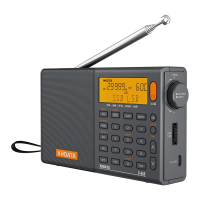
The orange power on buon turns the radio on. For 5 seconds, the sleep mer icon
appears on the display ashing. While the sleep mer icon is ashing, further press-
es of the Power buon increment through a list of sleep mes from 120 to 15
minutes or “on” indicang the mer is disabled. When the sleep mer is set, the
radio will automacally power o aer the selected number of minutes. The radio
cannot be turned o while the sleep mer icon is ashing — just wait unl it stops.
The sleep mer seng can be disabled by simply turning the radio o.
Alarms
The radio can automacally power on based on the alarm seng. Alarm mode can
be set on or o with the ALARM buon.
To turn the alarm on or o, turn o the radio and press the ALARM buon. Use the
up arrow buon to toggle through the three alarm modes: Wake to radio, wake to
tone and o. The alarm mode is indicated on the display with a ny speaker symbol
to the right of the word “Timer” for wake to radio, a ny bell to indicate wake to
tone, or no symbol when the alarm is o. Alarm to radio uses the most recently
tuned staon.
To set the alarm me, long-press the ALARM buon and key in the me with the
number buons. For example, to set the alarm for 21:30, long press the ALARM
buon and key 2 1 3 0. The alarm is set at the factory for 7:00 AM, turned o. The
radio does not support a 12-hour clock.


 To Next Page