8
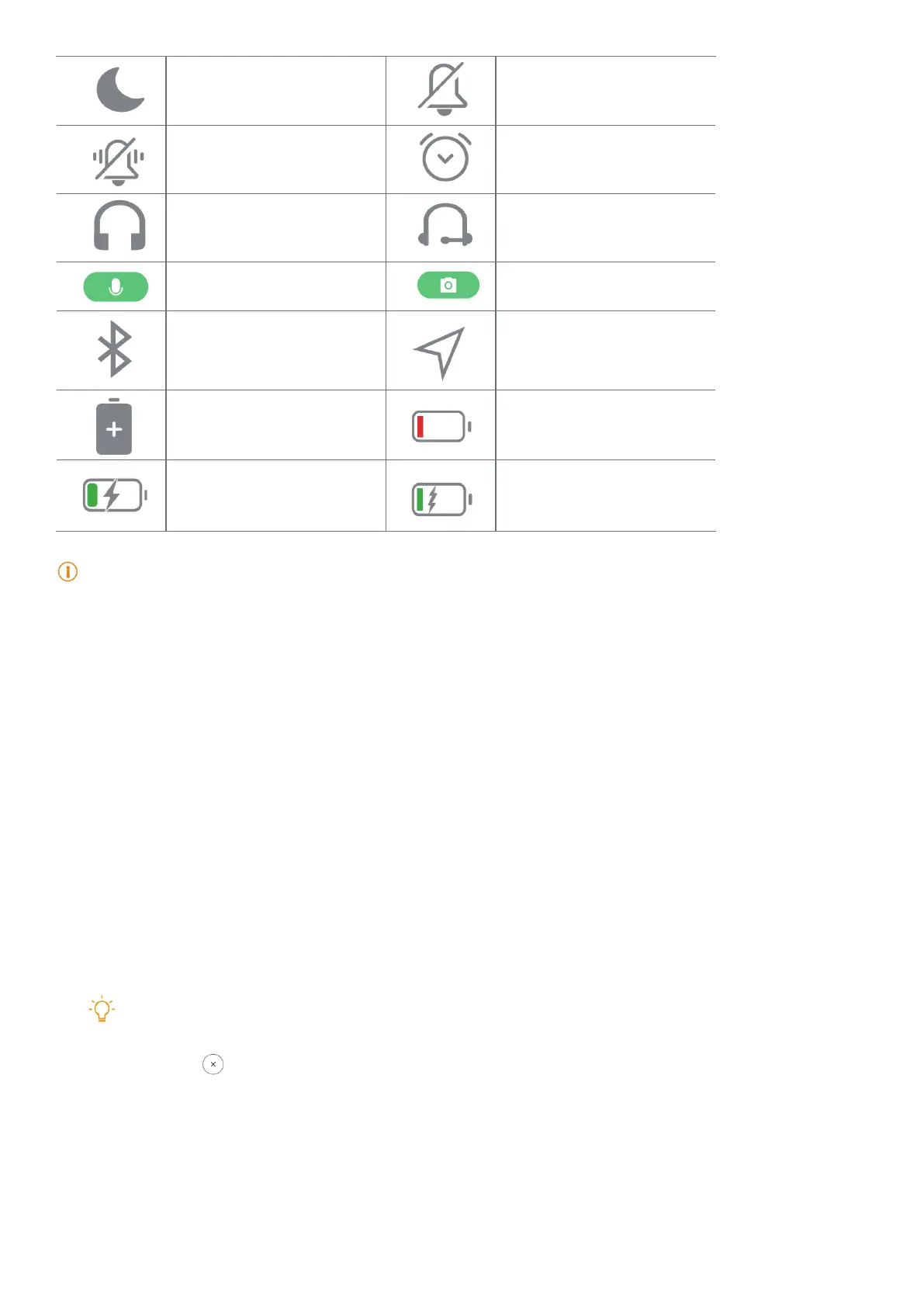
Do not disturb Silent mode
Vibrate in silent mode
Alarm
Headset
Headset with a microphone
connected
Microphone in use indicator Camera in use indicator
Bluetooth enabled Location services
Battery saver Low battery
Charging Mi Turbo Charge enabled
Note
Because functions vary among dierent models, some notication icons and status icons may not be available to
your models�
View the notications
1. Swipe down from the upper-left of the tablet to open the notication panel.
2. Tap a notication to view in details.
Clear the notications
1. Swipe down from the upper-left of the tablet to open the notication panel.
2. Swipe right on a notication reminder to clear the notication.
Tip
You can tap at the bottom of the notication panel to clear all notications.



 To Next Page