9
Control center
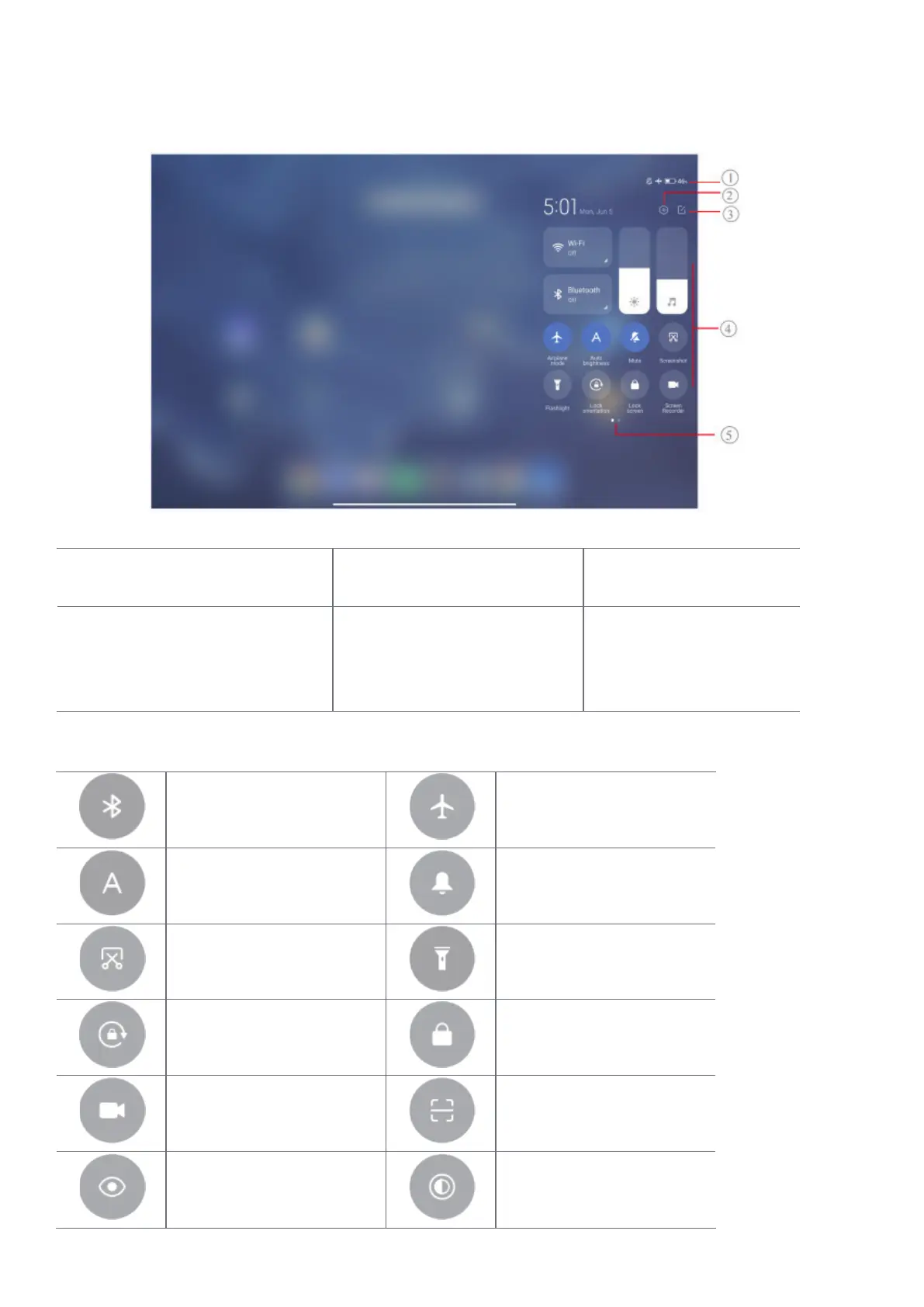
You can quickly access the feature shortcuts on the Control center�
1. View notication icons and
status icons
2� Go to Settings 3� Add or delete toggles
4� Tap to enable or disable a
feature/Touch and hold to access
the feature settings
5� Swipe left or right to re- veal
more shortcut toggles
Toggles on the Control center
Bluetooth Aeroplane mode
Auto brightness Mute
Screenshot Flashlight
Lock orientation Lock screen
Screen Recorder
Scanner
Reading mode Dark mode



 To Next Page