7
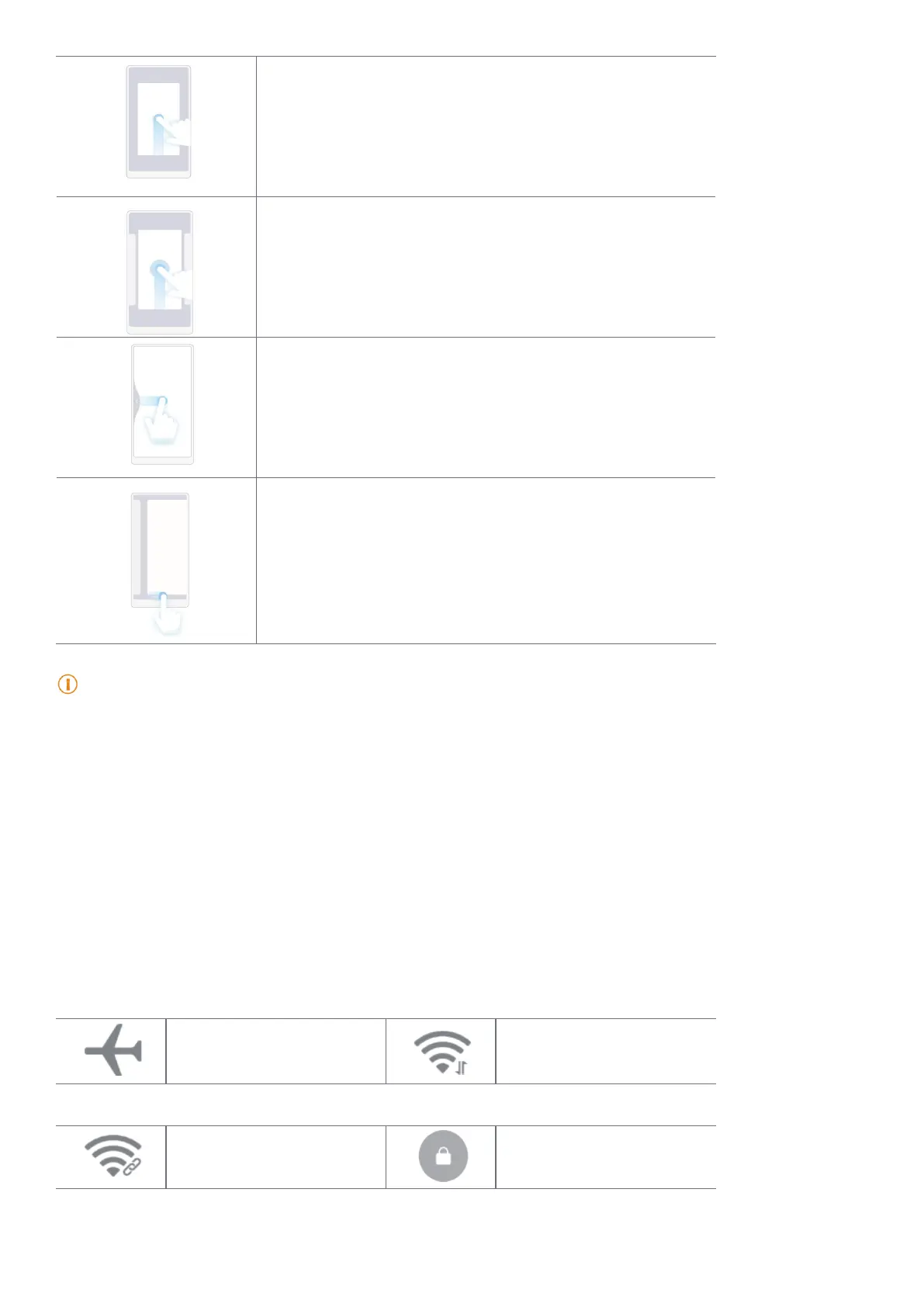
Go to Home screen
Swipe up from the bottom of the screen�
Open Recents
Swipe up from the bottom of the screen and pause�
Go back
Swipe left or right from the edge of the screen�
Switch between apps
Swipe left or right from the full screen indicator or
bottom of the screen�
Note
You can use the above gestures only when you choose full screen gestures mode� You can see Set full screen
gestures for more information�
Notications icons and status icons
Notications icons and status icons inform you of the newest events, such as news or messages
from apps and the statuses of your tablet, such as the Wi-Fi network strength or battery
condition�
Notication icons and status icons
Airplane mode enabled Wi-Fi network connected
Portable hotspot enabled Lock screen



 To Next Page