NetDisk User Manual Network Direct Attached Storage / NDAS
—————————————————————————————————————————————
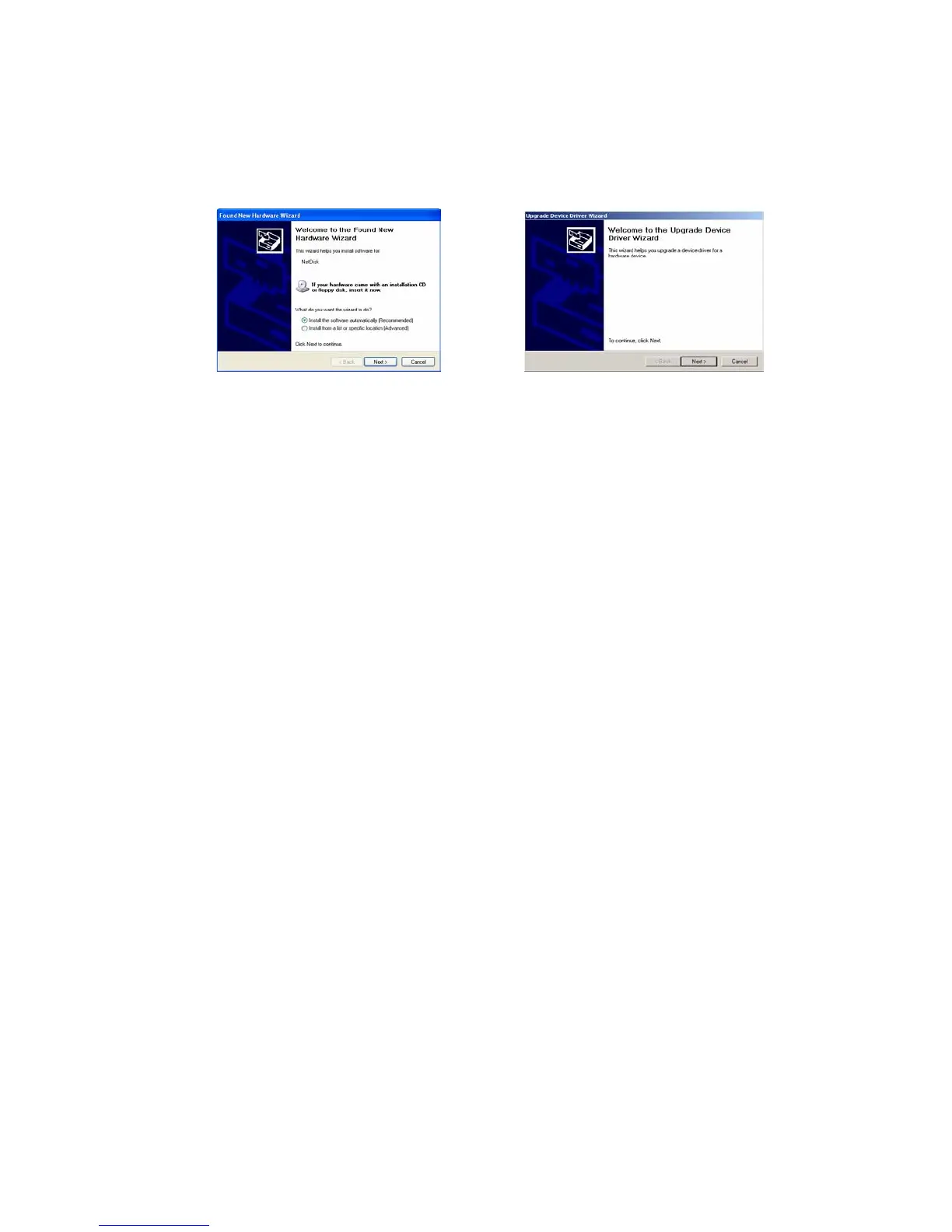
- Found New Hardware Wizard
- Select Install Software Automatically and click Next.
Windows XP Windows 2000
- If you click Cancel, NetDisk Device Driver does not get installed and you cannot use NetDisk.
o To re-install NetDisk, please follow the following steps:
- To Re-Install NetDisk for Windows XP
Right click My Computer
Select Manage
Double click Device Manager under System Tools
Double click SCSI and RAID controllers
Right click XIMETA_LanscsiBus_XX (XX can be any two numbers)
-
Select Update Driver
Hardware Update Wizard will appear
Select Install the software automatically and click Next
Hardware Installation will appear, click Continue Anyway
Hardware Update Wizard will appear again, click Finish
To Re-Install NetDisk for Windows 2000
Right click My Computer
Select Manage
Double click Device Manager under System Tools
Double click SCSI and RAID controllers
Right click XIMETA_LanscsiBus_XX (XX can be any two numbers)
Select Properties
Select Driver tab and click Update Driver
Upgrade Device Driver Wizard will appear, click Next
Select Search for a suitable driver for my device and click Next
Uncheck all of the optional search boxes and click Next
Digital Signature Not Found window will appear, click Yes
Upgrade Device Driver Wizard will appear again, select Finish
www.XIMETA.de
—————————————————————————————————————————————
20



 To Next Page