NetDisk User Manual Network Direct Attached Storage / NDAS
—————————————————————————————————————————————
NetDisk Software Installation
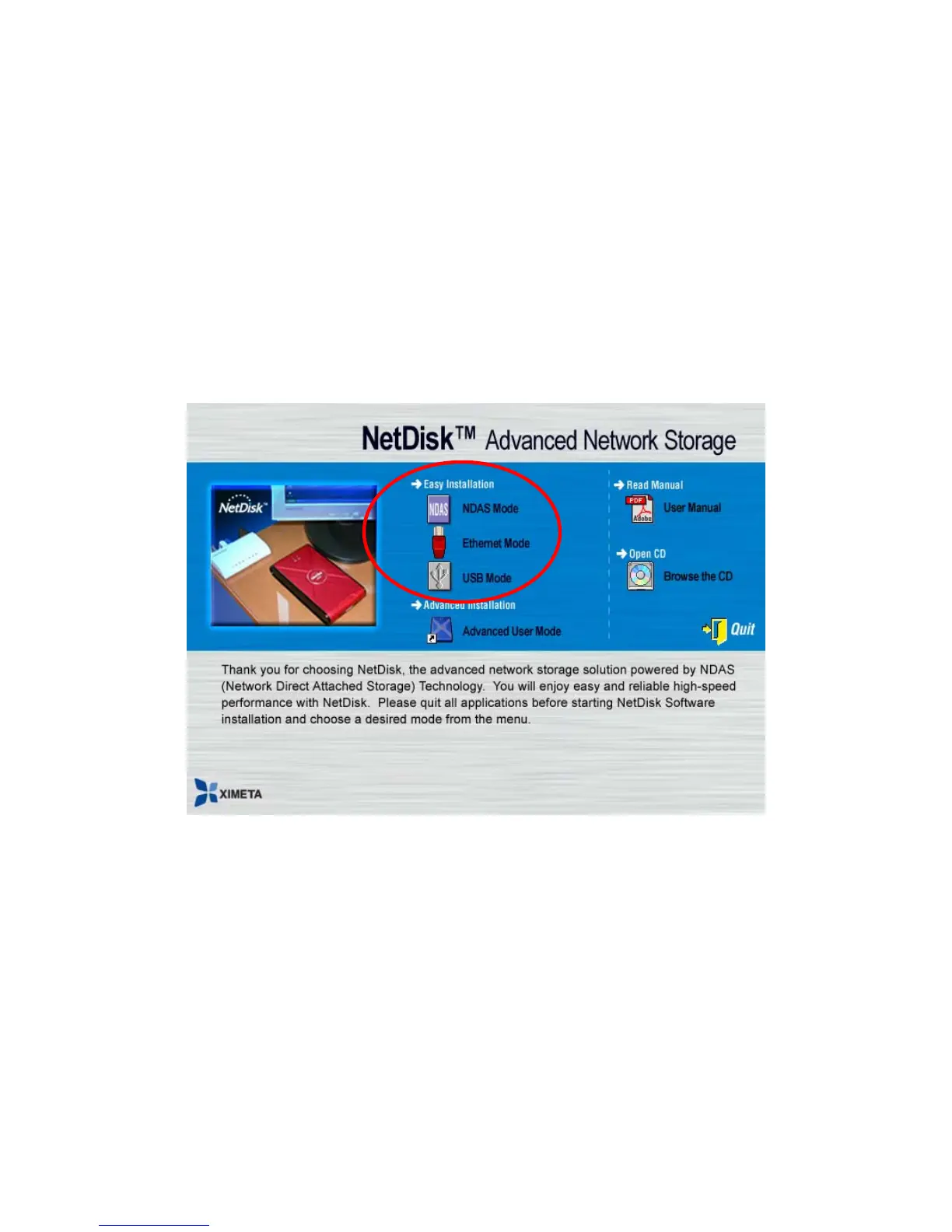
Installation of NetDisk software is simple and easy. Insert the included “NetDisk Installation CD” into your
CD-ROM Drive and select the NetDisk Mode you want. Easy and simple instructions will guide you through
the installation.
For The First Time Users
It is strongly recommended that the first time NetDisk user select Easy Installation from the main menu.
For Advanced Users
Once you are comfortable with installing and using NetDisk, you may choose to use advanced installation. You
can pick and choose features you want to install, select Advanced Installation from the main menu.
NDAS Mode Easy Installation
Select “NDAS Mode Easy Installation” and click “next” button. The instructions will guide you
through the installation.
•
•
•
Ethernet Mode Easy Installation
Select “Ethernet Mode Easy Installation” and click “next” button. The instructions will guide you
through the installation.
USB 2.0 Mode Easy Installation
Select “USB 2.0 Mode Easy Installation” and click “next” button. The instructions will guide you
through the installation.
www.XIMETA.de
—————————————————————————————————————————————
11



 To Next Page