NetDisk User Manual Network Direct Attached Storage / NDAS
—————————————————————————————————————————————
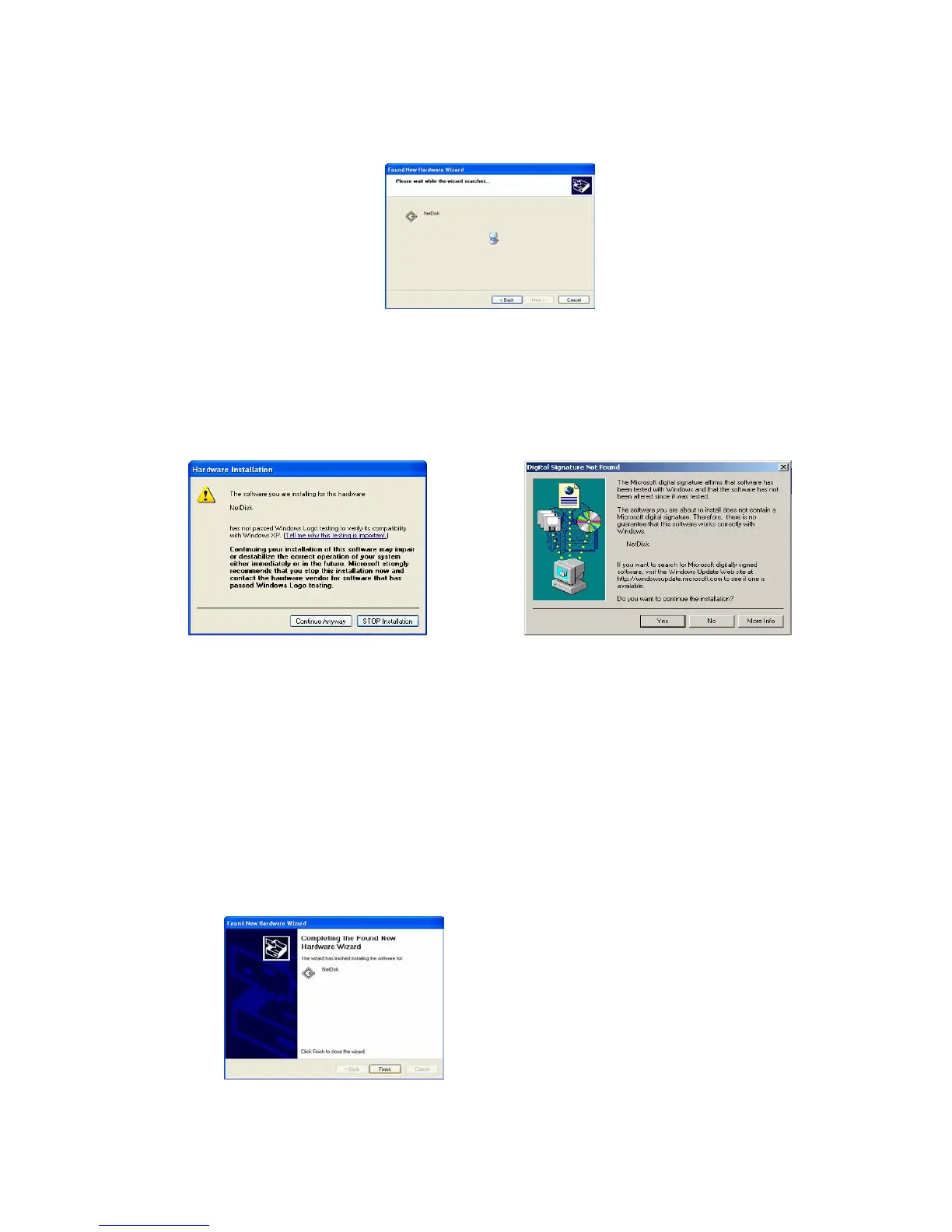
o Searching for new NetDisk.
o Hardware Installation
- This is just a warning window advising NetDisk to perform Window Logo Testing.
- Click Continue.
Windows XP Windows 2000
- If you click STOP Installation or No, NetDisk Device Driver does not get installed and you
cannot use the NetDisk.
- If you want to re-install the NetDisk, please follow the Re-Install NetDisk step in this
section.
o Installation is completed.
o Click Finish.
o New NetDisk has been added to your pc.
www.XIMETA.de
—————————————————————————————————————————————
21



 To Next Page