NetDisk User Manual Network Direct Attached Storage / NDAS
—————————————————————————————————————————————
NetDisk Administrator Tool
When software installation is completed, you will find a NetDisk Launcher Icon on your desktop screen and a
NetDisk Administrator Tool icon on the system tray.
•
•
-
-
-
-
-
-
-
-
•
NetDisk Launcher activates and loads the NetDisk Administrator Tool onto the system tray.
NetDisk Administrator Tool performs the following functions:
Refresh NetDisk Status
Add a NetDisk
Display Software Version
Enable Read / Write Access
Enable Read Only Access
Disable a NetDisk
Edit NetDisk Name
Display NetDisk Properties
Using NetDisk
Add / Register a New NetDisk.
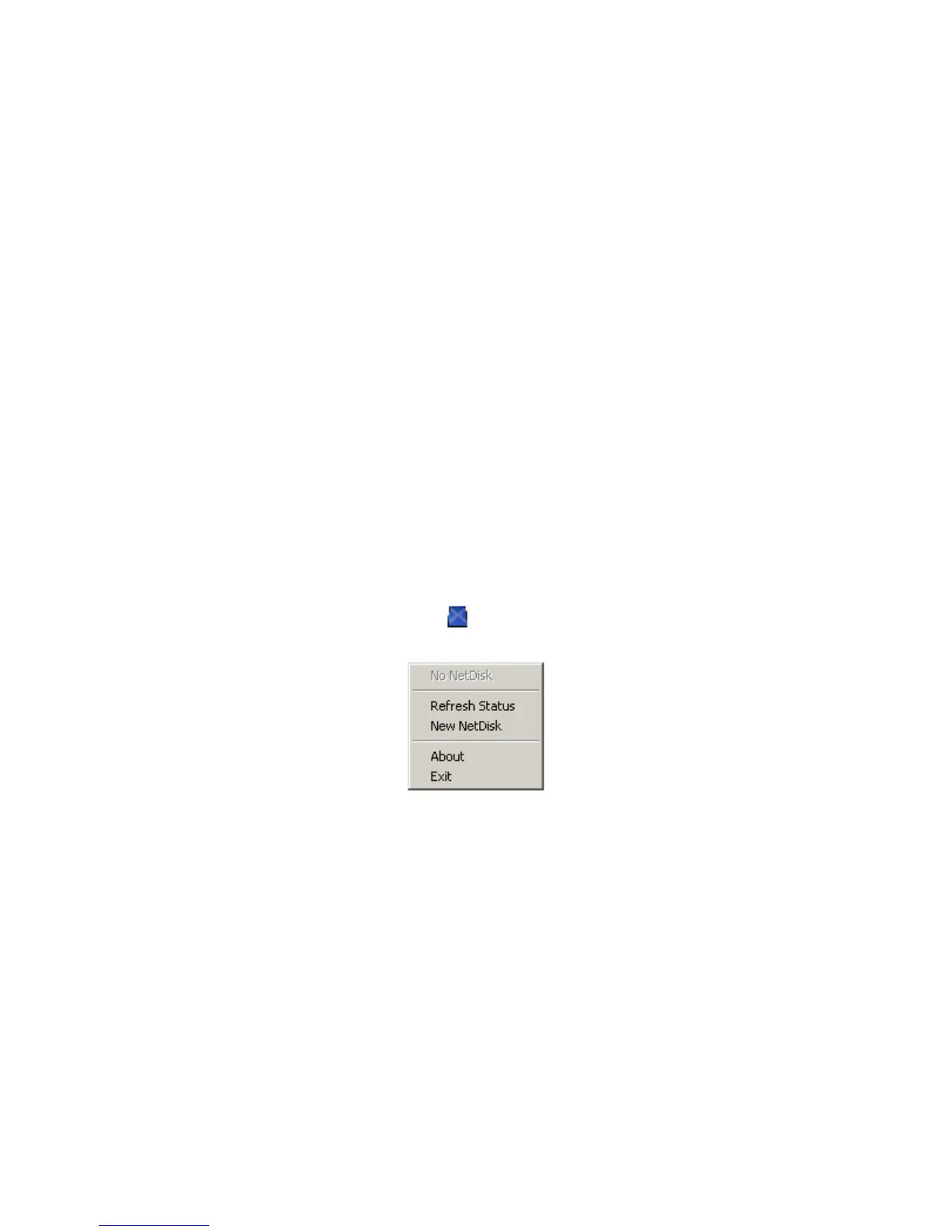
Click NetDisk™ Administrator Tool Icon located on the bottom right corner of your screen.
Click New NetDisk. •
•
Add a NetDisk.
- NetDisk ID and Write Key can be found underneath the NetDisk case.
- NetDisk ID and Write Key do not contain the letter O. Please use the number 0, for all 0’s.
www.XIMETA.de
—————————————————————————————————————————————
12



 To Next Page