NetDisk User Manual Network Direct Attached Storage / NDAS
—————————————————————————————————————————————
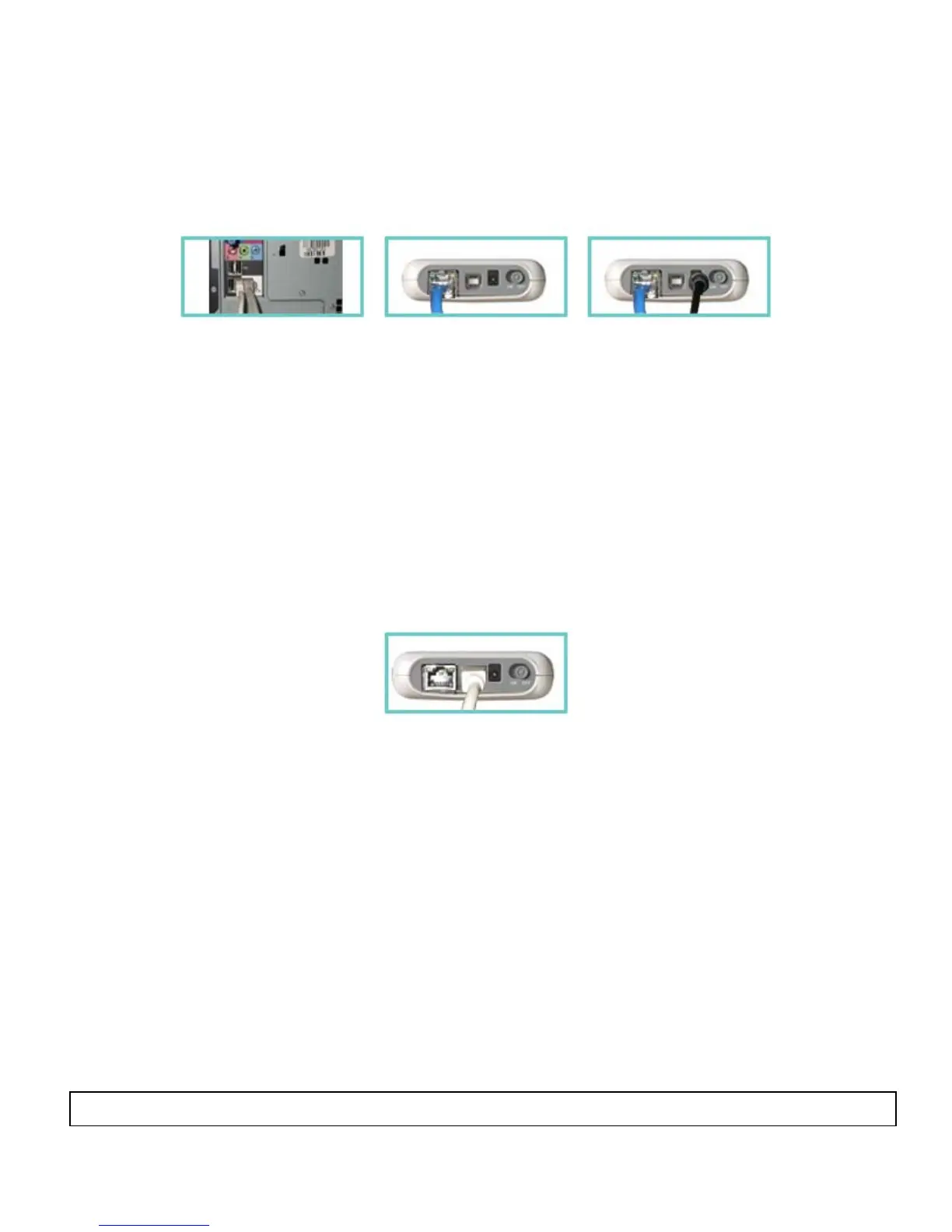
Ethernet Mode
1
2
3
(1, 2) Connect NetDisk Mini directly to your PC’s Ethernet Port using crossover CAT5 cable
(not included).
(3) Make sure the power connector is connected firmly.
USB Mode
• No power adaptor needed for NetDisk Mini when connected to your pc/laptop through USB
1
(1) Connect NetDisk Mini directly to your PC’s USB Port using included USB cable.
Note: From this point forward, NetDisk will be used to represent both NetDisk and NetDisk Mini.
www.XIMETA.de
—————————————————————————————————————————————
10



 To Next Page