http://xim.tech
XIM NEXUS
Connect To Manager
Connecting to Manager
XIM NEXUS Manager is used to fully configure the Controller.
Download “XIM NEXUS Manager” for Android or iOS from their app stores. For the PC version, download from xim.tech.
Make sure your device’s Bluetooth radio is ON. Do NOT pair using your device’s system pairing interface.
Android users must have LOCATION services ON to pair (this is a requirement of Google, your location information is never used).
Run MANAGER App
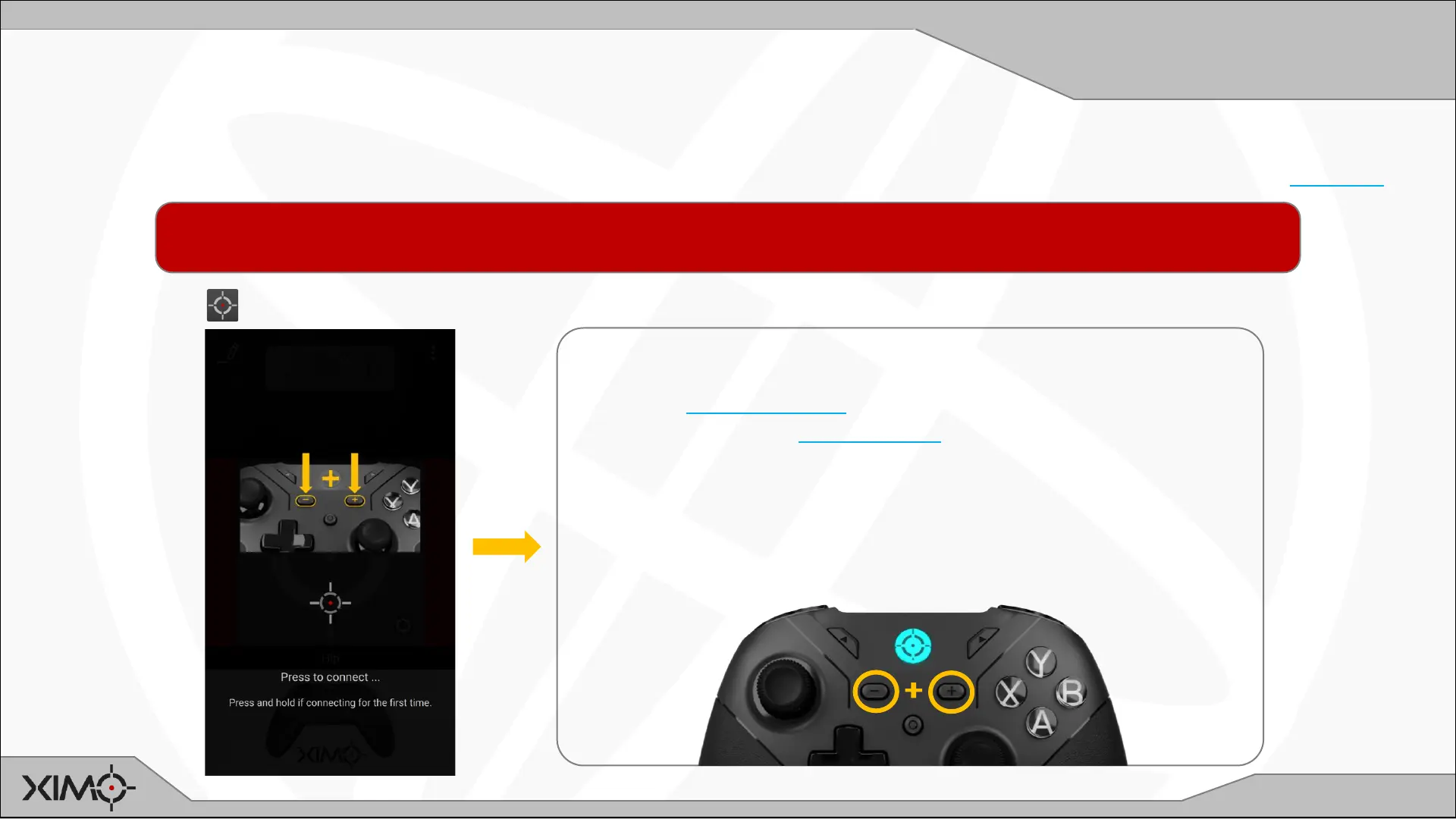
ENTER MANAGER SEARCH MODE ON CONTROLLER
• Ensure Controller is ON
• PRESS and HOLD PLUS+MINUS, you will see CYAN blinking
• Continue to HOLD until you see rapid CYAN blinking (about 5s)
• RELEASE PLUS+MINUS and wait until Manager connects
NOTE: After the first connection, when re-connecting it is no
longer required to hold PLUS+MINUS.


 To Next Page