http://xim.tech
XIM NEXUS
Adding Configs
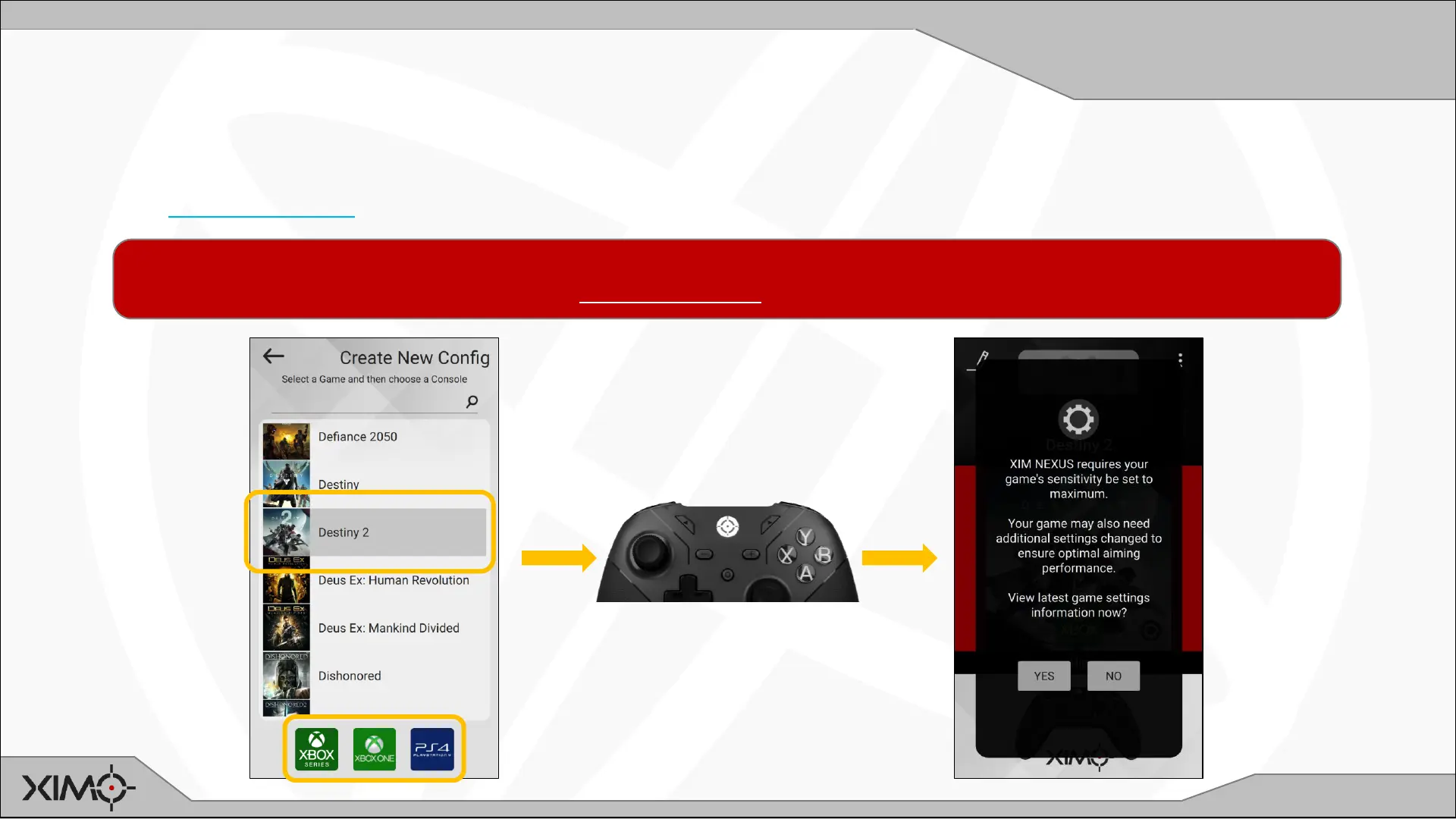
Add a Config
Every game you play must have a Config -- which is added through Manager.
A Config holds all your settings for a game such as motion behavior, thumbstick curves and button mappings.
Choose the supported game you are playing and the console. Your Config will be added to your Controller (around 20s).
Blinks WHITE while
communicating with
Manager
XIM NEXUS’ input translation technology requires that your game’s sensitivity is set to MAXIMUM, HIGH, “INSANE”, etc.
Your game may also need additional settings. If not set, you aim will not be optimal.


 To Next Page