http://xim.tech
XIM NEXUS
Adapter Pairing
Controller Pairing to Adapter
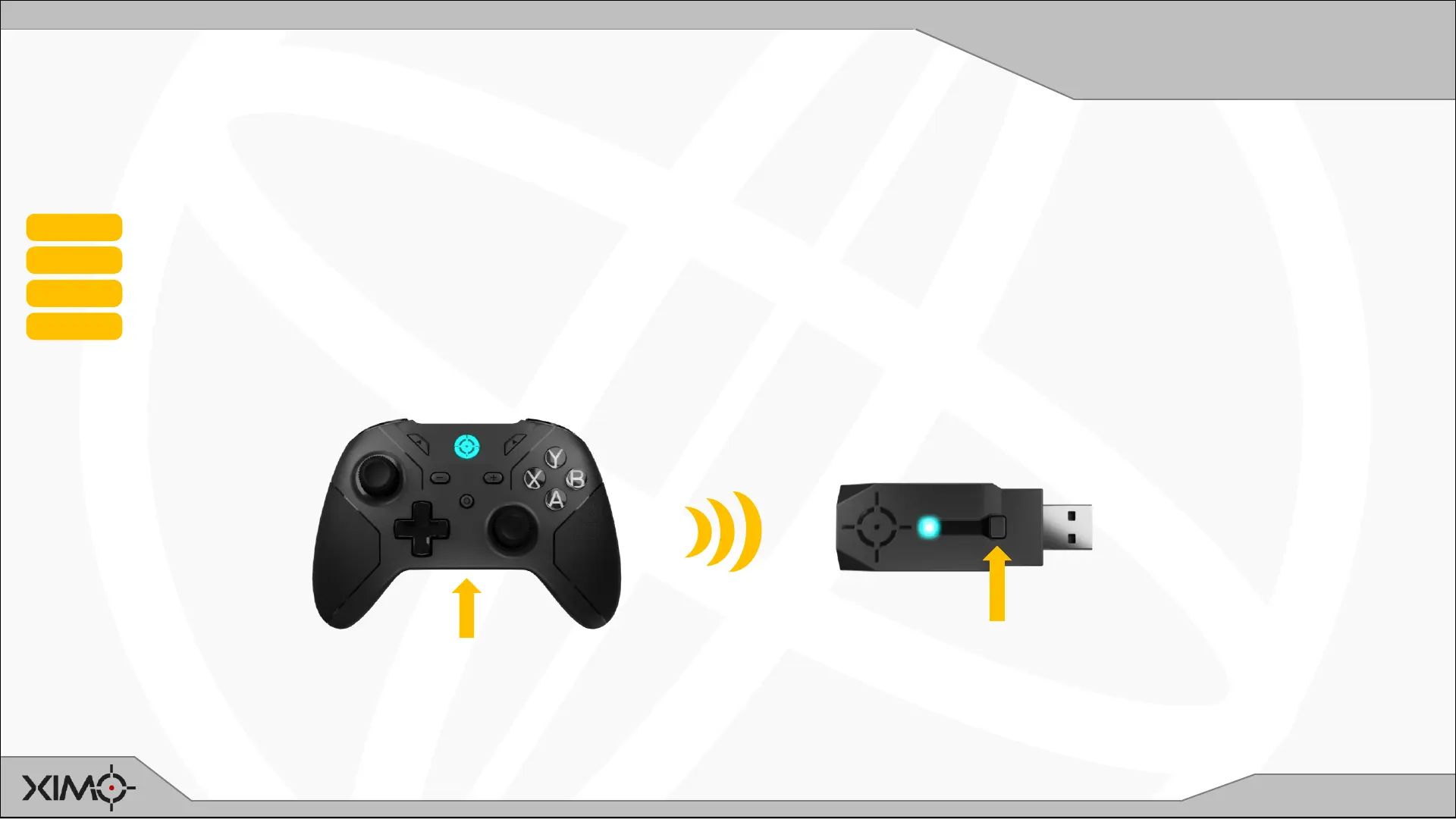
If Controller is ever paired directly to a PC, you can re-pair it to your Adapter with these steps.
NOTE: Initiating pairing removes Controller’s existing pairing.
STEP 1 Start with both Controller and Adapter OFF and then turn both ON
STEP 2 Press and Hold P on the back of Controller until it starts blinking CYAN (about 3s)
STEP 3 Press and Hold Adapter’s button until it starts blinking CYAN (about 3s)
STEP 4 Wait for both devices to pair (Adapter will flash WHITE)
1
2
3


 To Next Page