http://xim.tech
XIM NEXUS
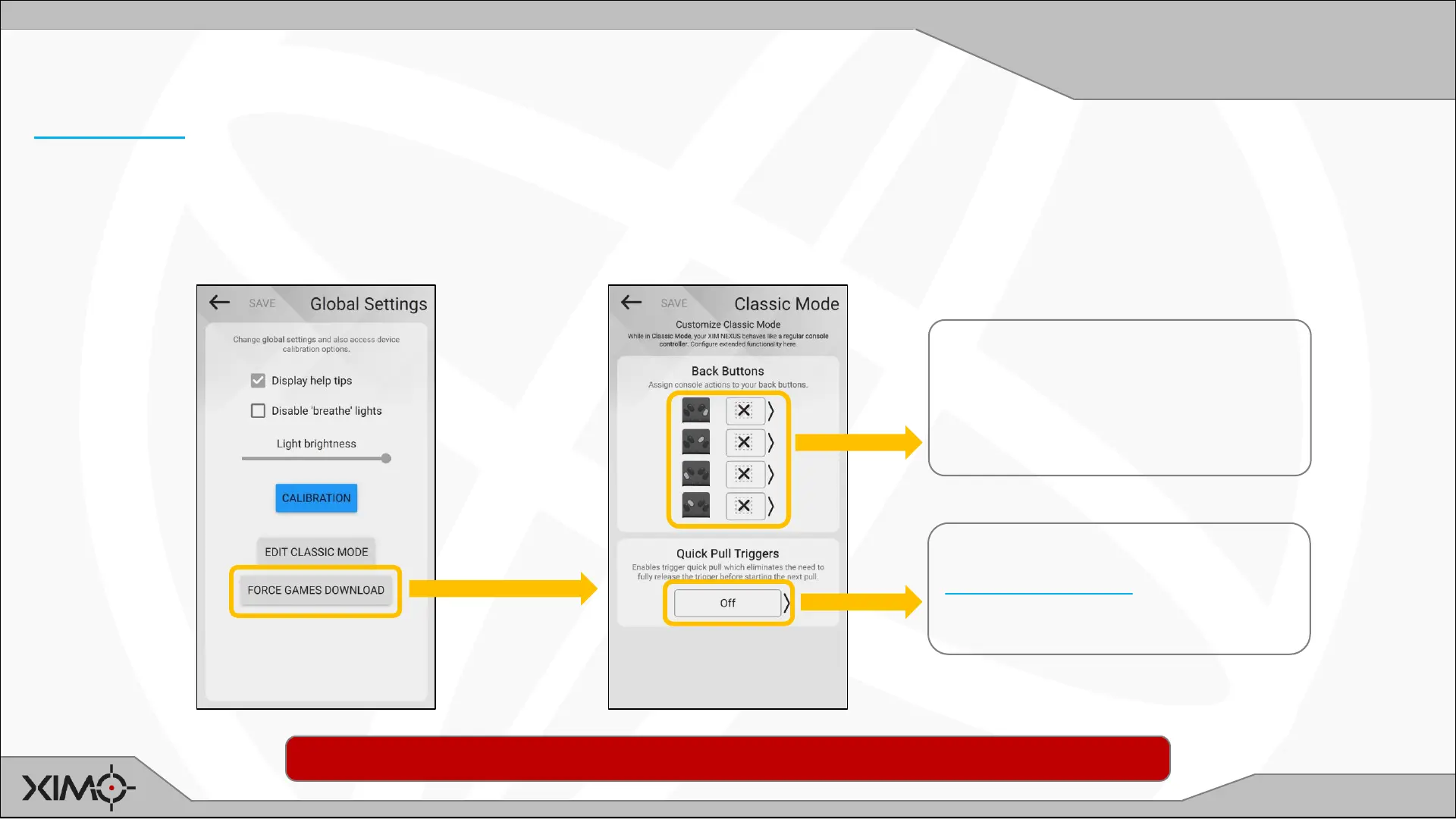
Edit Classic Mode
Customizing Classic Mode
Classic Mode makes your XIM NEXUS act like a regular console controller to make it easier to do tasks outside of the
game you are playing (such as navigating menus).
Classic Mode can also be used in games where you prefer standard controller behavior as well. Manager offers
additional customization options for this scenario:
MAP Back Buttons:
Assign console buttons to the
buttons on the back of your
controller.
ENABLE Quick Pull Triggers:
Quick Pull Triggers increase your
firing rate.
IMPORTANT: Remember that these customizations are NOT active if Class Mode isn’t enabled.


 To Next Page