EasyManua.ls Logo

XM XMP3 - Page 15

XM XMP3
97 pages
Print Icon
To Next Page IconTo Next Page
To Previous Page IconTo Previous Page
Loading...
The
functions
of
the controls may change depending on what you're doing at the time.
In
general, remember that:
Turning the wheel highlights different icons or moves
up
or
down
a list.
Press
the XM button
to
select the highlighted item.
The
back
button
brings you
to
the previous screen.
If
you're lost, press the back
button
several times until you
get
to
an
XM
channel
or
the song you're listening to. Pressing and holding the back
button
will
do
the same thing.
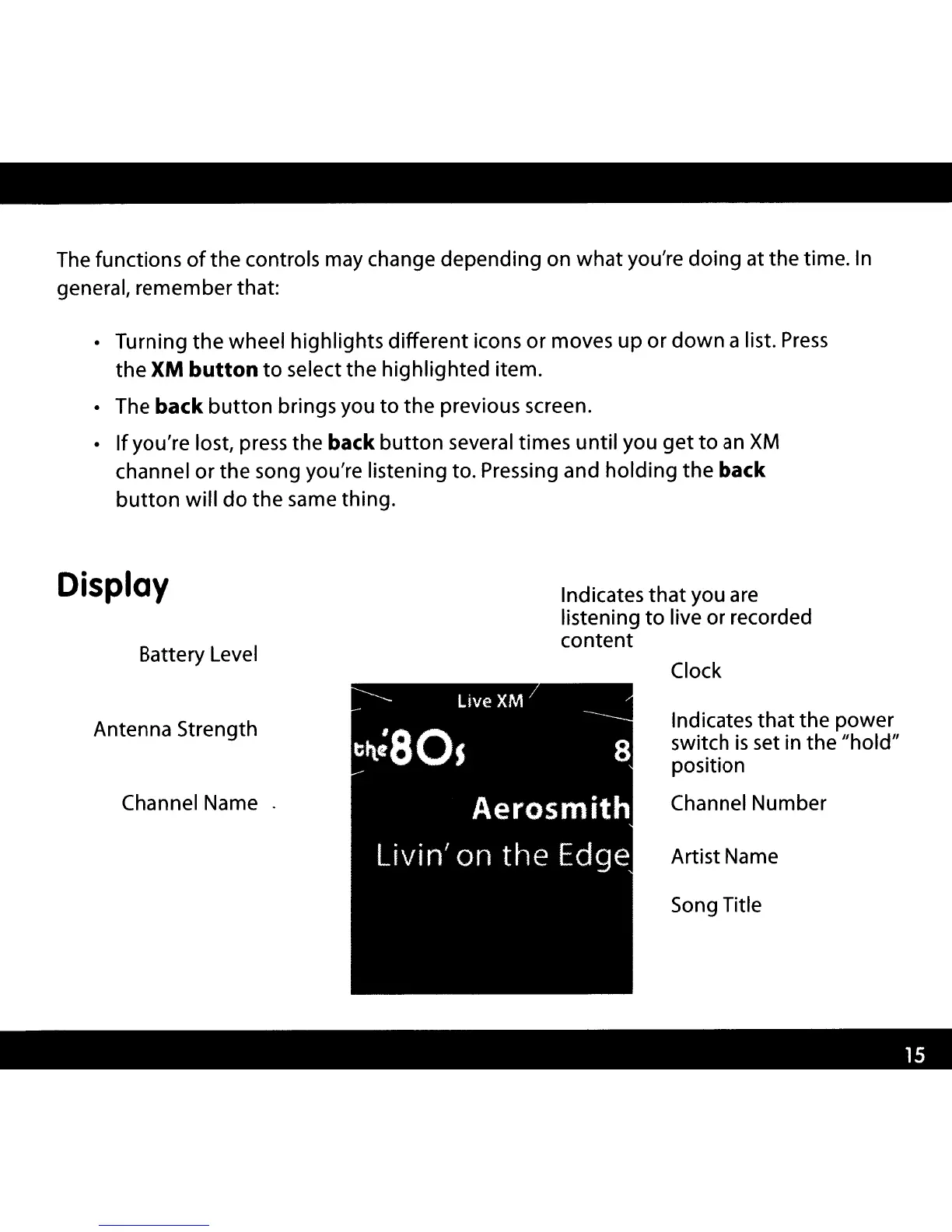
Display
Battery Level
Indicates
that
you
are
listening
to
live or recorded
content
Clock
Antenna Strength
Channel Name .
Indicates that the power
switch
is
set in the "hold"
position
Channel Number
Artist Name
Song Title

Other manuals for XM XMP3

Related product manuals