Page 30 DP224/6 Operators Manual
Entering the Password to Complete the Locking Operation
After selection of the lock type from the list above, a four-digit security code will be
asked for. This can be entered by using the ‘FREQ’ control to select a character, and
the ‘BACK’ and ‘NEXT’ keys to move to the next character.
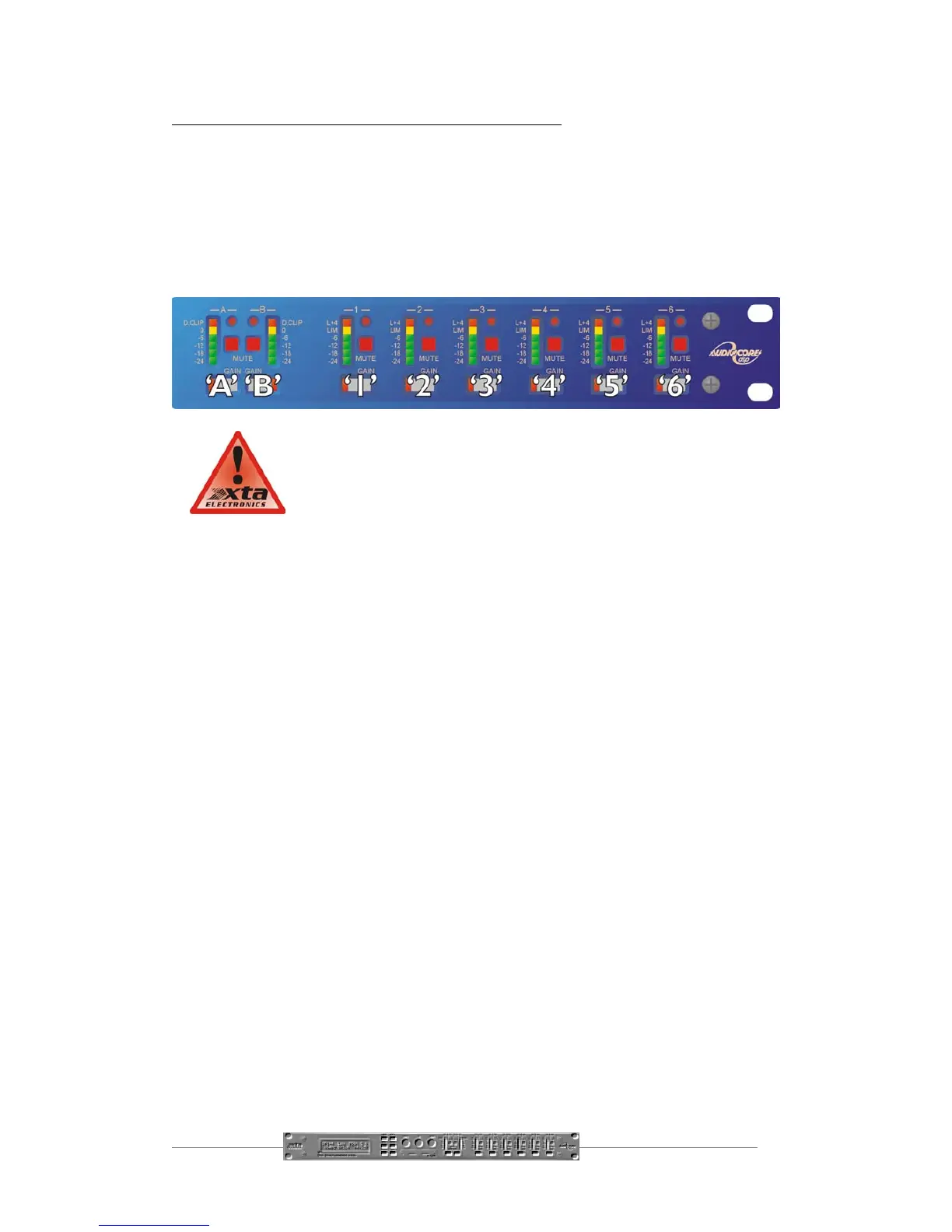
Alternatively, the ‘GAIN’ keys can be used to enter a code by pressing any
combination of the eight buttons. Each ‘GAIN’ key represents its channel labelling, so
any combination of A, B, 1, 2, 3, 4, 5 and 6 can be used as a code, as shown below.
IMPORTANT - Please note your code! If the security code number
is forgotten contact your local XTA sales office.



 To Next Page