DP6i Operators Manual Page 39
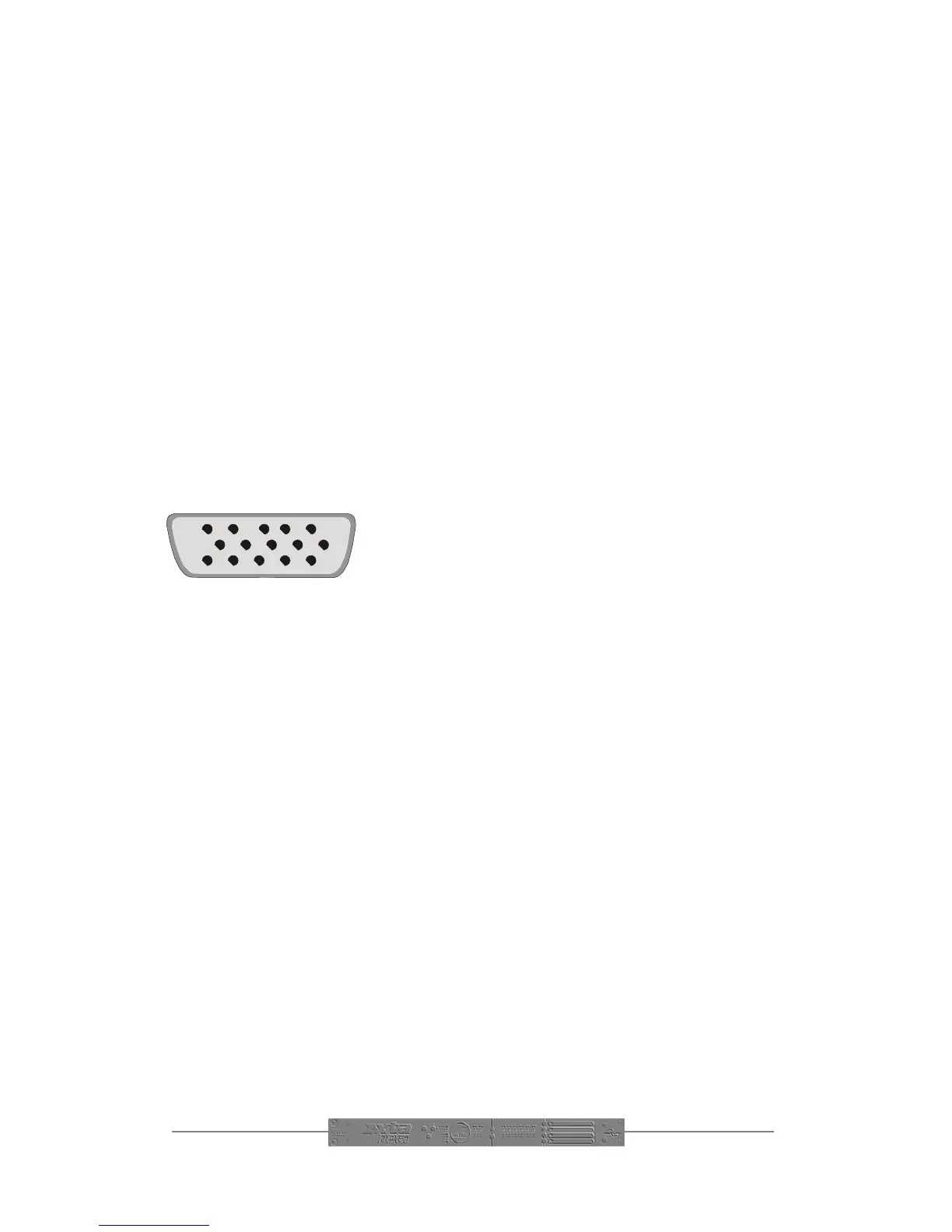
Pin 12345
6
7
8
910
11 12 13 14 15
How Do I Configure The Interface?
Use the SELECT key to scroll down the parameters until the GPI LED is illuminated.
If the interface has been fitted correctly, it will not be possible to change the display
on the screen from of to on. It’s as simple as that! Note that any recalls initiated
using the GPI interface will relay a memory recall command out of the RS485 port,
allowing all connected units to respond and change configuration at the same time.
How Do I Trigger a Memory Recall?
As can be seen from the schematic diagrams, operation just involves connecting a
single pin of the socket to a positive supply, derived either from the unit (non-isolated
– ground must also be connected from pin 5 to pin 9), or from an external supply. In
the case of the external supply, its ground must be connected to pin 9 to complete
the circuit. Only a momentary action switch is required, but latching ones may be
used if a physical indication of the remote memory selected is required.
Pin Numbering of 15-pin connector
(as viewed from the rear of the unit)
Have I Lost My RS-232 Port?
No. The circuitry for the RS-232 port is included on the GPI card. An adapter is
included in the GPI kit which plugs into the 15-pin connector, and converts it to the
original 9-pin which may be used in exactly the same way as before. The port may be
used for loading software upgrades, and remote control applications.


 To Previous Page