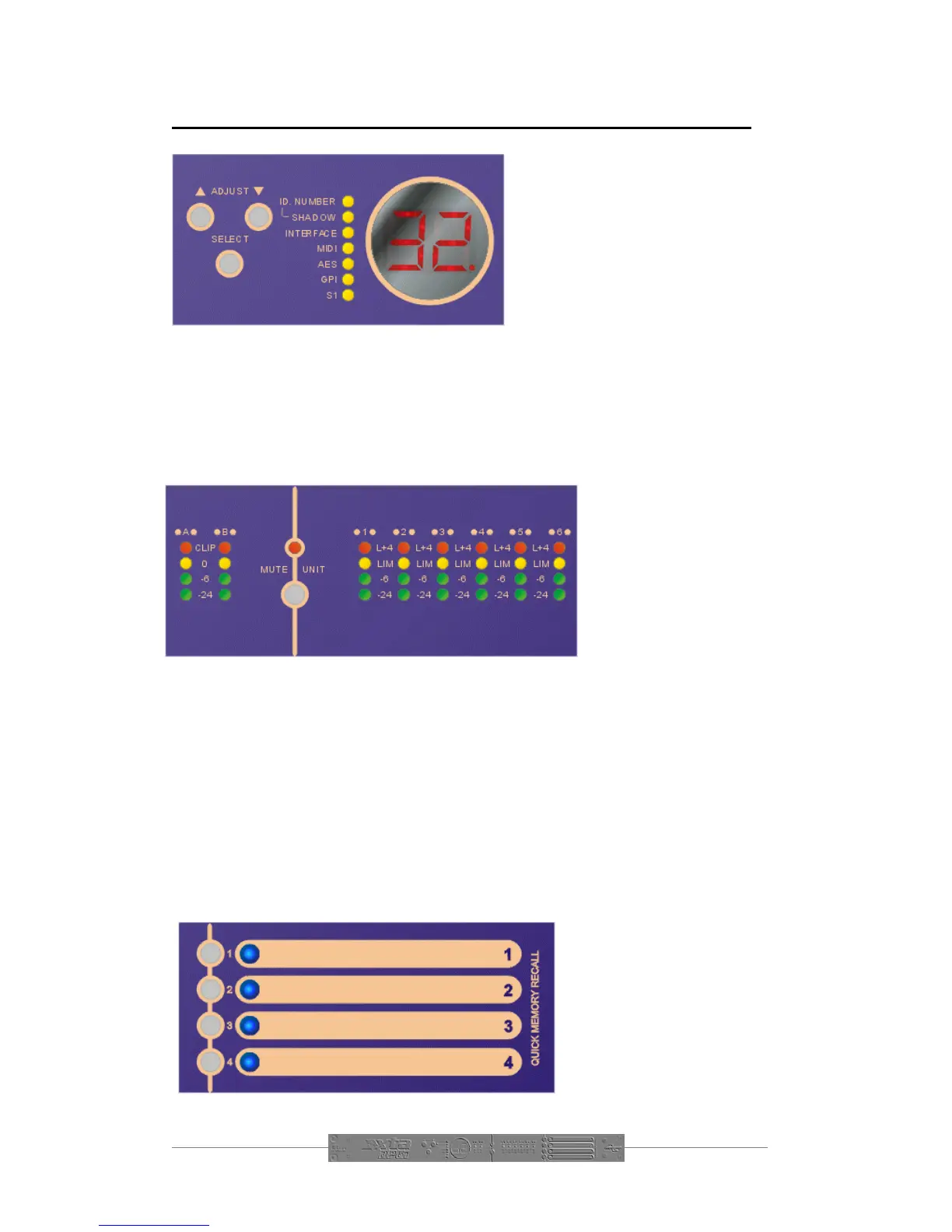
Front Panel Familiarisation
Select Key: Pressing this key will
cycle through the options listed to
the right of the key – each one will
be highlighted in turn, with the LED
display showing the value of the
parameter.
Adjust Keys: Use these keys to
alter the value of the parameter
currently selected. Note that in
certain circumstances, such as where an option is not fitted, (AES or GPI) the value
may not be adjustable.
LED Display: This display shows, by default, the number of the last recalled
memory. If this memory has been edited, the display will show . If a parameter
is being adjusted, the yellow LED beside its name will be illuminated, and the current
value of it will be shown on the display.
Input and Output
Metering: Input meters
show the headroom
available below the
clipping point of the
analogue to digital
converter. They are PRE-
processing, so are not
affected by the gain controls for the inputs or any applied equalisation. If the unit is
clipping internally due to a DSP overflow (too much gain or excessive EQ), both CLIP
LEDs on the inputs will illuminate, regardless of the actual input level, or which
channel is overloading.
Mute Unit Key: Pressing this will instantly mute all the outputs. Note that the
metering will continue to register. The state of this mute will be remembered on
power down. Note that the remote PC controller has no knowledge of this key, as it
is purely a LOCAL mute facility.
Output Meters: These show the headroom below limiting for the outputs.
Adjusting the limiter threshold will cause the meter reading to change. The red LED
illuminates when the level has reached 4dB over the limiter threshold. The ballastics
of these meters are affected by the attack and release settings of the limiter.
Quick Memory Recall
Keys: Pressing one of these
keys will immediately recall
the relevant memory
location. See page 11 for
more details of how this
works.


 To Next Page