EasyManua.ls Logo

Xterra SB550 - User Manual

Xterra SB550
24 pages
Print Icon
To Next Page IconTo Next Page
Loading...
SB550 FITNESS BIKE
OWNER’S MANUAL
PLEASE CAREFULLY READ THIS ENTIRE MANUAL BEFORE OPERATING YOUR NEW FITNESS BIKE
Question and Answer IconNeed help?

Do you have a question about the Xterra SB550 and is the answer not in the manual?

Summary

Product Registration

Record Your Serial Number

Instructions on recording the product's serial number for reference and support.

Register Your Purchase

Details on how to register the product for warranty validation and online services.

Important Safety Instructions

Electric Shock Prevention

Warning regarding immediate unplugging from the electrical outlet after use and before cleaning.

General Operational Safety

General safety precautions for operating the appliance, including unattended use and proper handling.

Fitness Equipment Safety Guidelines

Specific safety guidelines for operating fitness equipment, including physician consultation and proper footwear.

Safety Instruction Retention

Instruction to retain safety guidelines for future reference and safe operation.

Important Electrical Instructions

Electrical Safety Warnings

Crucial warnings about handling electrical connections, voltage variations, and environmental exposure.

Important Operation Instructions

Key Operational Guidelines

Key operational advice, including understanding console changes, gradual resistance, and avoiding distractions.

Features

Ergonomic Foot Pedals

Description of Xterra's Q factor and pedal design for biomechanical alignment and comfort.

Unit Transportation

Information about the transport wheels for easy movement of the fitness bike.

SB550 Assembly Pack Checklist

Hardware Step 1 Components

List and visual identification of hardware components required for the first assembly step.

Hardware Step 2

Hardware Components

Identification of hardware pieces for assembly Step 2, including bolts, nuts, and washers.

Hardware Step 3

Hardware Components

List of hardware items for assembly Step 3, featuring various bolts, washers, and nuts.

Hardware Step 4

Hardware Components

Details of hardware needed for assembly Step 4, including screws, bolts, and washers.

Assembly Tools

Required Assembly Tools

Visual guide to the specific tools provided or required for the assembly process.

SB550 Assembly Instructions

Seat Assembly & Rear Stabilizer

Step-by-step guide for assembling the seat and rear stabilizer components.

Rear Handle Bars Assembly

Handlebar Installation

Instructions for attaching the rear handlebars, connecting wires, and securing components.

Console Mast & Seat Back Assembly

Mast and Seat Back Installation

Procedure for securing the seat back and connecting the console mast with necessary hardware.

Console, Handle Bars & Pedals Assembly

Final Component Installation

Guide for installing the console, handlebars, and pedals, including specific instructions for pedal threading.

Operation of Your Console

SB550 Console Overview

Description of the console features, including display, controls, speakers, and fan.

Console Power Up Sequence

Instructions on how the console powers up, performs self-tests, and displays initial information.

Console Operation

Starting and Basic Functions

Guides on starting workouts quickly and understanding console displays like speed, pulse, and distance.

Advanced Functions and Features

Details on pausing/resetting workouts, and information on the console's audio input and speakers.

Programming The Console

Customizing Workout Programs

Guidance on personalizing workout programs using age and weight for accurate readings.

Calorie Reading Explanation

Explanation that calorie readings are estimates and serve as a guide for progress monitoring.

Entering and Changing Settings

Steps to select, customize, and start programs, including using default settings.

Manual Program Operation

Adjusting Manual Workload

Instructions for adjusting workload during a manual program using the Level keys.

Programming Preset Programs

Customizing Preset Workouts

Steps to choose, set age/weight/time, and adjust max level for preset workouts.

Preset Programs Overview

Variety of Workout Profiles

Overview of seven different preset workout programs with their respective work profiles.

User Programs

Creating Custom Workouts

Steps to build and save custom user programs by setting name, age, weight, time, and resistance levels.

Heart Rate Programs

Using Heart Rate Monitoring

Instructions for using HR1 and HR2 programs, requiring contact grips or a strap for target heart rate.

Understanding Heart Rate

Heart Rate Zones Explained

Explanation of maximum heart rate calculation and target heart rate zones for weight loss and cardiovascular fitness.

Target Heart Rate Training Chart

A chart illustrating target heart rate zones based on age for weight loss and cardiovascular goals.

Rate of Perceived Exertion

Borg Scale Explained

Details on the Rate of Perceived Exertion (RPE) scale, its development, and how it relates to exercise intensity.

RPE and Heart Rate Correlation

Guidance on how RPE ratings can be correlated to approximate heart rate levels and perceived effort.

Wearing The Chest Strap

Chest Strap Placement and Use

Instructions for correctly wearing and positioning the heart rate chest strap for optimal signal.

Erratic Operation Troubleshooting

Heart Rate Interference Issues

Information on potential causes of erratic heart rate readings and how to troubleshoot them.

General Maintenance

Cleaning and Care Instructions

Basic instructions for cleaning the fitness bike after workouts and checking for loose parts.

Engineering Mode

Accessing and Navigating Engineering Mode

Steps to enter and navigate the console's engineering/diagnostic mode for settings and tests.

Manufacturers Limited Warranty

Warranty Terms and Responsibilities

Outlines warranty periods, consumer duties, and specific exclusions for the fitness bike.

Service and Support Information

Details on how to obtain warranty service, contact customer support, and necessary procedures.

Overview

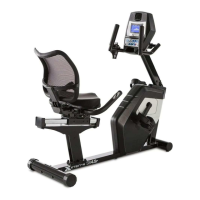
The XTERRA SB550 Fitness Bike is a recumbent exercise bike designed for residential use, offering a comprehensive workout experience with a focus on comfort, safety, and user-friendly operation. This fitness bike is engineered to provide a smooth and effective exercise regimen, suitable for various fitness levels and goals.

Function Description

The primary function of the XTERRA SB550 is to provide a stationary cycling workout, allowing users to engage in cardiovascular exercise and strengthen lower body muscles. It features a magnetic resistance system that can be adjusted through the console, offering a range of intensity levels to suit individual preferences and program requirements. The bike is equipped with a console that serves as the central control and feedback hub, displaying various workout metrics and offering a selection of pre-programmed workouts, as well as manual and heart rate-controlled options.

The console provides real-time feedback on key performance indicators such as RPM, calories burned, time elapsed, distance covered, and pulse rate. The dot matrix display visually represents workout profiles and can switch to a lap track for a different visual perspective. An integrated audio system with an input jack allows users to connect an MP3 player or other audio sources, enhancing the workout experience with personalized entertainment through built-in speakers. For added comfort, a swivel fan is incorporated into the console to help keep the user cool during exercise. A convenient cargo compartment is also available for storing a phone or MP3 player.

The SB550 incorporates a Heart Rate Monitoring System, which can be utilized by grasping hand pulse sensors on the stationary handlebars or by wearing a telemetric chest strap (sold separately). This feature allows users to monitor their heart rate and train within specific target zones, which is crucial for achieving cardiovascular fitness or weight loss goals. The console automatically calculates target heart rates based on age input, guiding users through effective heart rate training programs.

Usage Features

The SB550 is designed for ease of use, from initial power-up to advanced program selection.

  • Power Up and Self-Test: When connected to an external power supply, the console automatically powers up and performs an internal self-test, illuminating all lights and displaying software version and odometer readings (total hours used and virtual miles). After a few seconds, it transitions to the start-up display, ready for use.
  • Stand-by Mode: To conserve energy, the console enters stand-by mode after 20 minutes of inactivity. Any key press will reactivate it.
  • Quick Start Mode: This allows users to begin a workout immediately by pressing the "Start" key. In this mode, time counts up from zero, and resistance can be manually adjusted using the "Level" ▲/▾ keys.
  • Data Display: The console's message window cycles through various data points, including Speed, Watts, Laps, Current Level/Max Level, and Scan, by pressing the "Enter" key. The dot matrix display shows the resistance profile or a ¼ mile lap track.
  • Manual Program: This program allows users to fully control their workout intensity. After entering age, weight, and desired time, users can adjust the resistance level at any point during the workout using the "Level" ▲/▾ keys.
  • Preset Programs: The SB550 offers seven different preset programs, each with a unique factory-designed profile (Ascent, Fat Burn, Glute Blast, Adventure, Xtreme, Interval, X Country) to target various fitness goals. Users can customize settings like age, weight, time, and maximum level before starting.
  • User Programs: For a personalized experience, the bike allows users to create and save their own custom workouts. This involves selecting a user program slot, entering personal details (age, weight), setting total program time, defining a top resistance level, and then adjusting the resistance level for each of the twenty segments of the workout.
  • Heart Rate Programs (HR1 & HR2): These programs automatically adjust resistance to keep the user's heart rate within a target zone. HR1 targets 60% of maximum heart rate, while HR2 targets 80%. Users input their age, weight, time, and target heart rate level, and the bike dynamically adjusts resistance to maintain the desired intensity.
  • Pause/Reset Functions: The "Stop/Reset" key offers multiple functions: a single press pauses the program for five minutes, allowing users to resume by pressing "Start." Two presses end the program and display a workout summary. Holding the key for three seconds performs a complete console reset.
  • Foot Pedals: The SB550 features custom-designed pedals with a two-degree inward tilt. This design, combined with a small Q factor (distance between pedals), aims to promote biomechanical neutral alignment, reducing strain on feet, ankles, knees, and hips for a more comfortable and prolonged workout.
  • Transportation: The fitness bike is equipped with transport wheels, which engage when the rear of the unit is lifted, making it easier to move the bike.

Maintenance Features

The SB550 is designed for relatively low maintenance, with features aimed at ensuring longevity and proper function.

  • General Cleaning: Regular maintenance includes wiping down all areas exposed to sweat with a damp cloth after each workout. This helps prevent corrosion and keeps the bike hygienic.
  • Pedal/Crank Arm Tightness: If the bike develops a "thump, clicking or wobbly feeling," the manual suggests that the primary cause is usually loose pedals and/or crank arms. Users should ensure these components are kept tight to maintain smooth operation and prevent wear.
  • Engineering Mode (Maintenance/Diagnostic Software): The console includes built-in software for maintenance and diagnostics. This mode, accessible by pressing and holding the "Start," "Stop," and "Enter" keys for five seconds, allows users to:
    • Key Test: Verify the functionality of all console keys.
    • LCD Test: Check all display functions.
    • Functions Menu: Access various settings:
      • Sleep Mode: Toggle the console's auto-darkening feature after 30 minutes of inactivity.
      • Motor Test: Continuously run the tensioning gear motor.
      • Manual: Step the gear motor manually.
      • TYPE SET: Configure the console for Bike or Elliptical (ensure it's set to Bike for the SB550).
      • Key Tone: Turn the key press beeping sounds on or off.
      • Units: Switch display readings between English and Metric.
      • Odometer Reset: Clear the odometer readings.
      • Pause Mode: Adjust how the console handles program pauses (retaining data for five minutes or ending the program immediately).
      • Safety: Enable or disable a feature that automatically sets resistance to Level 20 to prevent unauthorized use by children.
    • Security: Lock the keypad to prevent unauthorized use. When enabled, the console requires holding "Start" and "Enter" for three seconds to unlock.
    • Factory Set: Reset all settings to factory defaults.
    • Exit: Return to the start-up screen.

This comprehensive set of features ensures that the XTERRA SB550 Fitness Bike provides a safe, comfortable, and customizable workout experience, supported by practical maintenance tools to prolong its operational life.

Xterra SB550 Specifications

General IconGeneral
TypeUpright Exercise Bike
DisplayLCD Display
Warranty1 year
ProgramsManual program
Heart Rate MonitoringGrip

Related product manuals