EasyManua.ls Logo

Xterra UP150 - User Manual

Xterra UP150
35 pages
Print Icon
To Next Page IconTo Next Page
Loading...
Model:16204761500
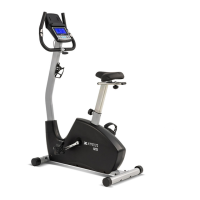
UB150UPRIGHTBIKE
OWNER’SMANUAL
PLEASE CAREFULLY READ THIS ENTIRE MANUAL BEFORE OPERATING YOUR NEW BIKE

Questions and Answers

  • L
    Lawrence HunterAug 14, 2025
    Why is the heart rate not displaying on my Xterra UP150?
    • R
      Rachel SilvaAug 14, 2025
      If the heart rate isn't showing on your Xterra Exercise Bike monitor, first ensure the pulse wires are securely plugged together. If that doesn't work, the hand pulse grip might be defective and need replacement. As a last resort, the monitor itself may be faulty and require replacement.
  • F
    fletcherdianaAug 17, 2025
    What to do if no speed or distance displays on Xterra UP150?
    • J
      Jennifer SmithAug 17, 2025
      If your Xterra Exercise Bike monitor isn't displaying any speed or distance, the sensor wire might not be properly connected. Ensure the computer wires are correctly connected at both the upright and the computer. If the connection is secure, the sensor wire itself may be faulty and need replacing. In some cases, the monitor itself may be defective and require replacement.
  • K
    Kevin MillerAug 21, 2025
    How to fix monitor if it does not display on Xterra UP150?
    • D
      Devin MooreAug 21, 2025
      If the monitor on your Xterra Exercise Bike isn't displaying anything, start by checking that the adapter is plugged in properly. Also, make sure the computer wires are correctly connected at both the upright and the computer.
  • D
    Dana CarrollAug 25, 2025
    Why is there no tension on my Xterra UP150?
    • J
      Jennifer CollinsAug 25, 2025
      If your Xterra Exercise Bike has no tension, the flywheel may not be working correctly and might need to be replaced. Also, make sure the computer wires are properly connected at the upright and the computer.
  • E
    Edward SmithAug 27, 2025
    How to troubleshoot grinding noise on Xterra UP150?
    • C
      cbowenAug 27, 2025
      If your Xterra Exercise Bike is making a grinding noise, it could be due to a defective crank bearing, which would need replacing. Alternatively, the idler pulley might be defective and also require replacement. In some cases, the flywheel itself may be the source of the noise and need replacing.
  • L
    Lindsay JacksonAug 30, 2025
    What does error E1 mean on Xterra UP150?
    • R
      Ryan ChanAug 31, 2025
      If you are getting an E1 error on your Xterra Exercise Bike, it could be due to several reasons. The monitor itself might have a problem and need replacing. Check that all computer plugs and wires are firmly connected, ensuring that no pins of the connector are bent. The gear motor may be damaged or have an abnormal circuit, requiring replacement. Finally, the wire cable from the gear motor to the magnetic system may be too short or incorrectly positioned; adjust the length of the motor wire to ensure it has enough space to drive the motor.
  • K
    Katherine BrownSep 3, 2025
    Why is my Xterra Exercise Bike squealing?
    • J
      Julia MartinezSep 3, 2025
      If your Xterra Exercise Bike is squealing, the V-belt might be slipping. Try adjusting the V-belt to resolve the issue.
  • L
    Laura WhiteSep 6, 2025
    What does error E3 mean on Xterra UP150?
    • A
      adam47Sep 6, 2025
      If you're seeing an E3 error on your Xterra Exercise Bike, it means the gear motor can't read the signal change from level one within 4 seconds after pressing the start button. You may need to replace the gear motor.
  • P
    Patrick CrosbySep 10, 2025
    What does error E2 mean on Xterra UP150?
    • T
      Terry FrancisSep 10, 2025
      If you're encountering an E2 error on your Xterra Exercise Bike, the EEPROM (likely installed incorrectly) might be the cause. Replacing the monitor is the suggested solution.

Summary

Before You Begin

Important Safety Instructions

Important Electrical Information

Important Operation Instructions

Warning Decal Replacement

Pre-Assembly Check List

Assembly Pack Checklist

UB150 Assembly Instructions

Front and Rear Stabilizer Assembly

Step-by-step guide for attaching the front and rear stabilizers to the main frame.

Console Support Assembly

Instructions for connecting the console upright and computer wires.

Handlebar and Computer Installation

Steps to attach the handlebar and mount the computer console.

Seat Assembly

Guide for attaching the seat to the seat post and frame.

Pedal and Bottle Holder Attachment

Instructions for connecting pedals and mounting the bottle holder.

Power Adapter and MP3 Connection

Guide for connecting the power adapter and MP3 device.

Operation of Your Fitness Bike

Control Panel Overview

Familiarize yourself with the layout and components of the UB150 console.

Key Console Functions

Explanation of the primary buttons and their immediate functions on the console.

Console Functions

Time and Speed Display

Details on how time and speed are displayed on the console.

Distance and RPM Metrics

Explanation of distance traveled and rotations per minute (RPM) metrics.

Calories and Body Fat Measurement

Information on tracking calories burned and body fat percentage.

Pulse and Recovery Monitoring

How to monitor heart rate and understand pulse recovery readings.

Program Selection and Speaker

Guide to selecting workout programs and using the speaker function.

Program Operation Modes

Manual Program Operation

Instructions for using the manual workout mode (P1).

Preset Program Operation

Guide to selecting and operating pre-programmed workout routines (P2-P13).

User Setting Program Setup

How to create and save custom workout profiles (P14-P17).

Heart Rate Control Program Setup

Instructions for setting up and using heart rate-based workout programs (P18-P22).

Body Fat Measurement Program

Steps to perform a body fat measurement using Program 23.

Program Profiles

Preset Program Profiles

Visual representation of the profiles for preset workout programs.

User Setting Program Profiles

Visual representation of user-created workout program profiles.

Heart Rate Program Profiles

Visual representation of the profiles for heart rate control programs.

Body Fat Test Program Profiles

Visual representation of the body fat test program profiles.

User Direction and Operation

How to Adjust Seat Position

Instructions for adjusting the seat height and horizontal position for optimal use.

Pedal Straps and Bike Mobility

Guide on adjusting pedal straps and moving the exercise bike.

Leveling the Exercise Bike

Steps to ensure the bike is stable and level on the floor.

Changing Units (Miles to KM)

Procedure for switching between miles and kilometers display.

General Maintenance

Maintenance Checks

Recommended regular checks to ensure the bike's safety and functionality.

Cleaning Instructions

Guidelines for cleaning the exercise bike surfaces.

Exploded View Diagram

Parts List

Troubleshooting Guide

Training Guidelines

Exercise Benefits and Components

Overview of exercise advantages and fundamental components of physical fitness.

Aerobic, Anaerobic, and Threshold Training

Explanation of different training types and the minimum effective exercise level.

Training Principles: Progression and Overload

Strategies for improving fitness through gradual increases in intensity and resistance.

Specificity and Reversibility in Training

Understanding how exercise type affects results and the impact of consistency.

Warm-up and Cool-down Procedures

Essential steps for preparing the body before and recovering after exercise.

Heart Rate Management During Exercise

Guidance on monitoring and achieving target heart rates for effective training.

Target Heart Rate Tables

Reference tables for target heart rates based on age and fitness level.

Circuit Training and Body Building Concepts

Introduction to circuit training and strength principles like overload.

Patronization and Muscle Soreness

Tips for varying workouts, managing muscle soreness, and avoiding staleness.

Exercise Attire and Breathing Techniques

Advice on appropriate clothing and proper breathing during workouts.

Rest Periods Between Exercises

Guidance on optimal rest durations during exercise routines.

Stretching Exercises

Head and Shoulder Stretches

Instructions for performing neck and shoulder mobility exercises.

Side and Quadriceps Stretches

Guide to stretching the side body and quadriceps muscles.

Inner Thigh and Toe Touches

Stretches for the inner thighs and hamstrings/lower back.

Hamstring and Calf Stretches

Instructions for stretching the hamstring and calf muscles.

Manufacturers Limited Warranty

Warranty Coverage and Period

Details on the warranty duration for frame and parts.

Consumer Responsibilities and Use

Outline of user duties for maintaining warranty validity and proper operation.

Warranty Exclusions and Limitations

Specific conditions and damages not covered by the manufacturer's warranty.

Xterra UP150 Specifications

General IconGeneral
Resistance TypeMagnetic
Display TypeLCD
Weight Capacity250 lbs
Drive SystemBelt
Seat TypePadded
Pedal TypeStandard
Transport WheelsYes
TypeUpright
Warranty1 year
Adjustable SeatYes
Heart Rate MonitoringHand grip sensors

Related product manuals