7. UPDATE
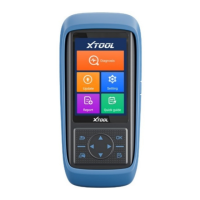
PS90 updates directly via the Internet using WiFi or wired connection. To access the
update application open the PS90 application and click UPDATE , shown below:
8. Xtool Cloud System(English version is coming soon)
The Xtool cloud service platform allows PS90 users to look up maintenance
information, share and access diagnosis test results and fault finding solutions,
communicate with other PS90 users in our forum, and also access various online
databases of maintenance and diagnostic skills and vehicle maintenance plans.
9. Remote Diagnosis
If users encounter problems and are not able to solve them, they can open this
application and ask for remote assistance.
How to get remote assistance from Xtool Technical Assistance Center:
a. Open PS90
b. Click Remote Diagnosis and open the TeamViewer interface. Generate and
display device ID.
c. Your partner will also need to download and install TeamViewer.
d. Inform your partner of your TeamViewer ID and password to enable them to
begin remote access of the PS90.


 To Next Page