41
2-7. Setup – SECURITY Mode
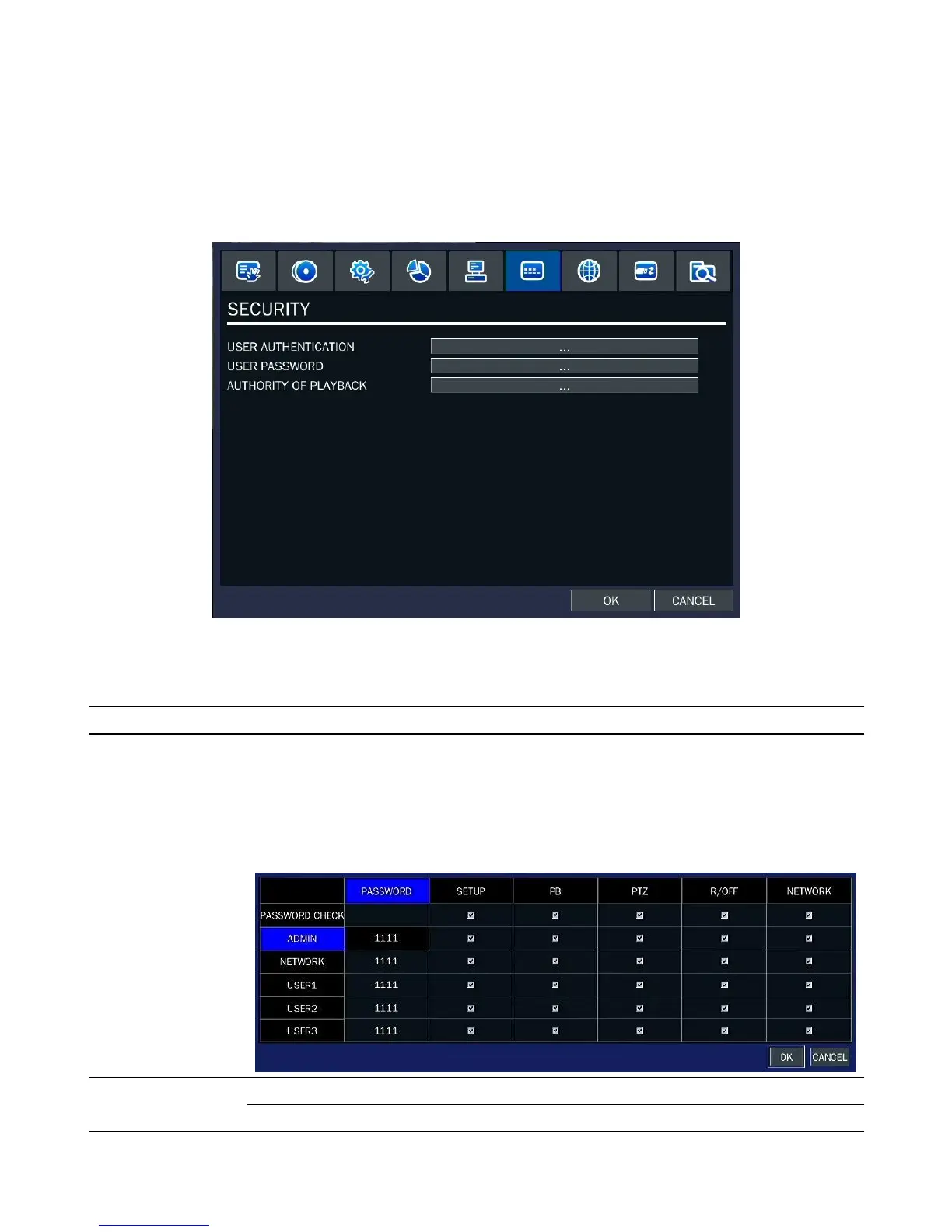
Press the SETUP button and enter the password. The setup menu is displayed as picture below. Select
SECURITY icon and press SEL button to enter the setup menu item. Navigate through the menu items
using the control button (◀ ▲ ▶ ▼) and change the value of the menu item using the control button (◀
▲ ▶ ▼). To return to setup menu screen, press the ESC button
Figure 2.7.1. SECURITY setup screen
Table 2.7.1. Menu Items in SECURITY Setup Screen
Item Description
USER
AUTHENTICATION
PASSWORD CHECK:
Check either V or blank for the functions such as
Setup, Playback(PB), PTZ, Record OFF(R/OFF), and Network.
V: Ask for a password when the given function is selected for all users.
Blank: Does not ask for a password when the given function is selected for all users.
ADMIN, NETWORK, USER1, USER2, USER3:
Options are ADMIN, USER1, USER2 and USER3.


 To Next Page
 Loading...

