EN 21
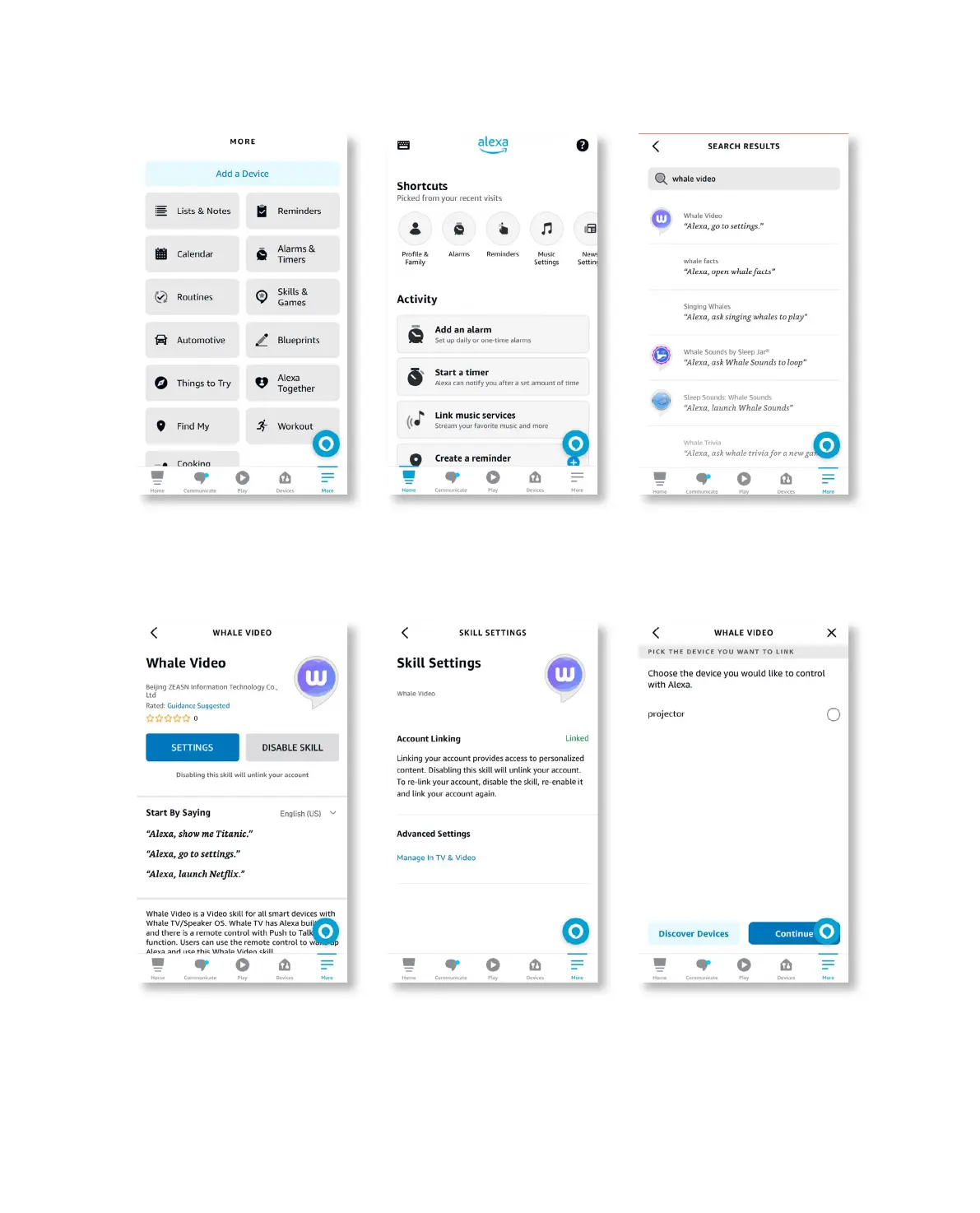
7. Go to Home>More>Skills & Games, search and enable Whale Video
8. Complete the Whale Video skill setup, click “Settings”->“Manage In TV & Video” on the page, bind
the projector and your Alexa speaker.
9. Now try this “Alexa, open Netflix on the projector”
.



 To Next Page