EN 20
Back : Press the key on the remote controller to back to previous page.
Reset : Press the key on the remote controller to restore the original parameters.
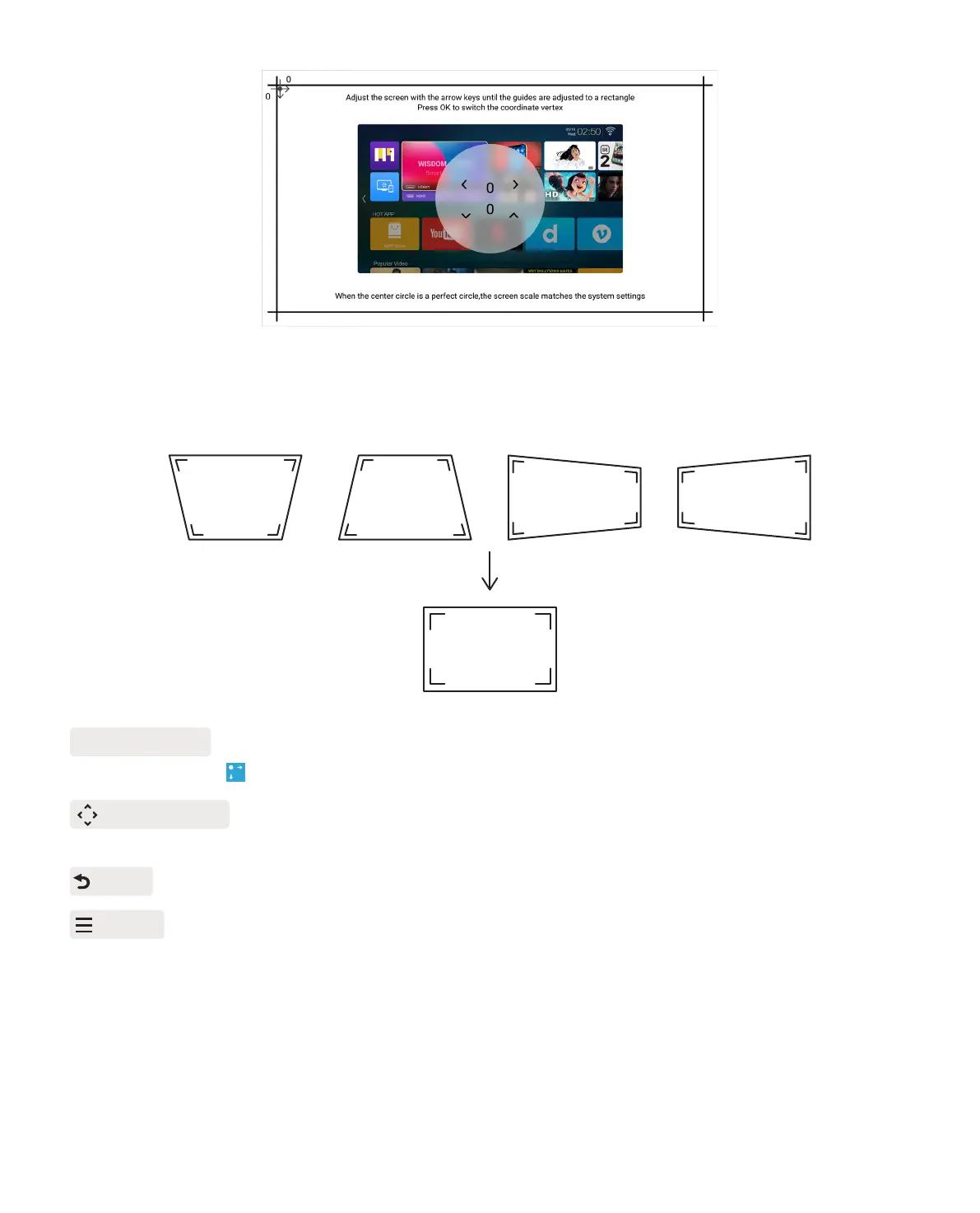
OK Pick point : Keep pressing the OK button on the remote control or projector, until the
positioning icon appears at the point desired, then release the button immediately.
Adjustment : Press the arrow keys on the remote controller or projector to adjust the
horizontal or vertical parameters.
Step 3: Keep pressing the OK button on the remote control or projector to select the point .
Step 4: Press the arrow keys on the remote or projector to adjust the horizontal or vertical
parameters, until the projection screen becomes the desired rectangle.



 To Next Page