EN 7
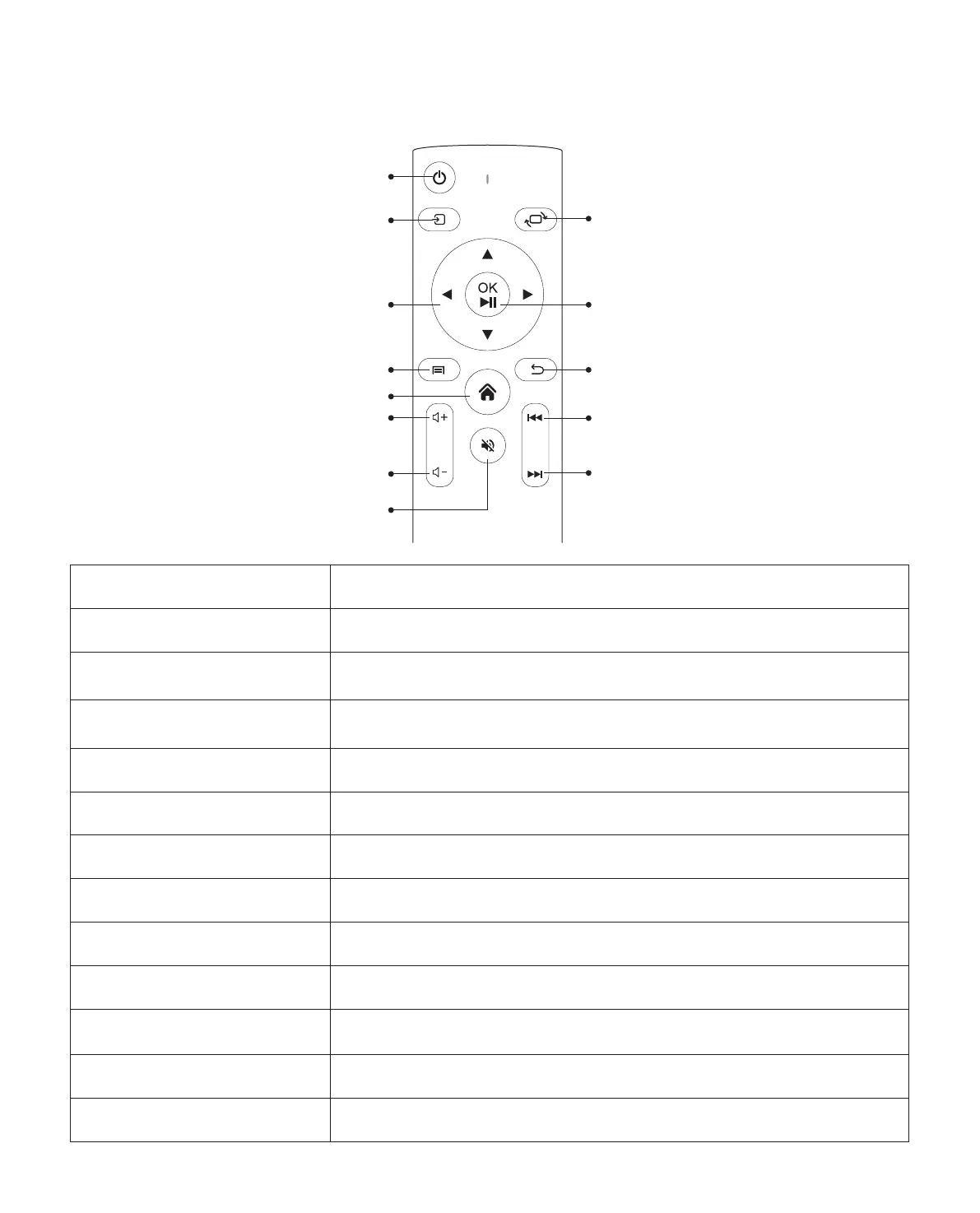
Power
Picture flip
Confirmation key
(Play and Pause)
Back
Previous
Next
Source
Arrow keys
Menu
Home Page
Volume +
Volume -
Mute
Remote Contol
Power Turn on/off the power
Source Select the input signal source
Arrow keys
Used to adjust the parameter of the projector in the menu
mode
Menu
Press once: Operate picture and sound settings in AV or HDMI
Mode Press twice in succession: select 16:9/4:3 projection
Home Page Enter the home page
Volume + Volume up
Volume - Volume down
Mute Close the sound
Picture flip Picture flips
Confirmation key Confirm the option/Play or pause the video
Return Return to the previous menu
Previous Switch to the previous video
Next Switch to the next video



 To Next Page