EN 5
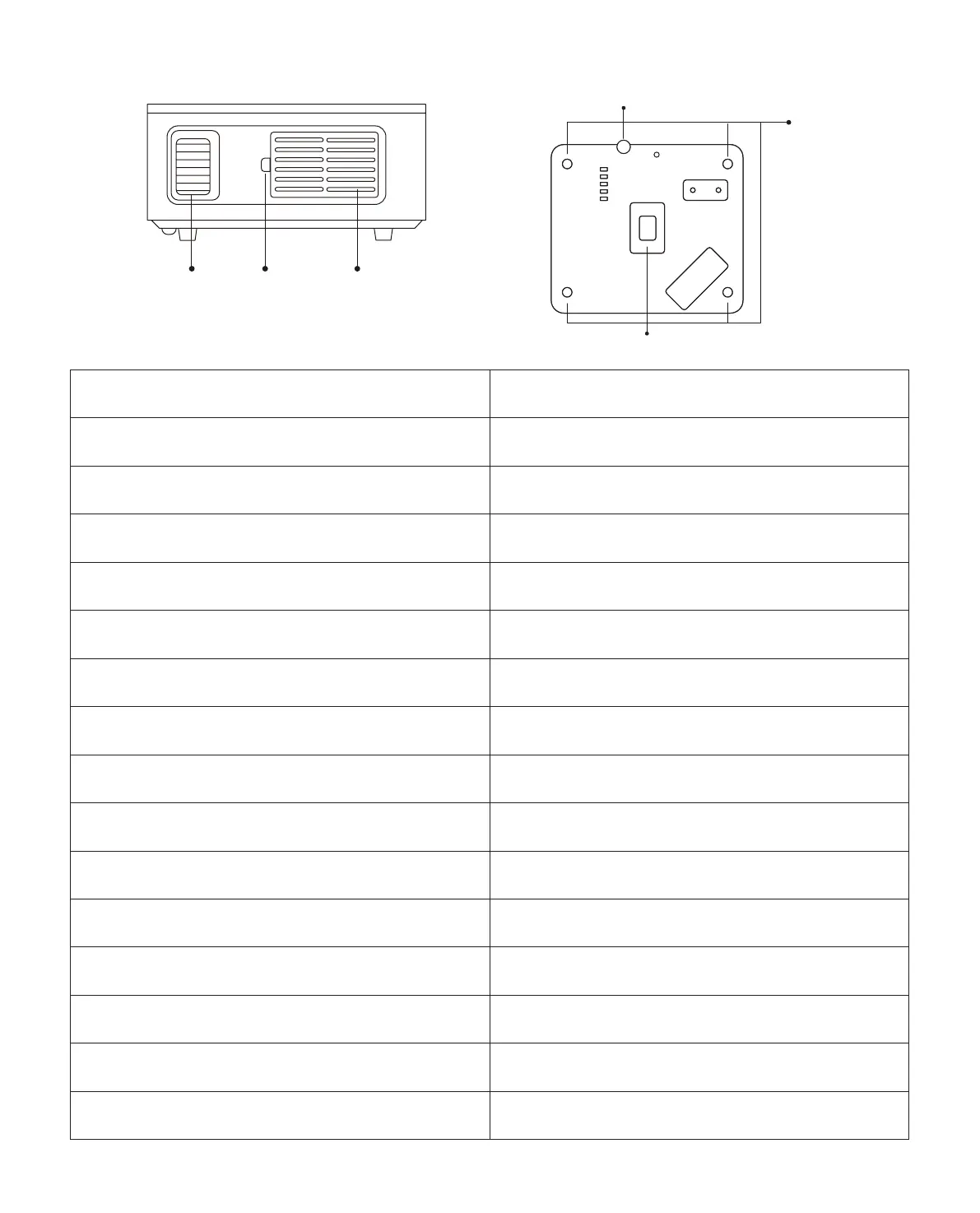
Detachable
Dust Filter
Switch
Detachable
Dust Filter
Rubber Pads
Dust Cleaning Port
Height Adjustment Screw
Focus Ring
Height Adjustment Screw Adjust the height of the projector
IR Window Infrared signal receiver
Projector lens Optical coated glass lens
Power Cord Port Power Cord Port
Headphone Jack 3.5mm Headphone Output
HDMI Ports HDMI 1 input / HDMI 2 input
USB Ports USB 1 port / USB 2 port
AV Port Audio input
Speaker Stereo 5W
Air Outlet Prevent the projector from overheating
Focus Ring
Adjust the focus ring to get the clearest
image
Detachable Dust Filter Switch
Push the switch to open the detachable
dust filter
Detachable Dust Filter Prevent the projector's inside from the dust
Dust Cleaning Port
When black spots and dust appear on the
screen, open the port to clean the dust
Rubber Pads
Protective pads/remove to install ceiling
mount
Ethernet Port Connect to the Ethernet



 To Next Page