23
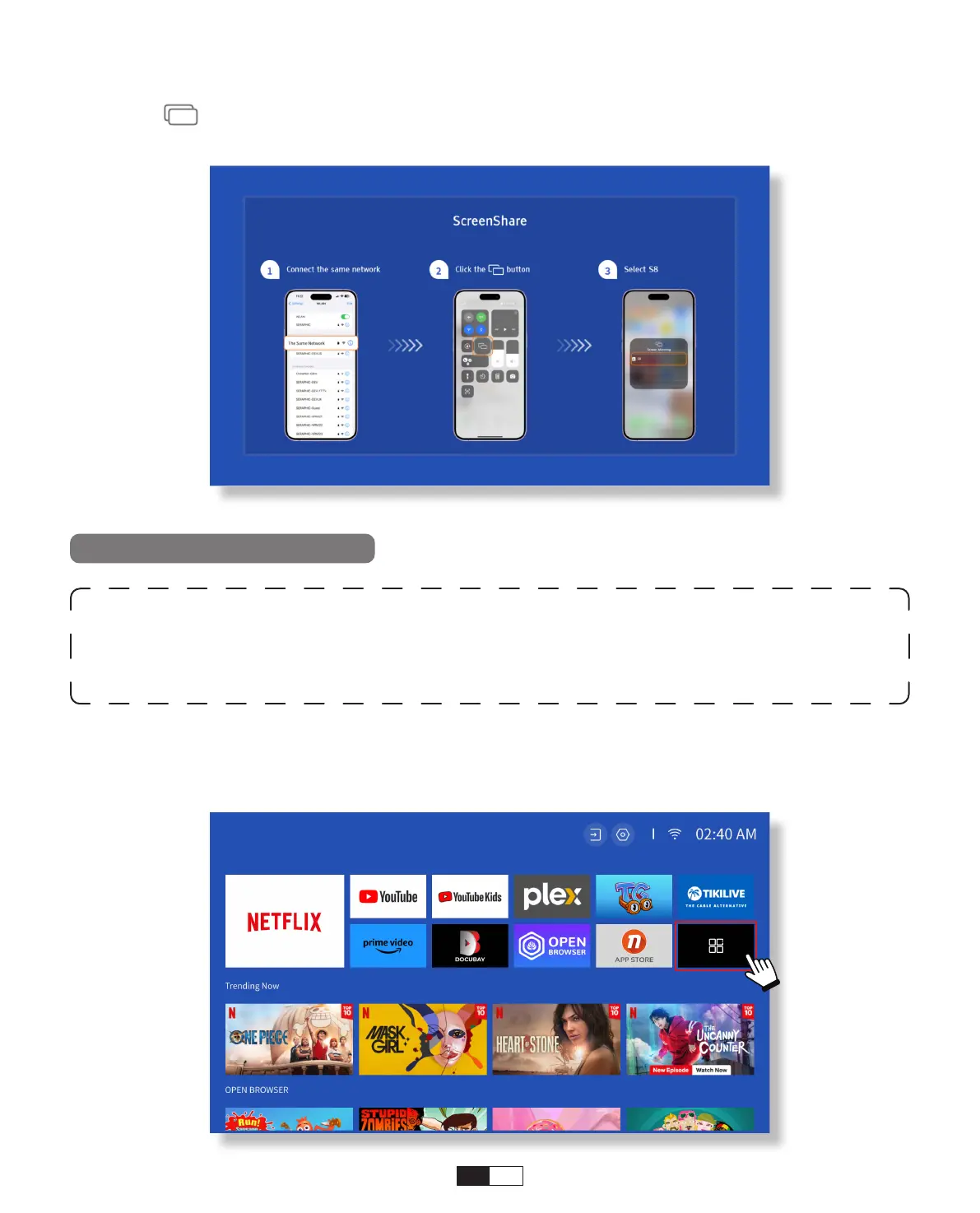
Step2:
Press the Screen Mirroring of iOS device and then choose
[Smart_Projector_XXXX]
Warning:
To activate this function, your android device must support Multi-
Screen/Wireless Display. The name of “Multi-Screen” may vary depending on
various brands of Android devices.
Step1: Please enable the Wi-Fi function on your Android phone (no need to connect to Wi-Fi).
Step2: Go to Hompage -> My Apps -> ScreenCast
Miracast (For Android Device)



 To Next Page