VX-2R OPERATING MANUAL62
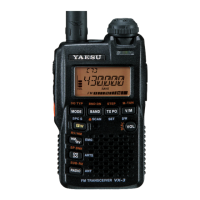
The VX-2R Set Mode, already described in parts of many previous chapters, is easy to
activate and set. It may be used for configuration of a wide variety of transceiver param-
eters, some of which have not been detailed previously. Use the following procedure to
activate the Set Mode:
1. Press and hold in the
[
H/L
]
key for one second to enter the Set mode.
2. Rotate the DIAL knob to select the Set Mode Item to be adjusted.
3. Press the
[
H/L
]
key momentarily to enable adjustment of the Set Mode Item.
4. Rotate the DIAL knob to adjust or select the parameter to be changed on the Set Mode
Item selected in above step.
5. After completing your selection and adjustment, press the PTT switch momentarily to
save the new setting and exit to normal operation.
Some Set Mode Items (like Set Mode Item 44: TN FRQ) require that the [H/
L] key be pressed after setting of the parameter, and before exiting to normal
operation.
“MY MENU” Short-cut Key Setup
The MY MENU key function allows you to create a short-cut path for recall of one of Set
Mode Items. The
[ ]
key then serves as the “Short-Cut” key..
1. Press and hold in the
[ ]
key while turning the radio on. This procedure switches the
[ ]
key between the “Internet Connection” function and the “MY MENU” key func-
tion.
2. Recall the Set Mode Item which you wish to assign to the
[ ]
key as a Menu short-
cut.
3. Press and hold in the
[ ]
key for one second to assign the Set Mode Item to the
[ ]
key.
SET
(
MENU
)
MODE


 To Next Page