A5000/A4000
23
OTHERS
Please use a 2HD (1.44MB) or 2DD (720KB) blank disk that was
formated by A5000/A4000 or formated for MS-DOS. Be sure that
the write protect of the prepared blank disk is OFF. Please use a
correctly formated disk. An imperfectly formated disk (In case of
taken the disk out on ther way to the formatted.) or an old and wasted
disk tends to make the result NG.
10 128 (64)TONE / DSP RAM
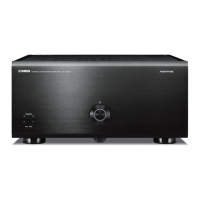
In case of A5000
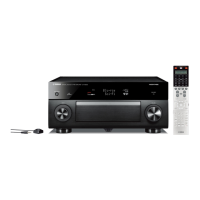
In case of A4000
If the test is executed, the sine wave of the C3 - the C4 for about 0.2
seconds is generated in intervals. Check by listening that the notes are
generated correctly.
While sounding, the LCD shows the sound channel.
nn : the sound channel
RESULT OF THE TEST
OK :
NG :
END OF THE TEST
Nothing (finish autmatically)
11 1 kHz STEREO OUT-L
Insert the appropriate phone plugs into the STEREO OUT-L, R,
ASSIGNABLE OUT-L, R, PHONES terminals. Check the output
waveform and the output level of each output by using an oscillo-
scope, an AC voltmeter (with JIS-C filter) and a distortion factor
meter. The MASTER VOLUME control must be set at maximum for
these checks.
STEREO OUT-L: 1 kHz +/- 1 Hz, sine wave, less than 0.2% distortion
-1 +/- 3 dBm (10 k ohm load)
STEREO OUT-R: less than -75 dBm (10 k ohm load)
PHONES (L): sine wave, less than 3% distortion, +7 +/- 3 dBm
(33 ohm load)
PHONES (R): less than -60 dBm (33 ohm load)
While sounding, the LCD shows as belows.
08 DRIVE 1SECTOR (IDE)
Connect the HDD to the IDE Bus and execute by pressing the [ENC5]
MANUAL.The MASTER (0) / SLAVE (1) of the drive testing on the
[ENC3] can be selected.
The MASTER (0) / SLAVE (1) of the drive testing on the [ENC3] can
be selected. (The default ID can be set by pressing the [ENC3] ID4.)
The data on the SCSI DRIVE may be destroyed, so execute this test
after saving the back-up data.
RESULT OF THE TEST
OK :
NG :
END OF THE TEST
After displaying the result of the test, the test will be finished. Or
push on the [ENC5] STOP.
09 FD INSERT/VERIFY
After the formatted disk is inserted, execute the test. Execute the
insert test and the read/write test. Check that OK is displayed.
Screen on the test
RESULT OF THE TEST
OK :
NG :
DRIVE NOT READY
NG :
(x: SIDE number, yy: TRUCK number)
(nnnnnn: condition of error)
END OF THE TEST
After displaying the result of the test, the test will be finished. Or
push on the [ENC5] STOP.
OK
NG
09: FD INSERT/VERIFY OK
AUTO MANUAL
08: DRIVE 1SECTOR (IDE)
DESTRUCTIVE! ID 4 AUTO MANUAL
09: FD INSERT/VERIFY
Please insert disk! STOP
09: FD INSERT/VERIFY
verify : C79 : H1 STOP
09: FD INSERT/VERIFY NG
DRIVE not ready AUTO MANUAL
09: FD INSERT/VERIFY NG
NG nnnnnn : Cyy : Hx AUTO MANUAL
10: 128 TONE / DSP RAM
AUTO MANUAL
10: 64 TONE / DSP RAM
AUTO MANUAL
Output on CH nn
OK AUTO MANUAL
NG SWP access error AUTO MANUAL
11: STEREO OUT-L
AUTO MANUAL
Output on



 To Next Page