EasyManua.ls Logo

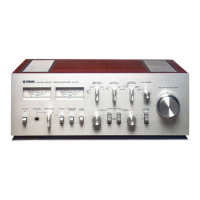
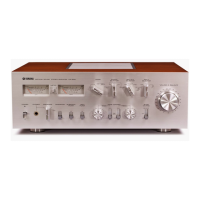
Yamaha ca-410 - Cautions and Precautions

Yamaha ca-410
13 pages
Print Icon
To Next Page IconTo Next Page
To Previous Page IconTo Previous Page
Loading...
CAUIIONS.READ IHIS
BEFORE
OPERATING YOUR
CA.4IO
1
The CA.410 is
a high
performance
inregrated
I
amplifier, combining
25 Watts
per
channel
I
of output
power
with a full range
ot con-
trols.
This
manual
is
required reading
if
you
are to
get
the
best from
it.
Do not
drop
or otherwise
jar
the CA,4l0,
which is
a
piece
of
precision
equipment.
Do not
place
the CA-410 where it
will be
exposed
to
direct
sunlight. excessive
heat,
moisture. or dust.
Do not use
chemical
solvents
(such
as ben-
zene
or alcohol)
to remove
traces of dirt.
Wipe
only with
a soft, slightly
damp cloth.
lf
your
CA-410
has a voltage
selector
on the
rear
panel,
check that it
is set to
your
local
voltage
BEFORE
you plug
in the AC
suppty.
lf not
properly
set,
turn the knob
to the
correct
position.
Voltage
settings:
110, 120.
130, 22O,
23O,
a d 24O V.
Use the next
higher voltage
setting
if
your
voltage
is not
included
(i.e.
120
if
your
voltage
is 115
V).
Models intended
for N.
America have
no
voltage
selector,
and are
set
for
'117
V AC.
60 Hz.
'ffl
Keeo this manual in
a safe
place
for future
ll I
reference, and refer
Lo it frequently until
|
\-/
you
are
perfectly
familiar
with att
CA-410
controls and functions.
/-
Do not attempt
to carry
out internal
adjust-
a)
lf
your
CA-410 is
provided
with
spare AC
^\
ments
or repairs. Leave
these
to
your
local
f,
outlets on
the rear
panel (models
intended
V
service representative.
Lrf
tor. Europe
cannot
be
provided
with
this
feature),
make
sure
that the units
you
con-
nect
do not
require more
power
than
the
outlets are
rated to
provide.
Do not
assume
that
your
CA-410
is
faulty
before checking
the
'Trouble-Shooting'
tist
on
page
13 for
common
operating
errors.
Note that
the relay
protecting
the speakers
will keep
the CA-410
silent for
a few
sec-
onds after switching
ON.
to
prevent
the
pops
and clicks that
can sometimes
occur

Related product manuals