18
CD-1330
CD-1330
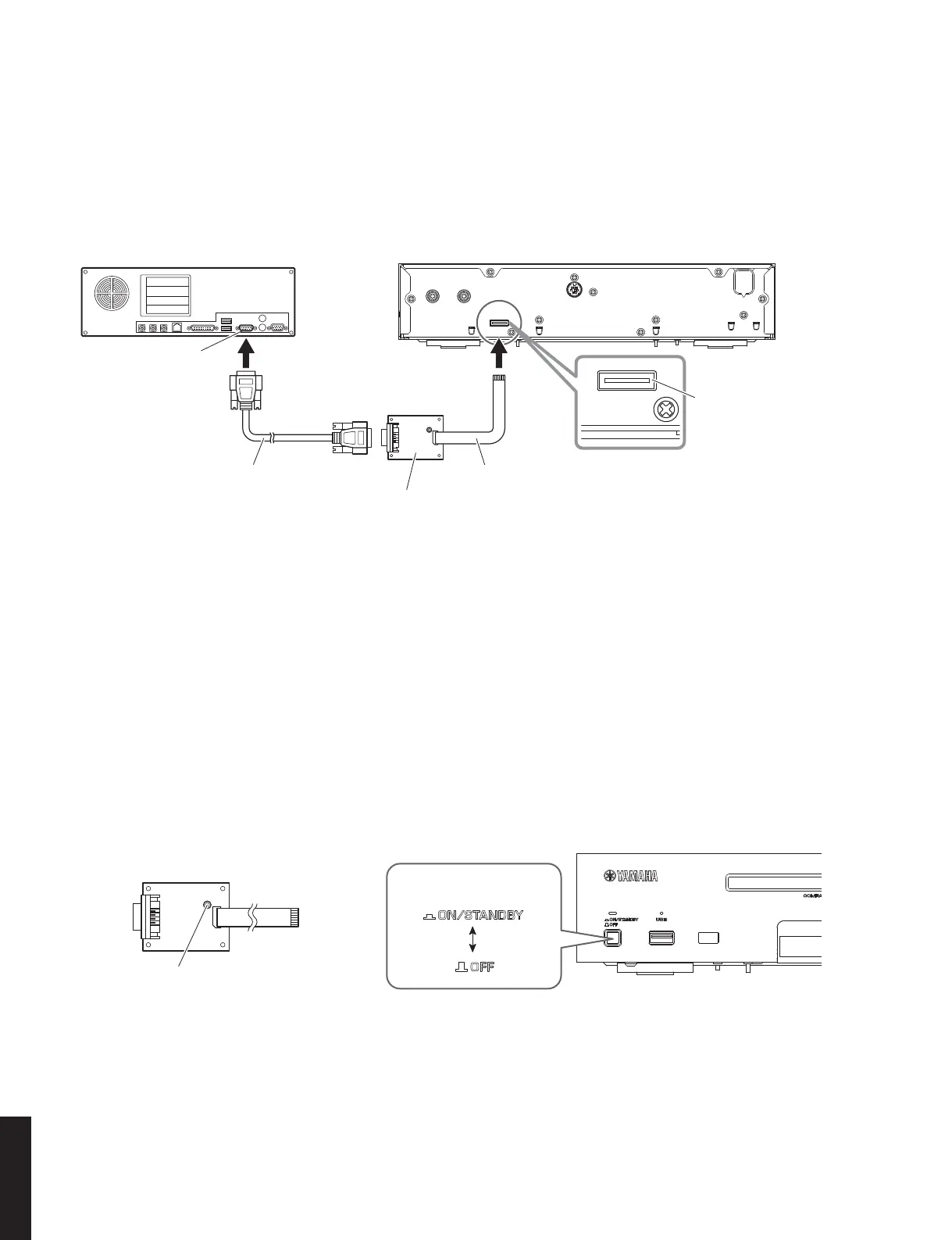
RS232C conversion adaptor
RS232C変換アダプター
Flexible flat cable 8P
カード電線8P
This unit / 本機 Rear side
Serial port (RS232C)
RS232C cross cable
RS232Cクロスケーブル
PC
Writing port
書き込み用ポート
RS232C conversion adaptor
RS232C変換アダプター
Reset switch
リセットスイッチ
Front side
"ON/STANDBY, OFF" switch
Fig. 4
● 操作手順
1. 本機の電源コードを AC コンセントに接続します。
2. RS232C 変換アダプターのリセットスイッチを押
しながら、本機の “ON/STANDBY、OFF” スイッ
チを押してオンにします。(Fig.4)
● Operation Procedures
1. Connect the power cable of this unit to the AC
outlet.
2. While pressing the reset switch of RS232C con-
version adaptor, press the “ON/STANDBY, OFF”
switch of this unit to turn on the power. (Fig. 4)
Fig. 3
● 接続
本機の書き込み用ポートと PC のシリアルポート
(RS232C)を下記のように接続します。(Fig.3)
● Connection
Connect the writing port of this unit to the serial
port (RS232C) of the PC with RS232C cross cable,
RS232C conversion adaptor and flexible flat cable as
shown below. (Fig. 3)



 To Next Page