SETTING THE AUTO-STANDBY MODE
24 En
The auto-standby function automatically sets the system to standby mode when CD or USB is selected as input source
and the system is not operated for 30 minutes.
Notes
• Unless you connect the receiver and the CD player with the supplied system control cable properly (☞p.8), this feature does not
function for the system.
• This feature does not function for the system during playback.
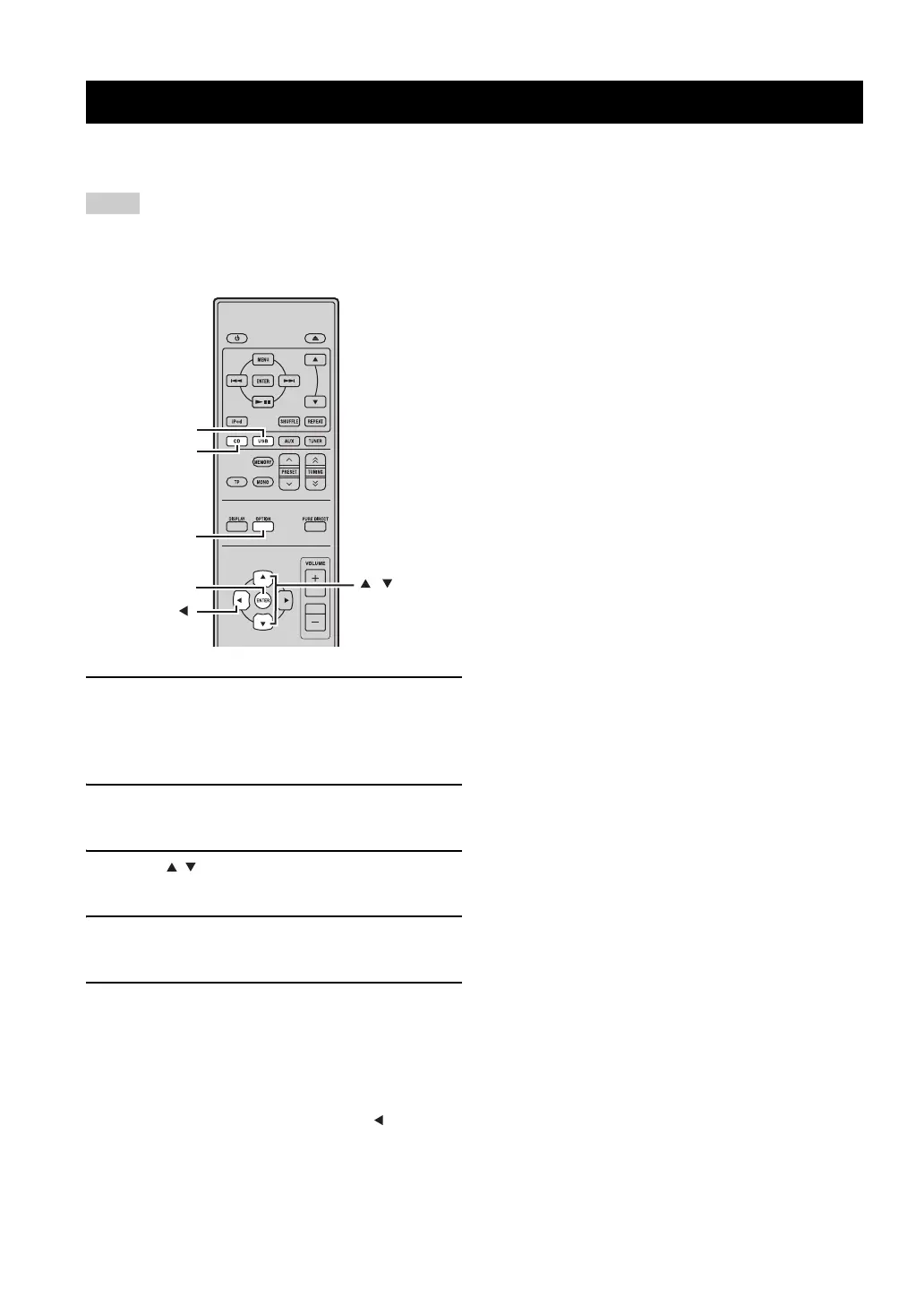
1 Press CD or USB to select an input source,
and press OPTION.
“AUTO STBY” appears on the front panel display of
the receiver.
2 Press ENTER.
The current setting is displayed.
3 Press / to select “ON” or “OFF”.
The default setting is “ON”.
4 Press ENTER to confirm the setting.
“AUTO STBY” reappears on the display.
5 Press OPTION.
The receiver returns to normal mode.
To cancel the setting operation
Press OPTION during the operation.
y
You can return to the previous screen by pressing .
SETTING THE AUTO-STANDBY MODE
ENTER
OPTION
,
USB
CD



 To Next Page
 Loading...









