1<.:1<:J/<i<:'l
c-...c-
....
/t>{::>-;
C>-
oo
0
0
o
o
_________
1.
~7
zggggs
-----
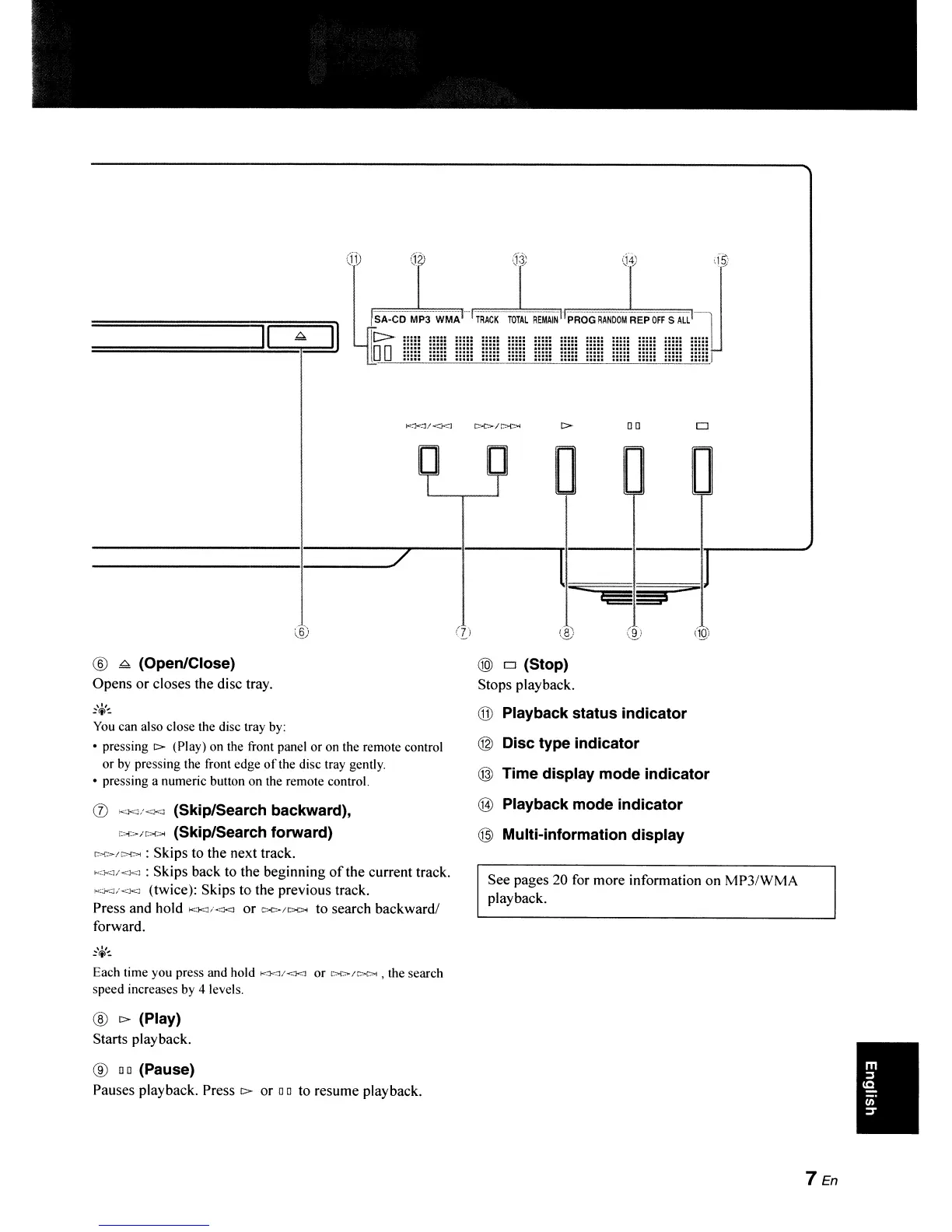
® ~ (Open/Close)
Opens or closes the disc tray.
,I,
~ltl~
You
can also close the disc tray by:
• pressing
c>-
(Play) on the front panel or on the remote control
or
by
pressing the front edge
of
the disc tray gently.
• pressing a numeric button on the remote control.
(j)
"'.1<;1<.'<1
(Skip/Search backward),
i><>Jf>C>< (Skip/Search forward)
r>c>/r.>l>i
: Skips to the next track.
I<}<]/<)<J
: Skips back to the beginning
of
the current track.
KJ<.J/<J<.J
(twice): Skips to the previous track.
Press and hold
1<Xl/<:<l
or
(>{>/I>l>l
to search backward/
forward.
Each time you press and hold
Kl<l/<}<.]
or
t>C>/C>C>l
, the search
speed increases
by
4 levels.
®
c>-
(Play)
Starts playback.
®
00
(Pause)
Pauses playback. Press
c>-
or
00
to resume playback.
@)
0 (Stop)
Stops playback.
@ Playback status indicator
® Disc type indicator
© Time display mode indicator
@ Playback mode indicator
@ Multi-information display
See pages
20
for more information on MP3/WMA
playback.
7 En
•



 To Next Page