EasyManua.ls Logo

Yamaha CD-S3000 - User Manual

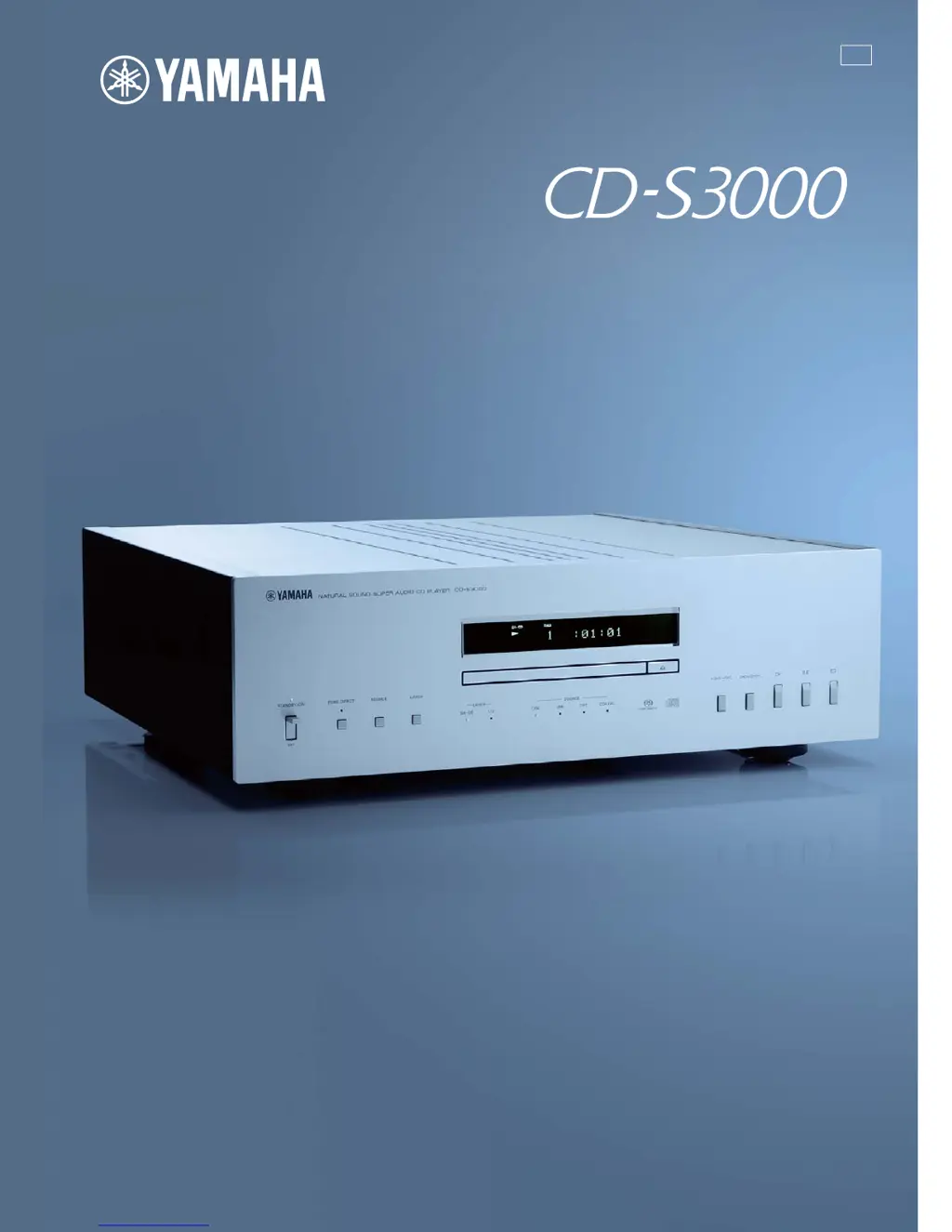
Yamaha CD-S3000
45 pages
Print Icon
To Next Page IconTo Next Page
Loading...
U
Printed in Malaysia ZK20370
© 2013 Yamaha Corporation
OWNER’S MANUAL
MODE D’EMPLOI
Compact Disc Player
Lecteur Compact Disc

Other manuals for Yamaha CD-S3000

Questions and Answers

  • E
    Emily SmithSep 12, 2025
    Why does the Yamaha CD-S3000 CD Player remote control not work?
    • M
      Michael WilsonSep 12, 2025
      If the Yamaha CD Player's remote control isn't working, first replace the batteries with new ones. If that doesn't help, make sure you're within a 6-meter range and a 60° radius of the unit. Also, check if direct sunlight or strong lighting is interfering with the remote control sensor; if so, reposition the unit.
  • P
    Pamela PerezSep 12, 2025
    How to reduce tuner noise with my Yamaha CD Player?
    • J
      James LewisSep 12, 2025
      If you are experiencing noise from a nearby tuner with your Yamaha CD Player, the tuner may be too close to the unit. Try moving the tuner and the CD player farther apart.
  • A
    amandarodriguezSep 9, 2025
    Why won't my PC recognize my Yamaha CD-S3000 CD Player?
    • N
      Nancy JenkinsSep 9, 2025
      If the connected PC does not recognize your Yamaha CD Player, ensure that the operating system of the PC is supported and that the USB cable is properly connected.
  • J
    Jerry CruzSep 8, 2025
    Why can't my Yamaha CD-S3000 CD Player play music files?
    • H
      Heather GriffinSep 8, 2025
      Music files may not play on your Yamaha CD Player if the unit is connected to the PC or the input is switched to “USB” while the music application is running. Connect the unit to the PC and set the input to “USB” in advance, then launch the music application and start playback. Also, ensure the “Yamaha Steinberg USB Driver” is correctly installed.
  • M
    Michael BrownSep 7, 2025
    Why is my Yamaha CD-S3000 humming?
    • A
      Amy SanchezSep 7, 2025
      If your Yamaha CD Player is producing a humming sound, ensure the audio cables are securely connected. If the problem continues, the cables may be defective and need replacement.
  • M
    Matthew StanleyAug 23, 2025
    Why is there no sound from the digital input jacks on my Yamaha CD-S3000 CD Player?
    • V
      vcollinsAug 23, 2025
      If you're not getting playback sound from a component connected to the digital input jacks on your Yamaha CD Player, it could be due to the unit being in PURE DIRECT mode (turn it off) or because the Super Audio CD layer is being played (change the layer for playback).
  • K
    Kim DuncanSep 5, 2025
    Why does my Yamaha CD-S3000 CD Player have delayed playback?
    • R
      Richard MillerSep 5, 2025
      If playback on your Yamaha CD Player is delayed or starts at the wrong place, the disc may be scratched or damaged. Check the disc carefully and replace it if necessary.
  • M
    Michael ChapmanSep 4, 2025
    Why does my Yamaha CD Player automatically go into standby mode?
    • P
      Patrick MaldonadoSep 4, 2025
      Your Yamaha CD Player automatically goes to STANDBY mode if it is not operated for 30 minutes and no audio signal is detected, this is due to the automatic standby function being activated.
  • L
    Lisa Cannon MDSep 3, 2025
    How to stop my Yamaha CD-S3000 CD Player from skipping?
    • C
      charlescookSep 3, 2025
      If the sound skips on your Yamaha CD Player, try the following: relocate the unit to avoid vibrations or impacts; clean the disc; or change the DPLL bandwidth of the audio DAC (ES9018) to address clock fluctuation issues.
  • E
    Ellen Wright MDSep 2, 2025
    Why won't my Yamaha CD Player turn on?
    • K
      Kayla PerkinsSep 2, 2025
      If your Yamaha CD Player does not switch on when you press the STANDBY/ON/OFF button, make sure the power cable is securely and completely connected.

Summary

Controls and Functions

Front Panel Operation

Describes buttons, indicators, and disc tray functions on the front panel.

Rear Panel Layout

Details all input/output jacks and connectors on the rear panel.

Remote Control Functions

Explains the operation and buttons of the remote control.

Program Playback Mode

Instructions on how to create and play back a programmed sequence of tracks.

Connections

Amplifier Connections

Guide to connecting the CD-S3000 to an amplifier using various cables.

Digital Audio Connections

Explains how to connect PCs and AV receivers via USB, Optical, and Coaxial.

Remote and Power Connections

Details BALANCED OUT, power cable connection, and remote operation setup.

PC Music File Playback

System Setup and Driver Installation

Details supported OS, required driver installation, and setup for PC playback.

Playing Music Files and Volume Adjustment

Steps to play music files from a PC and adjust volume for optimal sound.

Specifications

Audio and Laser Specifications

Technical details on audio performance, response, and laser diode properties.

Input;Output and General Specs

Lists input/output section details and general unit specifications like power.

Unit Care and Maintenance

Guidance on cleaning and maintaining the unit's finish.

Playable Disc Formats

Supported Disc Types

Information on Super Audio CD, CD-R/RW, CD-TEXT, and standard audio CDs.

MP3, WMA, and Disc Handling

Details on playing MP3/WMA files and proper handling of compact discs.

Troubleshooting

Common Operational Issues

Lists common problems like no power, tray issues, and playback errors with remedies.

Sound and Connection Issues

Addresses sound problems, connection issues, and USB-related errors.

Information Display Messages

Explains status messages displayed on the unit and their meanings.

Yamaha CD-S3000 Specifications

General IconGeneral
Frequency range2 - 20000 Hz
Audio formats supportedMP3, WMA
Signal-to-Noise Ratio (SNR)116 dB
Total Harmonic Distortion (THD)0.002 %
CD-R playbackYes
Playback disc formatsCD audio, SACD
CD changerNo
Device typeHiFi CD player
Product colorSilver
Disc loading typeTray
Number of optical discs1 discs
USB 2.0 ports quantity1
Weight and Dimensions IconWeight and Dimensions
Depth440 mm
Width435 mm
Height142 mm
Weight19200 g

Related product manuals