EasyManua.ls Logo

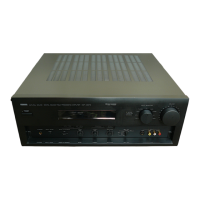
Yamaha DSP-E492 - User Manual

Yamaha DSP-E492
55 pages
Print Icon
To Next Page IconTo Next Page
Loading...
Natural Sound AV Processor/Amplifier
Processeur/amplificateur audiovisuel “Son Naturel”
Thank you for selecting this YAMAHA AV Processor/Amplifier.
Nous vous remercions d’avoir porté votre choix sur ce processeur/amplificateur audiovisuel YAMAHA.
DSP-E492
CONTENTS
Safety instructions............................................2
Caution ............................................................3
Supplied Accessories ......................................4
Feauters...........................................................5
Notes about the Remote Control Transmitter
........................................................................5
Profile of This Unit ...........................................6
Speaker Setup ................................................7
Connections ....................................................8
Controls and Their Functions ........................15
Speaker Balance Adjustment ........................18
Basic Operations ...........................................20
Using Digital Sound Field Processor (DSP)
......................................................................23
Troubleshooting .............................................27
Specifications ................................................28
TABLES DES MATIERES
Accessoires fournis .......................................29
Caracteristiques .............................................29
Attention ........................................................30
Remarques concernant la télécommande ....31
Aperçu de cet appareil ..................................32
Installation des enceintes acoustiques ..........33
Raccordements .............................................34
Les commandes et leurs fonctions ................41
Réglage de la balance des enceintes ...........44
Fonctionnement de base ...............................46
Utilisation du processeur de champ sonore
numérique (DSP) ........................................49
En cas de difficulté ........................................53
Caractéristiques techniques ..........................54
OWNER’S MANUAL MODE D’EMPLOI

Questions and Answers

  • V
    vincent40Aug 18, 2025
    What to do if my Yamaha DSP-E492 Amplifier has no sound or picture?
    • W
      William CurryAug 18, 2025
      If your Yamaha Amplifier isn't producing sound or picture, there might be a few things to check: * Make sure the output cords are correctly connected. If the problem continues, the cords may be defective. * Verify that you've selected the correct input source using the input selector buttons. * Ensure the PROCESSOR SELECTOR switch on the front panel is set to the “INTERNAL” position, unless you're using signals input to the INPUT (from AMP/RECEIVER PREOUT) terminals on the rear panel. * Check that all speaker connections are secure.
  • J
    Joshua DennisAug 20, 2025
    Why Yamaha DSP-E492 fails to turn on?
    • M
      Michele YoungAug 20, 2025
      If your Yamaha Amplifier fails to turn on, check the following: * Ensure the power cord is firmly plugged in. * Verify that the IMPEDANCE SELECTOR switch on the rear panel is set precisely to the left or right end.
  • A
    April JohnsonAug 23, 2025
    What to do if Yamaha DSP-E492 sound suddenly goes off?
    • L
      Lindsey WallaceAug 23, 2025
      If the sound from your Yamaha Amplifier suddenly cuts out, it's possible the protection circuit has been activated, potentially due to a short circuit. Try turning the unit off and then back on to reset the protection circuit.
  • M
    Mark ShepherdAug 26, 2025
    Why is there no sound from main speakers on Yamaha DSP-E492 Amplifier?
    • A
      Alicia LandryAug 26, 2025
      If you're not getting any sound from the main speakers connected to your Yamaha Amplifier, consider these possibilities: * The volume on the external amplifier driving the main speakers might be set to minimum. Try increasing the volume. * The cords might not be connected properly. Ensure that the cords are connected correctly; if the issue remains, the cords could be defective.
  • B
    Brooke ChenAug 28, 2025
    Why is there no sound from the center speaker on my Yamaha DSP-E492?
    • L
      Laura SummersAug 28, 2025
      If you're not hearing any sound from the center speaker of your Yamaha Amplifier, consider the following: * The sound output level to the center speaker may be set to 0. Try raising the sound output level. * The center channel mode could be in PHANTOM mode. Select NORMAL or WIDE instead. * The sound field program selection might be incorrect. Choose the appropriate program.
  • J
    Jonathan SmithAug 30, 2025
    Why is there no sound from the rear speakers on my Yamaha DSP-E492 Amplifier?
    • D
      David McdonaldAug 30, 2025
      If you're not getting any sound from the rear speakers connected to your Yamaha Amplifier, it could be due to these reasons: * The sound output level to the rear speakers is set to 0. Try raising the sound output level. * You might be playing a monaural sound source in DOLBY PRO LOGIC or DOLBY PRO LOGIC ENHANCED mode. Select another program suitable for the monaural sound source.
  • D
    desiree25Sep 2, 2025
    What to do if Yamaha Amplifier remote control transmitter does not work?
    • I
      Isaac LewisSep 2, 2025
      If the remote control for your Yamaha Amplifier isn't working, consider these solutions: * If direct sunlight or strong lighting is hitting the remote control sensor on the main unit, try changing the unit's position. * The batteries in the remote control might be weak. Replace them with new ones.
  • H
    Heather AllenSep 4, 2025
    How to fix Yamaha DSP-E492 when only one side speaker outputs sound?
    • K
      Kristen PatelSep 4, 2025
      If only one speaker is working with your Yamaha Amplifier, the cord connections may be incorrect. Ensure that the cords are properly connected. If the problem persists, the cords may be defective.
  • J
    Jessica GarciaSep 7, 2025
    Why Yamaha DSP-E492 sound "hums"?
    • J
      Joshua AdamsSep 7, 2025
      If your Yamaha Amplifier is producing a humming sound, it might be due to incorrect cord connections. Make sure the audio plugs are firmly connected. If the humming persists, the cords may be defective.
  • N
    Nicholas RamirezSep 9, 2025
    What to do if Yamaha Amplifier volume level cannot be increased?
    • B
      baileycrawfordSep 9, 2025
      If you're unable to increase the volume level on your Yamaha Amplifier, or if the sound is distorted, the component connected to the REC OUT terminals of the unit might be turned off. Ensure that the power to that component is turned on.

Summary

SAFETY INSTRUCTIONS

Explanation of Graphical Symbols

Explanation of symbols used in safety warnings and precautions.

FCC Information and Notes

Consumer Listening Advice

Critical Operating Precautions

IMPORTANT

WARNING

FOR CANADIAN CUSTOMERS

SUPPLIED ACCESSORIES

FEATURES

NOTES ABOUT THE REMOTE CONTROL TRANSMITTER

PROFILE OF THIS UNIT

Digital Sound Field Processing

Explanation of Yamaha's Digital Sound Field Processor technology.

Dolby Pro Logic Surround

Details on the Dolby Pro Logic Surround decoder and its function.

Dolby Pro Logic Surround + DSP

How Dolby Pro Logic Surround works with Yamaha's DSP technology.

SPEAKER SETUP

SPEAKERS TO BE USED

Information on the types of speakers recommended for use with the unit.

SPEAKER CONFIGURATION

Details on 5-speaker and 4-speaker configurations for optimal sound.

SPEAKER PLACEMENT

Recommended placement of main, center, and rear speakers for best audio performance.

CONNECTIONS

Rear Panel Parts and Functions

Detailed explanation of rear panel terminals and controls.

Additional Rear Panel Features

Details on various input/output terminals, controls, and outlets on the rear panel.

EXAMPLES OF BASIC CONNECTIONS

When this unit is used as a main controller

Diagram showing how to connect the unit as the central controller in a system.

Connecting with a Dolby Digital (AC-3) Decoder

CONNECTING SPEAKERS

How to Connect to the REAR and CENTER SPEAKERS terminals

Detailed steps for connecting rear and center speakers, including polarity.

Main Speaker Connection

How to connect external amplifiers for driving main speakers.

Subwoofer Connection

Instructions for adding a subwoofer to enhance bass frequencies.

Center Speaker Connection

Guidance on connecting one or two center speakers for dialogue.

When connecting with your existing integrated amplifier or receiver

CONTROLS AND THEIR FUNCTIONS

Front Panel Controls Overview

Detailed explanation of all buttons, switches, and controls on the front panel.

REMOTE CONTROL TRANSMITTER

Remote Control Functions

Explanation of the remote control keys for operating the unit's functions.

DISPLAY PANEL

Display Panel Indicators

Description of various indicators and information shown on the unit's display.

SPEAKER BALANCE ADJUSTMENT

BASIC OPERATIONS

To listen to a decoded source using Dolby Digital (AC-3)

To listen to sound by reproducing signals input to the INPUT (from AMP;RECEIVER PREOUT) terminals

TO RECORD A SOURCE TO TAPE (OR MD)

USING DIGITAL SOUND FIELD PROCESSOR (DSP)

Brief Overview of Digital Sound Field Programs

Descriptions of various DSP sound field programs and their features.

To play a source with the digital sound field processor

Adjustment of the CENTER LEVEL

Adjustment of the REAR LEVEL

Adjustment of DELAY TIME

TROUBLESHOOTING

SPECIFICATIONS

Yamaha DSP-E492 Specifications

General IconGeneral
Channels5.1
Input Sensitivity200mV (line)
Frequency Response20Hz to 20kHz
Signal-to-Noise Ratio100 dB
Speaker load impedance8 ohms
Digital inputsCoaxial, Optical
Dimensions435 x 151 x 391.5mm

Related product manuals