EasyManua.ls Logo

Yamaha DSP-A1 - User Manual

Yamaha DSP-A1
80 pages
Print Icon
To Next Page IconTo Next Page
Loading...
OWNER’S MANUAL
MODE D’EMPLOI
OWNER’S MANUAL
MODE D’EMPLOI
U C A
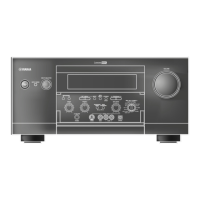
NATURAL SOUND AV AMPLIFIER DSP A1
CINEMA DSP
7ch
VOLUME
INPUT SELECTOR
TAPE 2 MON
/EXT. DECODER
l6
20
28
40
60
l2
8
4
2
0
–dB
PHONES BASS
EXTENSION
BASS TREBLE BALANCE
DVD/VCR 3
VIDEO AUX
REC OUT
VCR 1
VCR 2
TV/DBS
LD
SOURCE
CD
MD/TAPE 1
VIDEO AUX
NEXT
INPUT MODE
SET MENU PROGRAM EFFECT
STANDBY/ON
55
4
3
2
l
0
l
2
3
4
LR
55
4
3
2
l
0
l
2
3
4
55
4
3
2
l
0
l
2
3
4

Table of Contents

Questions and Answers

  • O
    oharperSep 23, 2025
    Why is a percussive noise heard when beginning playing back a source encoded with the DTS on Yamaha Amplifier?
    • C
      Carrie AndersonSep 23, 2025
      If you hear a percussive noise when you begin playing back a source encoded with DTS on your Yamaha Amplifier, and the “AUTO” input mode is selected, there may be a case that a noise is heard while this unit is identifying the format of input signal. Set the input mode of the currently selected input source to “DTS.”
  • W
    Walter FloydAug 23, 2025
    Why is there no sound or picture from my Yamaha DSP-A1 Amplifier?
    • S
      Sarah FoleyAug 23, 2025
      If you are experiencing no sound or picture from your Yamaha Amplifier, begin by checking the output cord connections to ensure they are properly connected. If the problem continues, the cords may be defective. Verify that you have selected the correct input source using the INPUT SELECTOR or the TAPE 2 MON/EXT. DECODER button. Also, make sure the speaker connections are secure. Finally, ensure that the source you are playing is compatible with the unit.
  • D
    Dr. Mark Lee Jr.Aug 25, 2025
    What to do if the sound suddenly goes off on Yamaha DSP-A1?
    • C
      Cody BrownAug 26, 2025
      If the sound from your Yamaha Amplifier suddenly goes off, the protection circuit may have been activated due to a short circuit. To resolve this, turn the unit into standby mode and then turn it back on to reset the protection circuit. Alternatively, the SLEEP timer may have been activated. If so, cancel the SLEEP timer function.
  • N
    Nichole ThorntonAug 27, 2025
    Why Yamaha DSP-A1 remote control transmitter does not work?
    • K
      Kelsey LuceroAug 27, 2025
      If your Yamaha Amplifier's remote control transmitter does not work, first replace the batteries with new ones and then press the RESET button on the remote control transmitter. If this doesn't work, the internal microcomputer may have frozen, in which case you should also try pressing the RESET button on the remote control transmitter.
  • C
    Caitlin JacobsAug 27, 2025
    Why is there no sound from the effect speakers on Yamaha DSP-A1?
    • K
      Keith MarquezAug 27, 2025
      If you are not hearing sound from the effect speakers on your Yamaha Amplifier, make sure the EFFECT button is turned on. Also, if you are using a Dolby Surround (or DTS) decoding program, ensure that the material you are playing is encoded with Dolby Surround (or DTS). If not, try using a different sound field program.
  • R
    Rebecca PattersonSep 15, 2025
    What to do if Yamaha DSP-A1 Amplifier does not work normally?
    • C
      Chase FisherSep 15, 2025
      If your Yamaha Amplifier does not work normally, turn the unit into standby mode and disconnect the AC power cord from the AC outlet. After about 30 seconds, reconnect the power and operate the unit again. This can help if there's an influence of strong external noise or a misoperation.
  • B
    bowersryanSep 12, 2025
    How to stop Yamaha Amplifier from causing noise from nearby TV or tuner?
    • R
      Robert MccoySep 13, 2025
      If your Yamaha Amplifier is causing noise in a nearby TV or tuner, move the unit further away from the affected equipment.
  • H
    hbridgesSep 14, 2025
    Why is the sound degraded when listening with headphones connected to Yamaha Amplifier?
    • J
      Jessica MaloneSep 14, 2025
      If the sound quality is degraded when listening with headphones connected to a compact disc player or tape deck connected to your Yamaha Amplifier, ensure that the unit is turned on and not in standby mode.
  • M
    michaelleachSep 5, 2025
    Why does only one side speaker output sound on Yamaha Amplifier?
    • N
      Nicholas WoodsSep 5, 2025
      If you only hear sound from one side speaker on your Yamaha Amplifier, check the BALANCE control and adjust it to the appropriate position. Also, verify that the cord connections are correct and secure. If the issue persists, the cords may be defective.
  • D
    Desiree NelsonSep 2, 2025
    Why is no sound heard when playing back a source (CD etc.) on Yamaha DSP-A1 Amplifier?
    • K
      Kathy JohnsonSep 2, 2025
      If no sound is heard when you play back a source (CD etc.) on your Yamaha Amplifier, even though the currently selected input mode is “AUTO”, the DTS-decoding mode may not be changing to the normal (PCM) digital signal input mode automatically. Press the INPUT MODE button on the front panel or the input selector button (for the currently selected source) on the remote control transmitter so that “PCM” appears on the display.

Summary

SAFETY INSTRUCTIONS

General Safety Precautions

Essential safety guidelines for operation and maintenance.

SUPPLIED ACCESSORIES

Remote Control Transmitter

The remote control unit for operating the amplifier.

FEATURES

SPEAKER SETUP

Speaker System Configurations and Placement

Guidance on setting up speaker systems for optimal sound.

CONNECTIONS

CONNECTING SPEAKERS

IMPEDANCE SELECTOR SWITCH

CONTROLS AND THEIR FUNCTIONS

Front Panel Controls Overview

Description of front panel buttons, knobs, and indicators.

ADJUSTMENTS BEFORE USING THIS UNIT

Speaker System Output Modes

Selecting output modes for center, rear, main, and subwoofer speakers.

SPEAKER BALANCE ADJUSTMENT

Test Tone Generator for Speaker Level Balancing

Procedure to adjust speaker output levels using test tones.

ADJUSTMENTS IN THE “SET MENU MODE

USING DIGITAL SOUND FIELD PROCESSOR (DSP)

Playing Sources with DSP Effects

How to select and use DSP sound field programs.

ADJUSTING OUTPUT LEVEL OF SPEAKERS

Speaker Level Adjustment Method

Guide to fine-tuning output levels for individual speakers.

REMOTE CONTROL TRANSMITTER

TROUBLESHOOTING

General Operational Issues

Solutions for common operating problems and symptoms.

Yamaha DSP-A1 Specifications

General IconGeneral
Surround SoundDolby Digital, DTS, Dolby Pro Logic
Frequency Response10 Hz-100 kHz +0, -3 dB
Total Harmonic Distortion0.015%
Signal to Noise Ratio96 dB
OutputPre-out
Speaker Load Impedance4-16 ohms
Digital InputsCoaxial, Optical
Video InputsComposite, S-Video
Dimensions171 mm
Input Sensitivity200mV (line)

Related product manuals