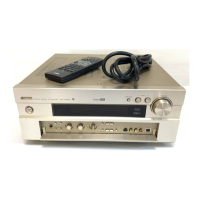
How to fix Yamaha Amplifier that fails to turn on?
- BBrandon ShieldsAug 17, 2025
If your Yamaha Amplifier fails to turn on when you press the POWER switch, the power cord may not be properly plugged in. Ensure the power cord is firmly plugged in.
How to fix Yamaha Amplifier that fails to turn on?
If your Yamaha Amplifier fails to turn on when you press the POWER switch, the power cord may not be properly plugged in. Ensure the power cord is firmly plugged in.
What to do if Yamaha DSP-A590 Amplifier remote control transmitter does not work?
If the remote control transmitter for your Yamaha Amplifier isn't working, direct sunlight or lighting (like an inverter-type fluorescent lamp) might be interfering with the remote control sensor on the main unit. Try changing the position of the main unit. Also, the batteries in the remote control transmitter might be too weak, so replace them with new ones.
Why does my Yamaha Amplifier sound suddenly go off?
If your Yamaha Amplifier suddenly goes silent, it might be due to the activation of the protection circuit, possibly triggered by a short circuit. To resolve this, try turning the unit off and then on again to reset the protection circuit. Alternatively, the SLEEP timer may have been activated. Ensure the SLEEP timer is not functioning.
What to do if there is no sound or no picture on Yamaha DSP-A590?
If you're experiencing no sound or picture from your Yamaha Amplifier, the issue could stem from incorrect output cord connections. Ensure that the cords are properly connected. If the problem continues, the cords themselves might be defective. Also, verify that you've selected the appropriate input selector corresponding to your input source.
Why does my Yamaha DSP-A590 sound “hums”?
If you're experiencing hums from your Yamaha Amplifier, ensure that the audio plugs are firmly connected. If the issue persists, the cords may be defective. Also, if you are using a turntable, make sure that there is a GND (ground) connection between the turntable and the unit.
Why is there no sound from the rear speakers on my Yamaha Amplifier?
If you're not getting sound from the rear speakers of your Yamaha Amplifier, first, check that the sound output level to the rear speakers isn't set to 0. Adjust it using the REAR LEVEL control. If you're playing a monaural sound source in DOLBY PRO LOGIC or DOLBY PRO LOGIC ENHANCED mode, try selecting another program that's more suitable for monaural sound.
Why is there no sound from the center speaker of my Yamaha DSP-A590 Amplifier?
If you're experiencing no sound from the center speaker of your Yamaha Amplifier, make sure that the sound output level to the center speaker isn't set to 0. You can adjust this with the CENTER LEVEL control. Also, check if the center channel mode is in PHANTOM mode; if so, select NORMAL or WIDE. Finally, verify that you've selected the appropriate sound field program.
Why does only one side speaker output sound on my Yamaha DSP-A590 Amplifier?
If you only hear sound from one side speaker on your Yamaha Amplifier, it might be due to an incorrect setting of the BALANCE control. Adjust the BALANCE control to the appropriate position. Also, check the cord connections to ensure they are correct; if the problem persists, the cords may be defective.
Why volume level cannot be increased, or sound is distorted on Yamaha DSP-A590?
If the volume level of your Yamaha Amplifier cannot be increased, or if the sound is distorted, the component connected to the REC OUT terminals of this unit might be turned off. Turn the power to that component on.
Why is the volume level low while playing a record on my Yamaha DSP-A590?
If the volume level is low while playing a record on your Yamaha Amplifier, and you're using a turntable with an MC cartridge, the player should be connected to the unit through the MC head amplifier.
Highlights capabilities like DSP, Dolby Pro Logic, and provides an overview of the unit.
Essential warnings and guidelines for safe operation, installation, and handling.
Instructions for configuring and placing speakers for optimal sound performance.
Guidance on connecting various audio/video sources, speakers, and accessory terminals.
Procedure to balance speaker output levels using the built-in test tone generator for optimal listening.
Step-by-step guide to selecting sources, playing, recording, and using the DSP for enhanced audio.
Instructions for setting the automatic turn-off timer and operating the remote control transmitter.
Common issues with solutions and detailed technical data and specifications for the unit.
Highlights capabilities like DSP, Dolby Pro Logic, and provides an overview of the unit.
Essential warnings and guidelines for safe operation, installation, and handling.
Instructions for configuring and placing speakers for optimal sound performance.
Guidance on connecting various audio/video sources, speakers, and accessory terminals.
Procedure to balance speaker output levels using the built-in test tone generator for optimal listening.
Step-by-step guide to selecting sources, playing, recording, and using the DSP for enhanced audio.
Instructions for setting the automatic turn-off timer and operating the remote control transmitter.
Common issues with solutions and detailed technical data and specifications for the unit.
Loading...