11
English
Connecting with a Dolby Digital (AC-3) Decoder
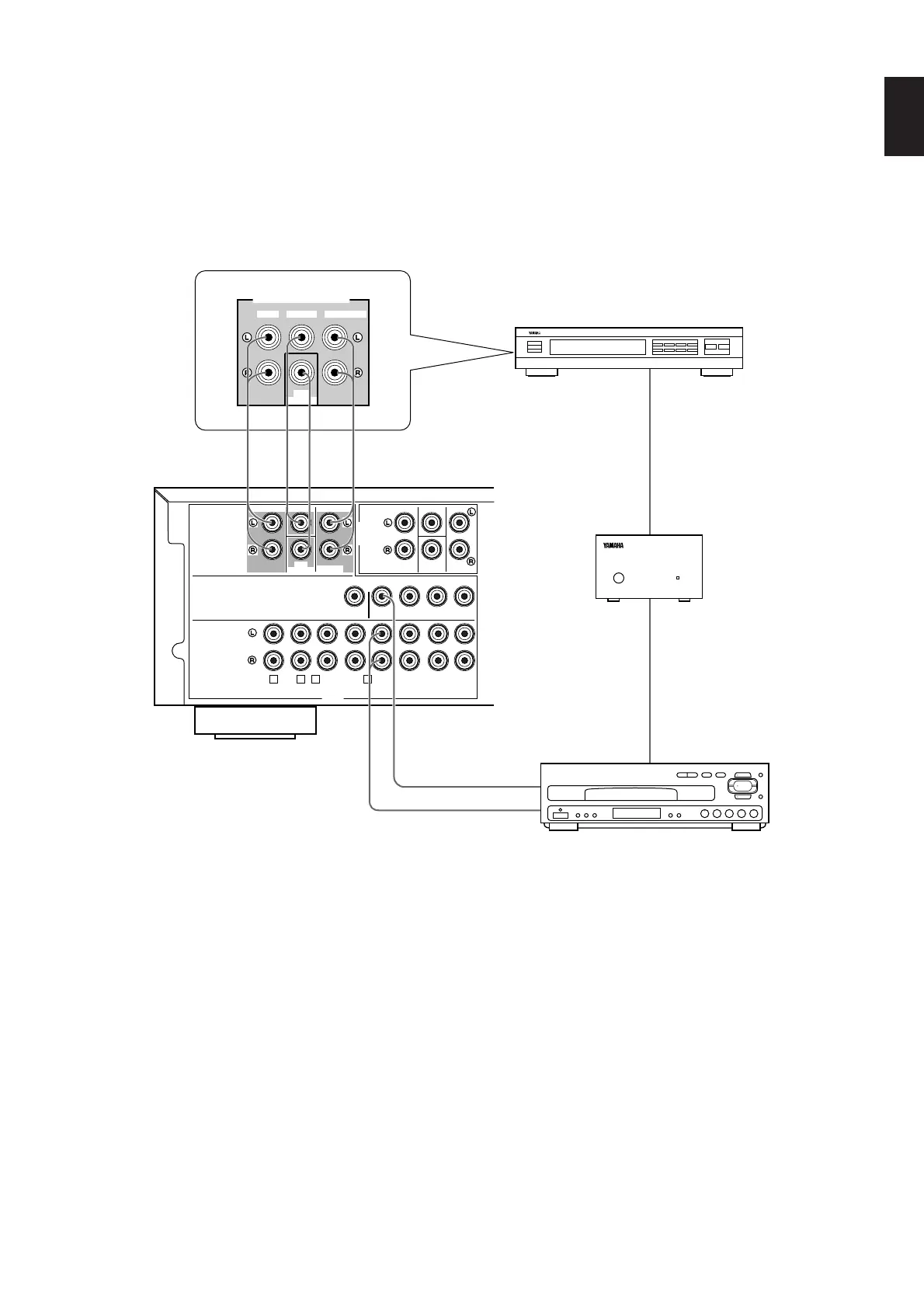
If you have a Dolby Digital (AC-3) Decoder unit or an LD player etc. which incorporates a Dolby Digital (AC-3) Decoder, its discrete
outputs can be connected to this unit.
Notes
• The laserdisc player (or another unit) must be also
connected to the DVD/LD (or TV/DBS) AUDIO SIGNAL
INPUT terminals of this unit for playing a source with the
Dolby Pro Logic Surround decoded or in normal stereo (or
monaural).
• The discrete signals input to this unit cannot be recorded by
a tape deck, MD recorder or VCR. To record a source played
on the laserdisc player (or another unit), it must be
connected to the DVD/LD (or TV/DBS) AUDIO/VIDEO
SIGNAL INPUT terminals of this unit.
• If you made no connection to the SUBWOOFER input
terminal of this unit or you will not use a subwoofer, you
should make a setting for distributing signals at the LFE
channel to the right and left MAIN output terminals on the
Dolby Digital (AC-3) Decoder unit.
(For details, refer to the owner’s manual for the Dolby Digital
(AC-3) Decoder unit.
Dolby Digital (AC-3) Decoder unit
RF Demodulator
Laserdisc player with AC-3 RF output or
another unit with AC-3 RF output


 To Next Page