EasyManua.ls Logo

Yamaha DVX-1000 - User Manual

Yamaha DVX-1000
120 pages
Print Icon
To Next Page IconTo Next Page
Loading...
YAMAHA ELECTRONICS CORPORATION, USA
6660 ORANGETHORPE AVE., BUENA PARK, CALIF. 90620, U.S.A.
YAMAHA CANADA MUSIC LTD.
135 MILNER AVE., SCARBOROUGH, ONTARIO M1S 3R1, CANADA
YAMAHA ELECTRONIK EUROPA G.m.b.H.
SIEMENSSTR. 22-34, 25462 RELLINGEN BEI HAMBURG, GERMANY
YAMAHA ELECTRONIQUE FRANCE S.A.
RUE AMBROISE CROIZAT BP70 CROISSY-BEAUBOURG 77312 MARNE-LA-VALLEE CEDEX02, FRANCE
YAMAHA ELECTRONICS (UK) LTD.
YAMAHA HOUSE, 200 RICKMANSWORTH ROAD WATFORD, HERTS WD18 7GQ, ENGLAND
YAMAHA SCANDINAVIA A.B.
J A WETTERGRENS GATA 1, BOX 30053, 400 43 VÄSTRA FRÖLUNDA, SWEDEN
YAMAHA MUSIC AUSTRALIA PTY. LTD.
LEVEL 1, 99 QUEENSBRIDGE STREET, SOUTHBANK, VIC 3006, AUSTRALIA
©
2008 All rights reserved.
R
OWNER’S MANUAL
MANUAL DE INSTRUCCIONES
DVX-1000
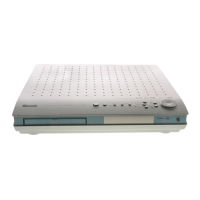
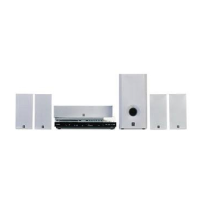
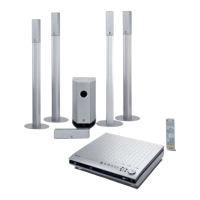
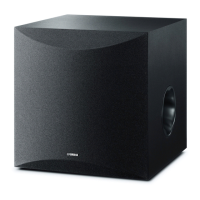
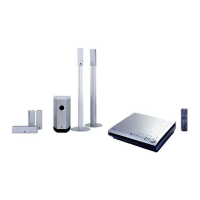
(DVR-1000 + NX-SW1000 + NX-P1000)
Printed in China 3139 245 28712
DVX-1000

Table of Contents

Other manuals for Yamaha DVX-1000

Questions and Answers

  • J
    Jack PooleSep 1, 2025
    How to fix Yamaha DVX-1000 distorted picture?
    • J
      Johnny BakerSep 1, 2025
      If your Yamaha Home Theater System displays a completely distorted or black/white picture, if this happens when changing the setting of the ‘TV TYPE’ or when turning on the progressive scan feature, wait 15 seconds for auto recovery. Check the video connection and clean the disc.
  • M
    Michelle SanchezSep 23, 2025
    How to play DivX movies on Yamaha Home Theater System?
    • A
      Amanda LeeSep 23, 2025
      Check that the DivX® file was encoded in ‘Home Theater’ mode with a DivX® 5.x encoder.
  • A
    Amanda PageSep 14, 2025
    What to do if Yamaha Home Theater System does not start playback?
    • V
      Veronica HernandezSep 14, 2025
      If your Yamaha Home Theater System doesn't start playback, ensure the disc is readable and inserted with the playback side facing down. For DVD-R/ DVD+R/DVD-RW/DVD+RW/CD-R/CD-RW/DVD-RW (VR format) discs, make sure they are finalized. Also, check the disc type, color system (PAL or NTSC) and region code, and inspect the disc for scratches or smudges. Press SET UP to turn off the setup menu screen. You may need to enter the password in order to change the parental control rating level or to unlock the disc for playback. If moisture has condensed inside the player, remove the disc and leave the receiver turned on for about an hour.
  • L
    Lisa HughesSep 23, 2025
    Why Yamaha DVX-1000 Home Theater System no picture is displayed when you make HDMI connections?
    • T
      Tanya Moore DDSSep 23, 2025
      Follow the steps below to change [HDMI VIDEO] to [480P]: 1. Press on the front panel or press and hold s on the remote control to eject the disc. 2. Press on the remote control. 3. Press AUDIO on the remote control.
  • R
    Richard FranklinAug 29, 2025
    What to do if Yamaha DVX-1000 DVD receiver does not start playback?
    • J
      Justin JacksonAug 29, 2025
      If your Yamaha Home Theater System DVD receiver doesn't start playback, ensure you've inserted a readable disc with the playback side facing down, finalizing DVD-R/ DVD+R/DVD-RW/DVD+RW/CD-R/CD-RW/DVD-RW (VR format) discs. Check the disc type, color system (PAL or NTSC), and region code. Inspect the disc for scratches or smudges. Press SET UP to turn off the setup menu screen. You may need to enter the password to change the parental control rating level or unlock the disc. If moisture has condensed inside, remove the disc and leave the receiver on for about an hour.
  • L
    Larry GreeneAug 28, 2025
    Why Yamaha DVX-1000 subwoofer not working?
    • K
      Kelly RodgersAug 28, 2025
      If there is no sound from the subwoofer of your Yamaha Home Theater System, ensure the subwoofer is connected correctly. Adjust the volume level in the setup menu. Press the SURROUND button to select a correct surround sound setting. Also, make sure the source you are playing is recorded or broadcast in surround sound (DTS, Dolby Digital, etc.).
  • L
    Logan SawyerAug 27, 2025
    How to fix Yamaha Home Theater System no power?
    • G
      Gregory Brown Jr.Aug 27, 2025
      If your Yamaha Home Theater System has no power, check if the AC power cord is properly connected. Also, press the STANDBY/ON button on the front of the receiver to turn on the power.
  • A
    amber68Aug 27, 2025
    How to fix Yamaha DVX-1000 no sound?
    • R
      robert84Aug 27, 2025
      If you are experiencing no sound or distorted sound with your Yamaha Home Theater System, try the following: * Adjust the volume. * Check if the system cable and speaker cables are properly connected. * Ensure the audio cables are connected, and select the correct input source (AUX, for example). * Verify the AC power cord of the subwoofer is properly connected. * Make sure that you use a disc supported by the DVD Player.
  • H
    hutchinsonanthonyAug 26, 2025
    Why I am not able to select some items in the setup/system menu on Yamaha DVX-1000 Home Theater System?
    • C
      Cameron GoodwinAug 26, 2025
      Press s twice before selecting the setup/system menu. Depending on the disc availability, some menu items cannot be selected.
  • J
    Joshua BryantSep 23, 2025
    What to do if a disc cannot be inserted into the Yamaha Home Theater System?
    • C
      Connor WhiteSep 23, 2025
      Turn on the DVD receiver and insert the disc after “NO DISC” appears on the display panel. Wait for a while and insert the disc after “NO DISC” appears on the display panel. Eject the disc from the DVD receiver, and then insert the disc you want to play back after “NO DISC” appears on the display panel. Press or p, or remove the disc from the disc loading slot fully and then insert it once again.

Summary

Safety and Precautions

Operating Warnings and Precautions

Essential warnings and precautions for safe operation and to prevent unit damage.

Functional Overview and Setup

System Connection Guide

Instructions for connecting speakers, subwoofer, and external devices like TVs and USB drives.

Initial System Configuration

Steps for setting up the TV, language preferences, and speaker channels for optimal performance.

Disc and Media Playback

Basic Playback and Navigation

Core functions for playing discs, including navigation, pause, stop, and search.

System Configuration Menus

Other Functions and Information

Troubleshooting Common Issues

Guide to identifying and resolving typical problems encountered with the system.

Yamaha DVX-1000 Specifications

General IconGeneral
BrandYamaha
ModelDVX-1000
CategoryHome Theater System
LanguageEnglish

Related product manuals