INSTRUMENT AND CONTROL FUNCTIONS
3-5
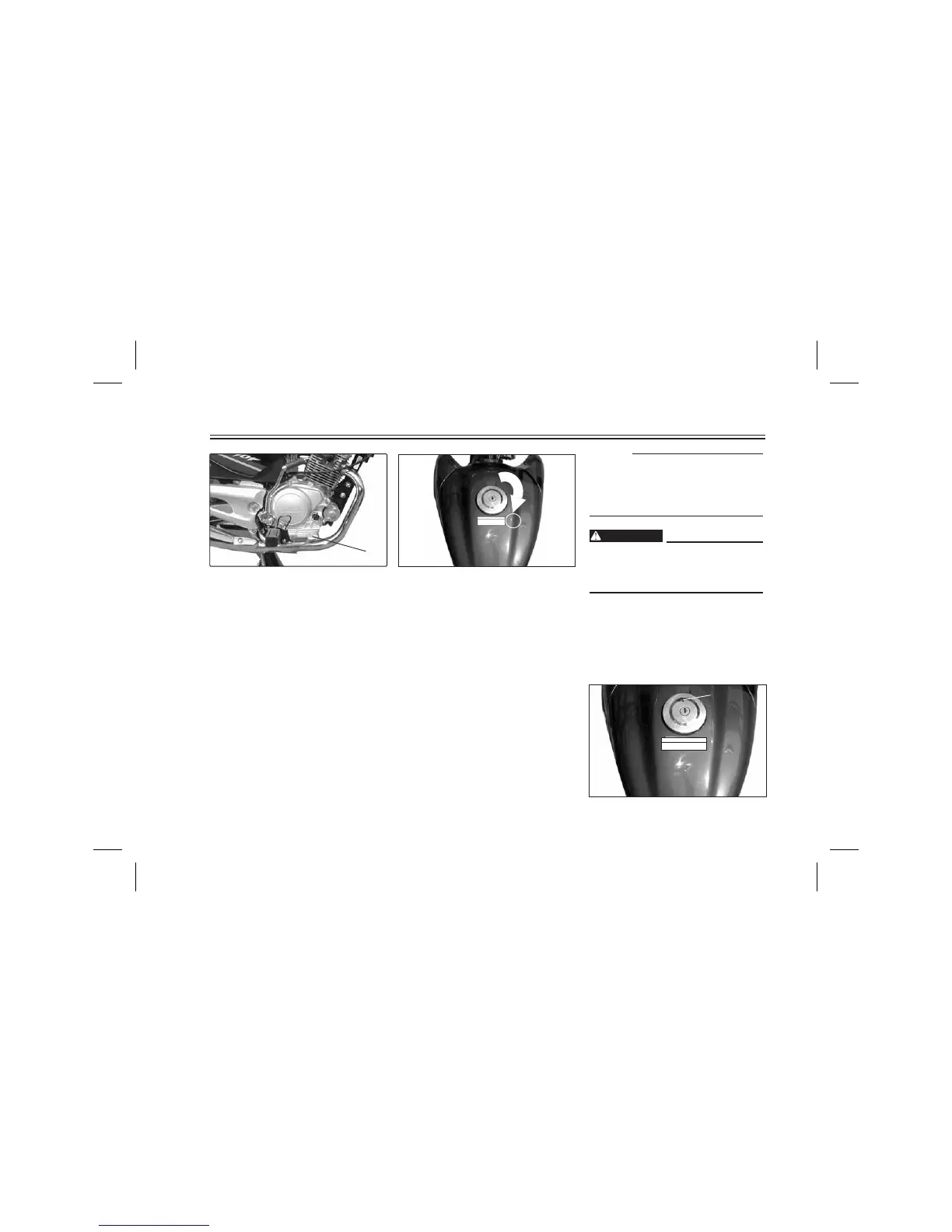
1 Rear brake pedal
Rear brake pedal
The rear brake pedal is on the right
side of the Motorcycle. Press down on
the brake pedal to apply the rear
brake.
1. Open
Fuel tank cap
TO OPEN:
Insert the key and turn it 1/4 turn
clockwise. The lock will be released
and the cap can be opened.
TO CLOSE:
Push the tank cap into position with
the key inserted. To remove the key,
turn it counterclockwise to the
original position.
Ensure the arrow on fuel tank is
towards the Front of the bike when
inserting Fuel Tank Cap in Fuel
Tank.
This tank cap cannot be closed
unless the key is in the lock. The key
cannot be removed if the cap is not
locked properly.
Be sure the cap is properly
installed and locked in place
before riding the Motorcycle.
WARNING
NOTE :
WARNING
WARN
ING
B
e
f
o
r
e
y
o
u
o
p
e
r
a
t
e
t
h
i
s
v
e
h
i
l
e
r
e
a
d
t
h
e
O
w
n
e
r
'
s
M
a
n
u
a
l
.
1
1. Arrow
WARNING
Before you operate this vehile
read the Owner's Manual.




 To Next Page