EasyManua.ls Logo

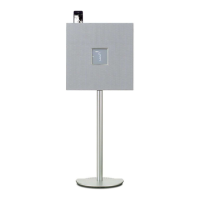
Yamaha ISX-800 - User Manual

Yamaha ISX-800
68 pages
Print Icon
To Next Page IconTo Next Page
Loading...
INTEGRATED AUDIO SYSTEM
SYSTÈME AUDIO INTÉGRÉ
ISX-800
U
OWNER’S MANUAL
MODE D’EMPLOI
MANUAL DE INSTRUCCIONES

Table of Contents

Questions and Answers

  • I
    ifischerSep 14, 2025
    Why does my Yamaha ISX-800 Stereo System iPod not play back at the alarm time?
    • A
      acarterSep 14, 2025
      The iPod might not be firmly connected in the iPod dock. Remove the iPod from the unit, and then connect it in the iPod dock again. Also, the ALARM TYPE switch may be set to BEEP. Set ALARM TYPE to SOURCE + BEEP or SOURCE.
  • B
    Brian LoveAug 25, 2025
    Why Yamaha ISX-800 speakers make no sound?
    • M
      Madison ButlerAug 25, 2025
      If your Yamaha Stereo System speakers aren't producing sound, first, adjust the volume level to ensure it's not set to the minimum. Also, verify that you have selected the correct source input for your audio.
  • B
    Bradley WatkinsAug 25, 2025
    How to eliminate cracked or distorted sound from Yamaha ISX-800 Stereo System?
    • C
      Candice WilsonAug 26, 2025
      If your Yamaha Stereo System's sound is cracked, distorted, or producing abnormal noise, the input source volume or the unit's volume (especially Bass) may be too high. Try adjusting the volume or Bass levels.
  • C
    Christopher KennedyAug 26, 2025
    What to do if Yamaha Stereo System does not operate properly?
    • C
      Charles JohnsonAug 27, 2025
      If your Yamaha Stereo System isn't operating correctly, it might have experienced a strong electrical shock or a drop in power supply. Turn the system off, disconnect the power cable, wait about 30 seconds, then reconnect the power cable and turn the system back on.
  • R
    Robert PadillaSep 15, 2025
    Why Yamaha ISX-800 clock flashes and unit cannot be operated?
    • M
      Melissa WhiteSep 15, 2025
      The CLOCK switch on the rear panel may be set to SET, placing the unit in clock setting mode. Set the CLOCK switch to CLOCK1 or CLOCK2.
  • B
    Bradley BaileySep 23, 2025
    Why Yamaha ISX-800 has no sound from iPod?
    • D
      David GomezSep 23, 2025
      The iPod may not be firmly connected in the iPod dock. Remove the iPod from the unit, and then connect it in the iPod dock again. Also, the iPod software version may not be updated. Download the latest iTunes version from the Apple website, and update the iPod software to the latest version.
  • F
    frank53Sep 7, 2025
    Why Yamaha ISX-800's remote control isn't working?
    • O
      Olivia WilsonSep 7, 2025
      If your Yamaha Stereo System's remote control isn't working, replace the batteries with two new ones.
  • J
    Jessica PenaSep 8, 2025
    Why iPod indicator flashes twice, and repeated 3 times, after connecting the iPod to Yamaha ISX-800 Stereo System?
    • P
      Patricia HernandezSep 8, 2025
      If the iPod indicator on your Yamaha Stereo System flashes twice and repeats three times after connecting the iPod, the iPod being used is not supported by the unit. Use a supported iPod.
  • Z
    Zachary MatthewsSep 2, 2025
    What does 'Err' mean on Yamaha Stereo System after connecting a USB device?
    • J
      Joseph CampbellSep 2, 2025
      If your Yamaha Stereo System displays “Err” after connecting a USB device, an incompatible USB device is connected to the unit. Turn off the system and reconnect the USB device. If the problem continues, the USB device is not playable on the unit.
  • P
    Peter WrightAug 31, 2025
    Why iPod does not play back at the alarm time on Yamaha ISX-800 Stereo System?
    • A
      April PerkinsAug 31, 2025
      If your iPod doesn't play back at the alarm time on your Yamaha Stereo System even when the source is set to iPod, ensure the iPod is firmly connected in the iPod dock. Also, check that the ALARM TYPE switch is set to SOURCE + BEEP or SOURCE, not BEEP.

Summary

Important Safety Instructions

General Safety Precautions

Key safety guidelines for operating the audio system, including handling, installation, and maintenance.

Operating Precautions and Safety

Installation and Environmental Guidelines

Recommendations for optimal placement, ventilation, and protection from environmental factors.

Usage and Handling Precautions

Guidelines for safe operation, including avoiding liquids, heat, and proper power cord handling.

Specific Safety Warnings and Cautions

Covers crucial warnings on water exposure, battery replacement, CRT interference, and other hazards.

Top Panel Controls and Functions

Power and System Controls

Description of the power button, power save mode, and alarm availability.

Front Panel Display and Rear Panel Connections

Remote Control Functions

Setting and Switching the Clock

Setting the Clock Time

Step-by-step guide to setting the current time on the unit, including iPod time sync.

Playing Music from iPod

Playing Audio CDs

Playing Data CDs

Playing USB Devices

Listening to FM;AM Radio Stations

Using the Alarm Function

Setting Alarm Time and Type

Step-by-step guide to setting the alarm time, type, volume, and source.

Troubleshooting Common Issues

General Troubleshooting

Solutions for common problems like unit not turning on, no sound, or system shutting off.

iPod Troubleshooting

Solutions for iPod-related issues such as no sound, charging problems, or unsupported devices.

CD Playback Troubleshooting

Solutions for problems like disc insertion errors, playback issues, or 'Err' messages.

USB Device Playback Troubleshooting

Solutions for USB playback issues, including device recognition and file playback errors.

FM;AM Radio Reception Troubleshooting

Solutions for radio reception problems like noise, weak signals, or distortion.

Remote Control Troubleshooting

Solutions for issues where the remote control is not working properly.

Yamaha ISX-800 Specifications

General IconGeneral
Frequency range- Hz
RMS rated power- W
Audio output channels4.0 channels
BluetoothNo
Headphone connectivity3.5 mm
USB 2.0 ports quantity1
FM radioYes
Supported radio bandsFM
Preset stations quantity5
Cable length2.1 m
Dimensions (WxDxH)410 x 295 x 997 mm
Compatible productsiPhone iPhone 3G iPhone3GS iPhone4 iPod classic iPod nano iPod touch
Equalizer bands quantity3
Apple docking compatibilityiPhone, iPod
Power source typeAC
Product colorWhite
Weight and Dimensions IconWeight and Dimensions
Weight12000 g

Related product manuals