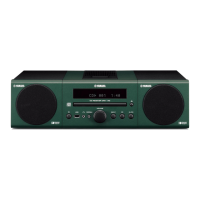
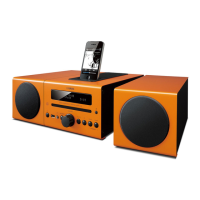
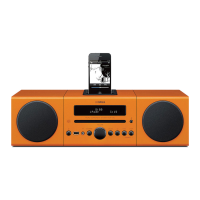
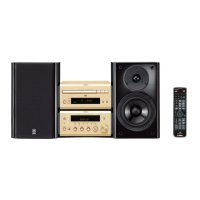
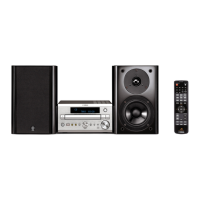
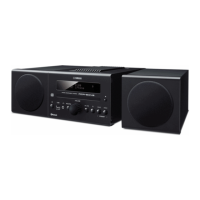
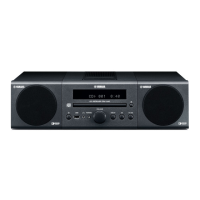
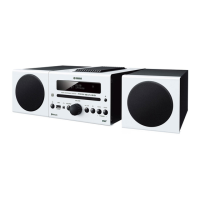
The Yamaha MCR-B043D is a micro component system designed for versatile audio playback and broadcasting. It offers a wide range of features, including Bluetooth connectivity, DAB/DAB+ digital radio, CD playback, USB playback, and an AUX input, making it a comprehensive audio solution for various listening preferences.
Function Description
The MCR-B043D allows users to play back music from external devices such as audio/data CDs, USB devices, or external devices via the AUX jack. It supports Bluetooth for wireless streaming from smartphones, tablets, or other compatible devices. The system also features DAB/DAB+ and FM radio tuners, providing access to a wide selection of radio stations.
Key functions include:
- Bluetooth Connectivity: Enables wireless audio streaming from Bluetooth-enabled devices. The system supports pairing with up to four other components and remembers the oldest connection date. It also allows for connecting an already-paired component and disconnecting a Bluetooth connection.
- DAB/DAB+ Digital Radio: Offers clear sound quality and a more stable reception compared to analog signals. DAB+ uses a more efficient audio codec. The system supports initial scans to find available stations, selecting stations by name, presetting up to 30 favorite stations, and checking signal strength.
- FM Radio: Provides access to FM radio stations, with options for automatic tuning, manual tuning, and presetting up to 30 favorite stations.
- CD Playback: Supports playback of audio CDs and data CDs containing MP3/WMA files.
- USB Playback: Allows playback of MP3/WMA files from USB mass storage class devices (e.g., flash memories or portable audio players) formatted in FAT16 or FAT32.
- AUX Input: For connecting external audio devices via a 3.5 mm mini-plug cable.
- Alarm Function (IntelliAlarm): Features three types of alarms (SOURCE+BEEP, SOURCE, BEEP) with various audio sources (CD, data CD/USB device, DAB/FM). The alarm can be set to play at a specific time and volume, and includes a snooze function.
- Sleep Timer: Automatically turns off the unit after a set period (30, 60, 90, or 120 minutes).
- Clock Display: Displays the current time in 24-hour format, with options for setting the date and time.
- Sound Adjustments: Includes EQ LOW, EQ MID, EQ HIGH for adjusting tonal character, and BALANCE for adjusting volume balance.
- Display Dimmer: Adjusts the brightness of the front panel display.
- Repeat/Shuffle Playback: Offers repeat (1 track, all tracks within folder, all tracks) and shuffle (all tracks) playback modes for CD/USB sources.
Important Technical Specifications
- Player Section:
- Media: CD, CD-R/RW
- Audio format: Audio CD, MP3, WMA
- USB:
- AUX:
- Input connector: 3.5 mm (1/8") STEREO mini jack
- Bluetooth Section:
- Bluetooth version: Ver. 3.0
- Supported profile: A2DP, AVRCP
- Supported codecs: SBC
- Wireless output: Bluetooth Class 2
- Maximum communication distance: 10 m (without obstructions)
- Amplifier Section:
- Maximum output power: 15 W + 15 W (6 Ω, 1 kHz, 10% THD)
- Headphones: 3.5 mm (1/8 in) STEREO mini jack (impedance 16 to 32 Ω)
- Equalizer characteristics: EQ Low/Mid/High (Treble): ±10 dB
- Tuner Section:
- Tuning range:
- DAB/DAB+: 174 to 240 MHz (Band III)
- FM: 87.50 to 108.00 MHz
- Speaker Section:
- Type: Full range bass reflex, non magnetic shielding type
- Driver: 11 cm (4-1/2") cone type × 1
- Frequency response: 50 to 20 kHz (-10 dB)
- Dimensions (W × H × D): 129 (5-1/8") × 251 (9-7/8") × 281 (11") mm
- Weight: 2.6 kg (5.7 lbs.)
- General:
- Power supply: AC 230 V, 50 Hz (U.K. model); AC 240 V, 50 Hz (Australia model)
- Power consumption: 30 W
- Standby consumption: 3.5 W or less (NORMAL)/0.5 W or less (ECO)
- Dimensions (W × H × D): 180 (7-1/8") × 130 (5-1/8") × 281 (11") mm
- Weight: 2.6 kg (5.7 lbs.)
Usage Features
The MCR-B043D is designed for user-friendly operation with a front panel display and a remote control.
- Front Panel Controls: Includes power, USB port, headphone jack, source selection, volume knob, audio control buttons (play/pause, stop, skip), preset buttons, and a disc slot.
- Remote Control: Provides comprehensive control over all functions, including power, snooze/sleep, alarm, source selection, option menu, folder navigation, item selection, audio control, repeat/shuffle, tuning, preset, memory, volume, and mute.
- Connections:
- Speakers: Connects to the included speakers. Ensure correct polarity (red: +, black: -) for optimal sound.
- Power Cable: Connects to an AC outlet.
- USB Device: Connects to the USB port on the front panel for playing music files. The unit automatically charges when in standby.
- External Devices: Connects to the AUX jack on the rear panel.
- DAB/FM Antenna: Connects to the rear panel for radio reception.
- Standby Modes:
- ECO standby (power saving mode): Clock display is off, Bluetooth connection is disabled, and USB devices are not charged.
- Normal standby: Clock display is on, Bluetooth connection is enabled, and USB devices are charged.
- Option Menu: Allows customization of various settings, including preset delete, DAB initial scan, DAB tune aid, dimmer, EQ adjustments, balance, power saving mode, auto power standby, clock set, alarm set, and Bluetooth on/off.
Maintenance Features
To ensure optimal performance and longevity, the manual provides several maintenance guidelines:
- Placement: Install the unit in a well-ventilated, cool, dry, clean place, away from direct sunlight, heat sources, vibrations, dust, moisture, and cold. Avoid placing it on top of other appliances that might generate heat.
- Cleaning: Clean the unit with a soft, dry cloth. For stubborn dirt, use a soft cloth dampened with a mild detergent solution, then wipe with a dry cloth. Do not use chemical cleaning cloths, thinners, alcohol, benzene, or other chemical agents.
- Battery Handling:
- Do not use different types of batteries (alkaline and manganese) together.
- Do not mix old and new batteries.
- Remove batteries if the unit will not be used for a long period.
- If batteries leak, clean the battery compartment thoroughly before installing new batteries.
- Dispose of batteries properly according to local regulations.
- CD Handling:
- Do not touch the surface of the disc.
- Hold discs by their edges.
- Do not use a pencil or pointed marker to write on the disc.
- Do not use a protective cover or disc cleaner.
- Do not load more than one disc into the slot.
- Do not insert any damaged, warped, cracked, or glued discs.
- Do not expose discs to direct sunlight, high temperature, high humidity, or a lot of dust.
- Troubleshooting: The manual includes a comprehensive troubleshooting section to address common issues related to sound, display, CD playback, USB playback, Bluetooth, DAB reception, FM reception, and remote control.
- Power Cable: If the power cable is damaged, unplug it immediately and contact a Yamaha service professional.
- Laser Safety: The unit employs a laser. Do not open the unit or attempt to repair it yourself to avoid exposure to invisible laser radiation.
- Disposal: Dispose of the product and used batteries according to local regulations for recycling and environmental protection.
The Yamaha MCR-B043D is a versatile and user-friendly micro component system that combines modern connectivity with traditional audio playback options, making it suitable for a wide range of audio enthusiasts.

 Need help?
 General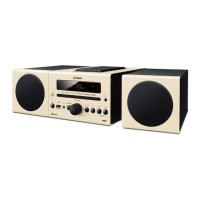

 To Next Page