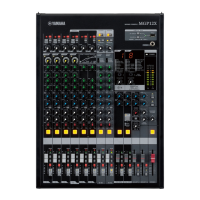
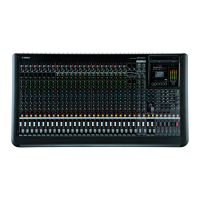
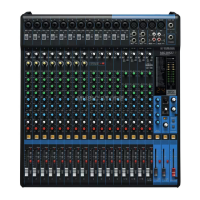
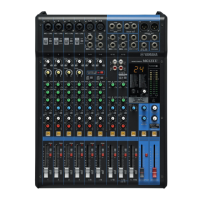
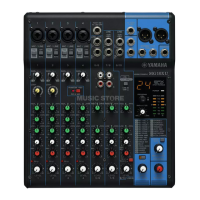
The Yamaha MGP32X/MGP24X is a professional audio mixing console designed for a wide range of sound reinforcement applications, from live performances and studio recording to fixed installations. This device is engineered to deliver high-quality audio processing and flexible control, making it a versatile tool for audio engineers and musicians. Its core function is to combine, process, and route multiple audio input signals to various output destinations, providing comprehensive control over the sound mix.
Function Description
At its heart, the MGP32X/MGP24X serves as a central hub for audio signals. It accepts numerous input sources, including microphones, line-level instruments, and other audio devices, through its array of input channels. Each input channel typically features high-quality microphone preamplifiers, which are crucial for capturing clear and detailed audio, especially from dynamic and condenser microphones. These preamps are designed to offer a wide dynamic range and low noise, ensuring that the original signal integrity is maintained.
Beyond basic signal input, the mixer provides extensive signal processing capabilities on each channel. This includes equalization (EQ), which allows users to sculpt the tonal characteristics of each sound source, enhancing clarity or correcting undesirable frequencies. The MGP series often incorporates Yamaha's proprietary X-pressive EQ, which aims to replicate the warm and musical characteristics of classic analog EQs. Dynamics processing, such as compression and gating, is also available to control the dynamic range of signals, making them more consistent and preventing clipping.
A key feature of the MGP32X/MGP24X is its hybrid channel architecture, which combines the intuitive, tactile control of an analog mixer with the advanced functionality and processing power of a digital mixer. This "hybrid" approach means that critical functions like gain, EQ, and pan can be accessed directly via physical knobs and faders, providing an immediate and familiar workflow for engineers accustomed to analog consoles. Simultaneously, the mixer integrates powerful digital effects processors, offering a wide array of reverbs, delays, modulation effects, and more, which can be applied to individual channels or groups. These digital effects are often derived from Yamaha's acclaimed SPX series, known for its high-quality algorithms.
The mixer also includes robust routing capabilities. Signals can be sent to various auxiliary sends for monitor mixes, external effects processors, or other destinations. Group buses allow multiple channels to be controlled simultaneously, simplifying complex mixes. The main stereo output provides the primary mix for the audience, while matrix outputs offer additional configurable mixes for specific zones or recording feeds. USB connectivity is a significant feature, enabling direct recording of the stereo mix to a USB storage device, or playback of audio files from a USB drive. This functionality transforms the mixer into a convenient recording and playback device, ideal for capturing live performances or playing background music.
Furthermore, the MGP32X/MGP24X often includes a built-in power supply, simplifying setup and reducing the need for external power bricks. Its robust construction is designed to withstand the rigors of live sound environments, ensuring reliability and longevity.
Usage Features
The MGP32X/MGP24X is designed for intuitive operation, catering to both experienced audio professionals and those new to mixing. The layout of the control surface is logical and well-organized, with clearly labeled sections for inputs, outputs, effects, and master controls. Physical faders for each channel provide precise level control, while rotary knobs offer tactile adjustment for EQ, pan, and auxiliary sends.
A notable usage feature is the integration of high-quality microphone preamps, often referred to as D-PRE preamps. These preamps are developed by Yamaha with an inverted Darlington circuit configuration, aiming to provide a fat, natural, and musical sound with very low distortion. This is particularly beneficial for capturing the nuances of vocals and acoustic instruments.
The digital effects section is a powerful tool for enhancing the sound. Typically, two dedicated effects processors are available, allowing for simultaneous use of different effects. For instance, one processor might be dedicated to reverb for vocals, while the other handles delay for guitars. The parameters of these effects are often adjustable via dedicated controls or a digital display, providing flexibility in tailoring the sound. The ability to save and recall effect presets further streamlines the workflow, especially in recurring setups.
The USB functionality significantly expands the mixer's utility. Users can easily record the main stereo mix directly to a USB flash drive, making it simple to capture live performances for archival or later mixing. Conversely, audio files stored on a USB drive can be played back through the mixer, which is useful for background music, intermission tracks, or pre-recorded announcements. The interface for USB operations is typically straightforward, often involving a dedicated section on the control panel with transport controls (play, stop, record) and a display for file navigation.
For live sound applications, the MGP32X/MGP24X often includes features like a ducking function, which automatically lowers the volume of background music when a microphone signal is detected, ensuring announcements are clear. Feedback suppressor technology is another valuable asset, automatically identifying and eliminating feedback frequencies, thereby improving sound quality and protecting speakers.
The hybrid channel concept provides the best of both worlds: the direct, hands-on feel of analog controls for critical parameters, combined with the precision and recallability of digital processing for effects and advanced routing. This allows engineers to work quickly and intuitively while still having access to sophisticated sound-shaping tools. The robust chassis and high-quality components ensure the mixer can withstand the demands of touring and frequent setup/teardown.
Maintenance Features
Maintaining the MGP32X/MGP24X primarily involves ensuring its firmware is up-to-date and keeping the unit clean and protected. Firmware updates are crucial for enhancing performance, adding new features, and resolving any potential bugs. The update process is designed to be user-friendly, typically involving a USB storage device. Users download the latest firmware file from the Yamaha Pro Audio website, copy it to a FAT32-formatted USB drive, and then insert the drive into the mixer. The mixer usually enters an update mode, guiding the user through the process via its display. It is critical to follow the instructions precisely, ensuring the device remains powered on and the USB drive is not removed during the update to prevent potential damage.
Regular cleaning is important to maintain the longevity and optimal performance of the mixer. Dust and debris can accumulate on the faders, knobs, and internal components, potentially leading to scratchy controls or even component failure. Using a soft, dry cloth to wipe down the surface is recommended. For more stubborn dirt, a slightly damp cloth can be used, but care must be taken to avoid moisture entering the faders or other sensitive areas. Compressed air can be useful for dislodging dust from crevices and around controls.
Protecting the mixer from environmental factors is also a key aspect of maintenance. Storing the unit in a clean, dry environment away from extreme temperatures and humidity will help prevent internal damage. For mobile applications, using a dedicated flight case or padded bag is highly recommended to shield the mixer from physical impacts during transport. This not only protects the exterior but also safeguards the internal circuitry and delicate controls.
While the MGP32X/MGP24X is built for durability, avoiding excessive force on faders and knobs will prolong their lifespan. If any controls become loose or unresponsive, it's generally best to consult a qualified service technician rather than attempting self-repair, as internal components can be delicate.
The user manual and online resources provided by Yamaha are invaluable for maintenance. They offer detailed instructions on firmware updates, troubleshooting common issues, and best practices for care. Keeping the mixer's software updated and its physical components clean and protected will ensure it continues to deliver reliable, high-quality audio performance for many years.



 To Next Page
 General
 Weight and Dimensions