PERIODIC MAINTENANCE AND MINOR REPAIR
6-40
1
2
3
4
5
6
7
8
9
clockwise.
9. Remove the defective bulb by
pushing it in and turning it counter-
clockwise.
10. Insert a new bulb into the socket,
push it in, and then turn it clock-
wise until it stops.
11. Install the socket (together with the
bulb) by turning it clockwise.
12. Place the turn signal light unit in
the original position, and then in-
stall the screws.
13. Place the panel in the original po-
sition, and then install the screws.
14. Connect the coupler, and then
place the rubber cover in the origi-
nal position.
15. Place the multi-function display
unit in the original position, and
then install the washers, bolts and
well nuts.
16. Install the cowlings.
EAU34260
Replacing a rear turn signal
light bulb
1. Place the scooter on the center-
stand.
2. Remove cowling D for replacing
the left turn signal light bulb or
cowling G for replacing the right
turn signal light bulb. (See
page 6-8.)
3. Remove the socket (together with
the turn signal light bulb) by turning
it counterclockwise.
4. Remove the defective bulb by
pushing it in and turning it counter-
clockwise.
5. Insert a new bulb into the socket,
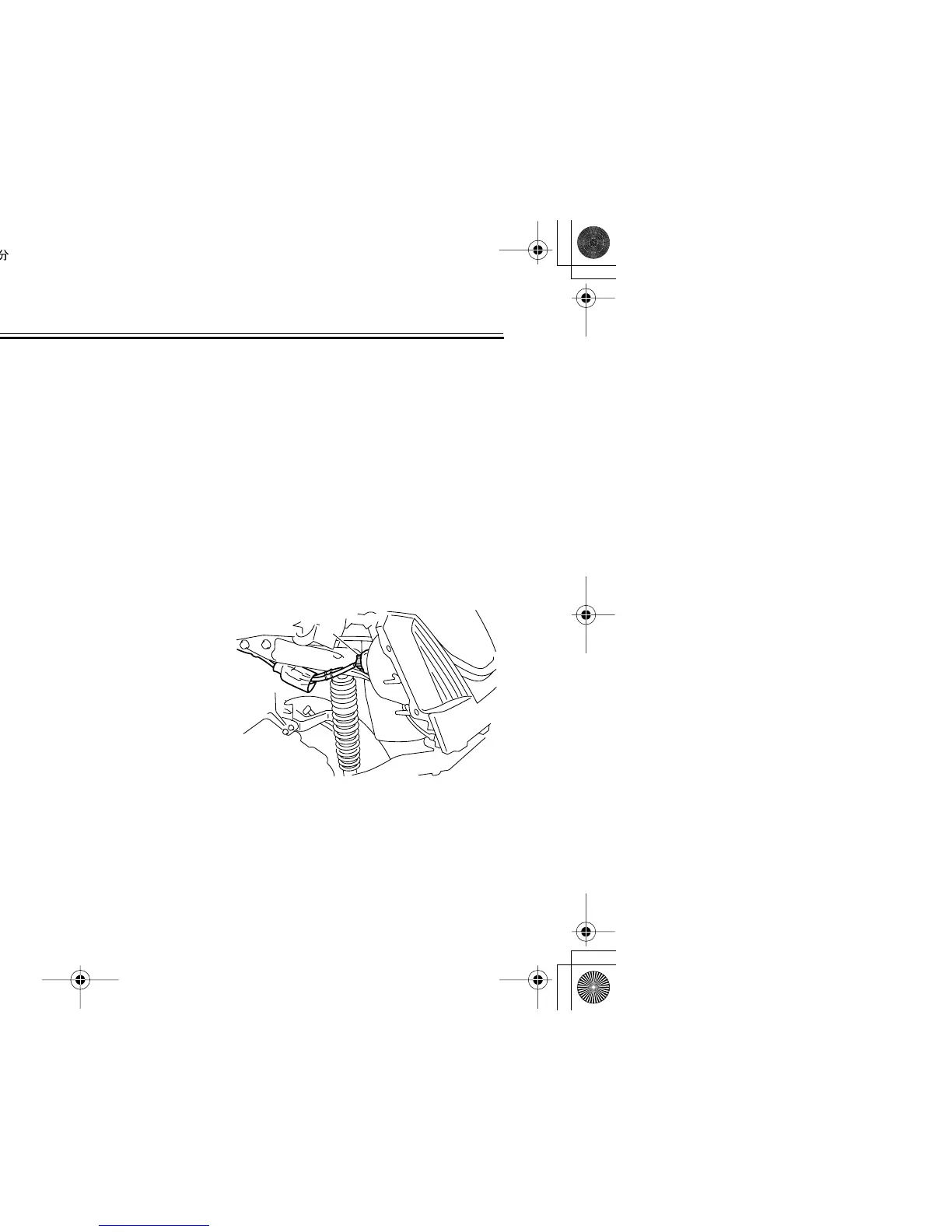
1. Turn signal light bulb socket
1
1. Turn signal light bulb socket




 To Next Page