INSTRUMENT AND CONTROL FUNCTIONS
3-6
3
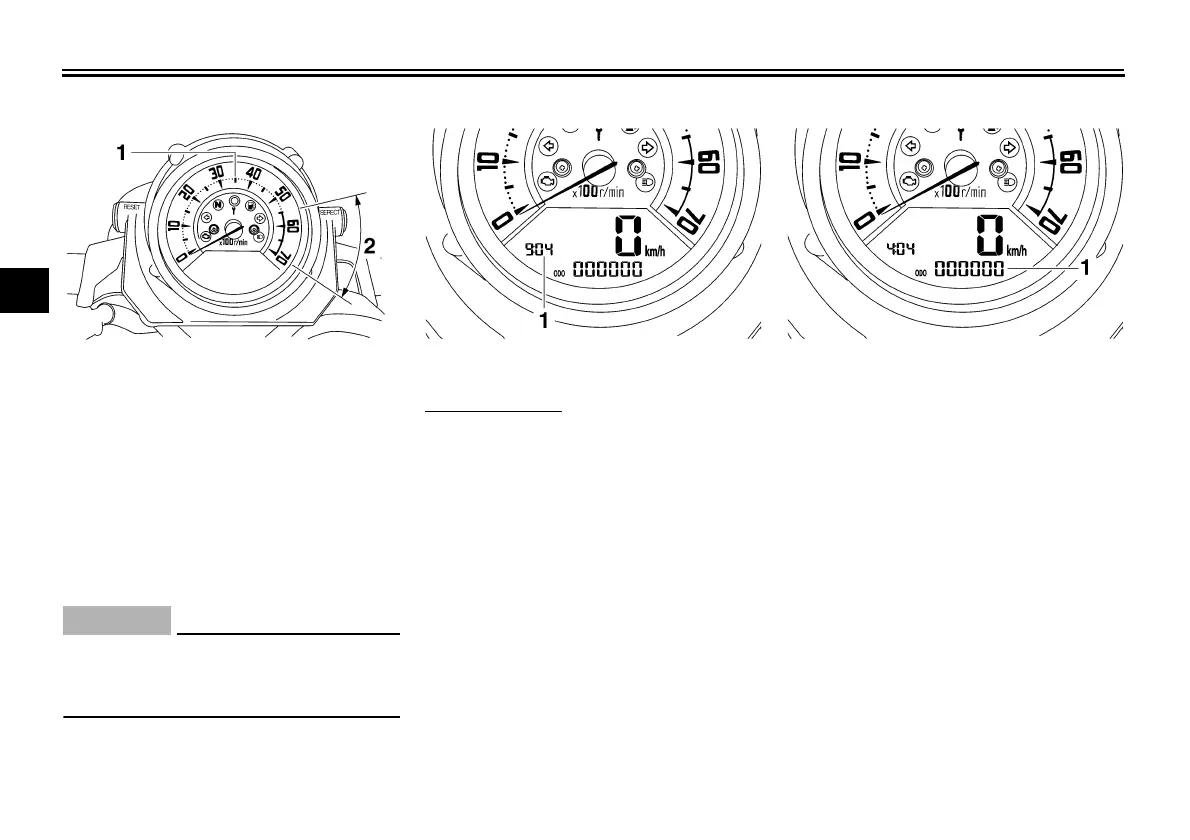
Tachometer
The electric tachometer allows the rider
to monitor the engine speed and keep it
within the ideal power range.
When the key is turned to “ON”, the ta-
chometer needle will sweep once
across the r/min range and then return
to zero r/min in order to test the electri-
cal circuit.
CAUTION:
ECA10031
Do not operate the engine in the ta-
chometer red zone.
Red zone: 5500 r/min and above
The tachometer needle flashes when it
reaches and exceeds the red zone.
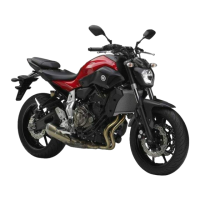
Clock mode
To set the clock
1. Push the “SELECT” button and
“RESET” button together for at
least two seconds.
2. When the hour digits start flashing,
push the “RESET” button to set the
hours.
3. Push the “SELECT” button, and
the minute digits will start flashing.
4. Push the “RESET” button to set
the minutes.
5. Push the “SELECT” button and
then release it to start the clock.
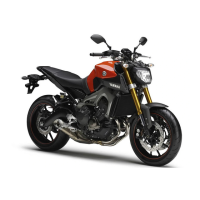
Odometer and tripmeter modes
Pushing the “SELECT” button switches
the display between the odometer
mode “ODO” and the tripmeter modes
“TRIP 1” and “TRIP 2” in the following
order:
ODO → TRIP 1 → TRIP 2 → ODO
If the fuel level warning light comes on
(see page 3-4), the odometer display
will automatically change to the fuel re-
serve tripmeter mode “F-TRIP” and
start counting the distance traveled
from that point. In that case, pushing
the “SELECT” button switches the dis-
play between the various tripmeter and
odometer modes in the following order:
F-TRIP → TRIP 1 → TRIP 2 → ODO →
F-TRIP
1. Tachometer
2. Tachometer red zone
1. Clock 1. Odometer/tripmeter/fuel reserve tripmeter
U5YU23E0.book Page 6 Friday, November 23, 2007 8:49 AM


 To Next Page