20
Chapter 4 Recording Songs
Starting Recording
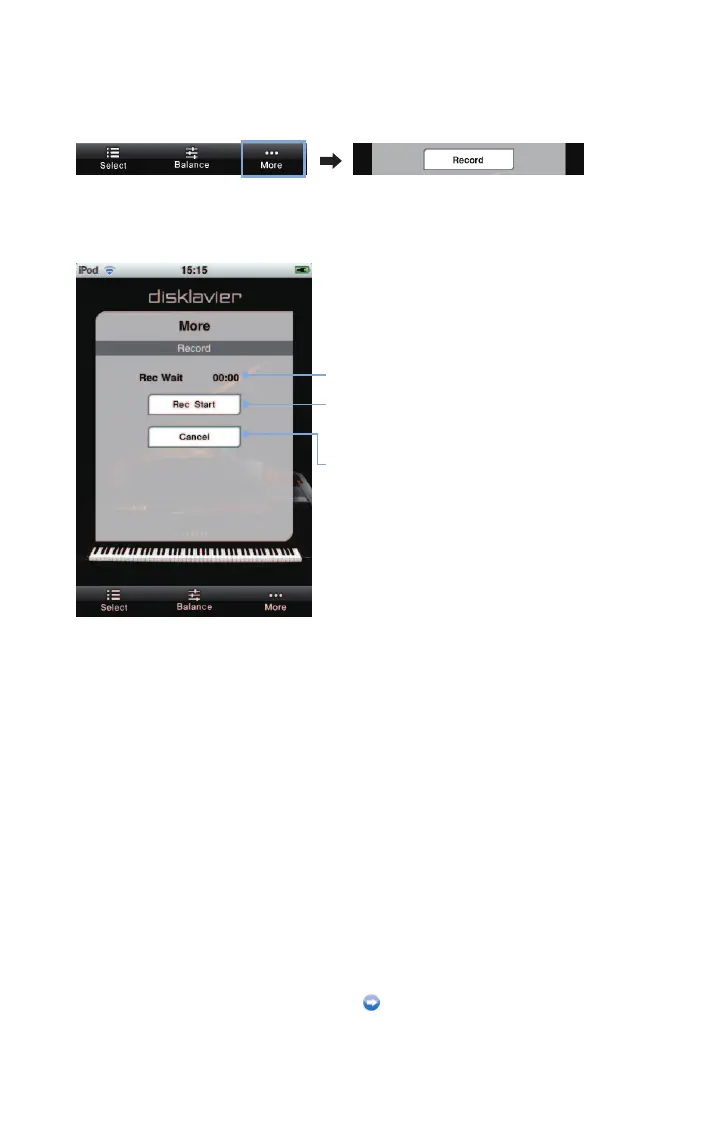
Tap on [More] in the toolbar, then on [Record] in the More screen that appears.
Tap on [Rec Start] and play the Disklavier.
Counter
[Rec Start]
Starts recording.
[Cancel]
Cancels recording.
Recording will start by playing the Disklavier,
and the counter starts to advance.
Stopping recording (page 21)












 To Next Page