26
Chapter 5 Other Functions
Changing Song Tempo
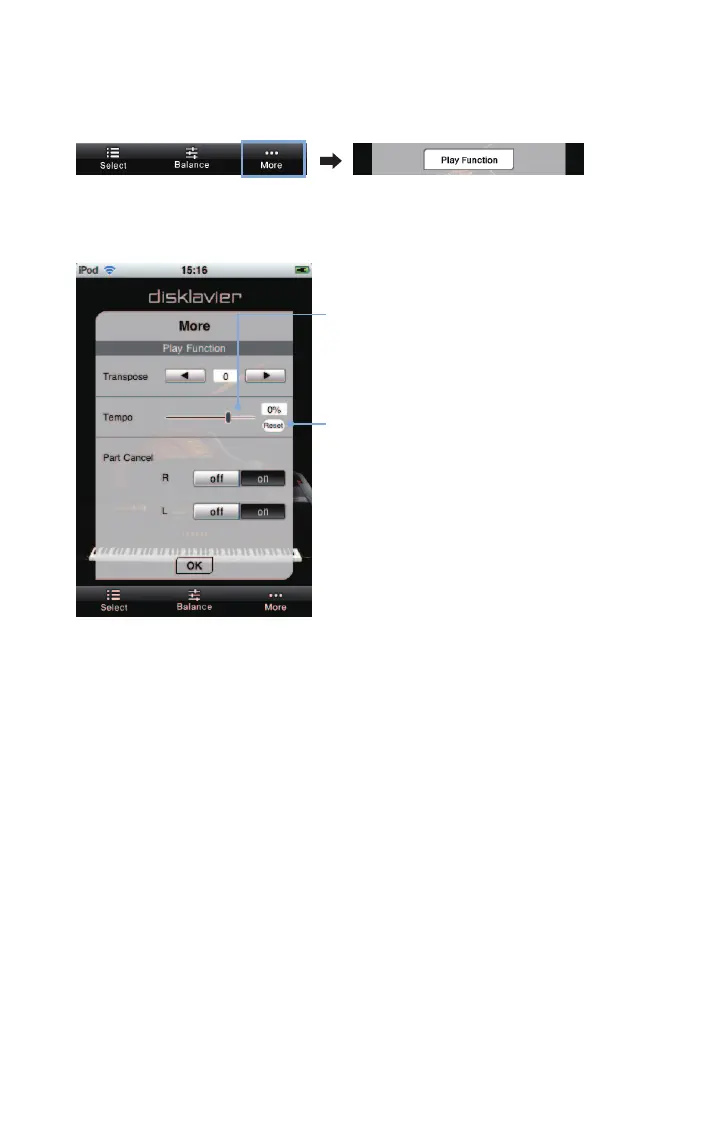
Tap on [More] in the toolbar, then on [Play Function] in the More screen that appears.
Use the slider to adjust the tempo.
[Tempo]
Adjusts the tempo over the following range:
Disklavier Mark IV: -50% to +20%
Disklavier E3: -50% to +50%
[Reset]
Returns to the default tempo (0%).












 To Next Page