24
Chapter 5 Other Functions
Adjusting Sound Source Volume Balance
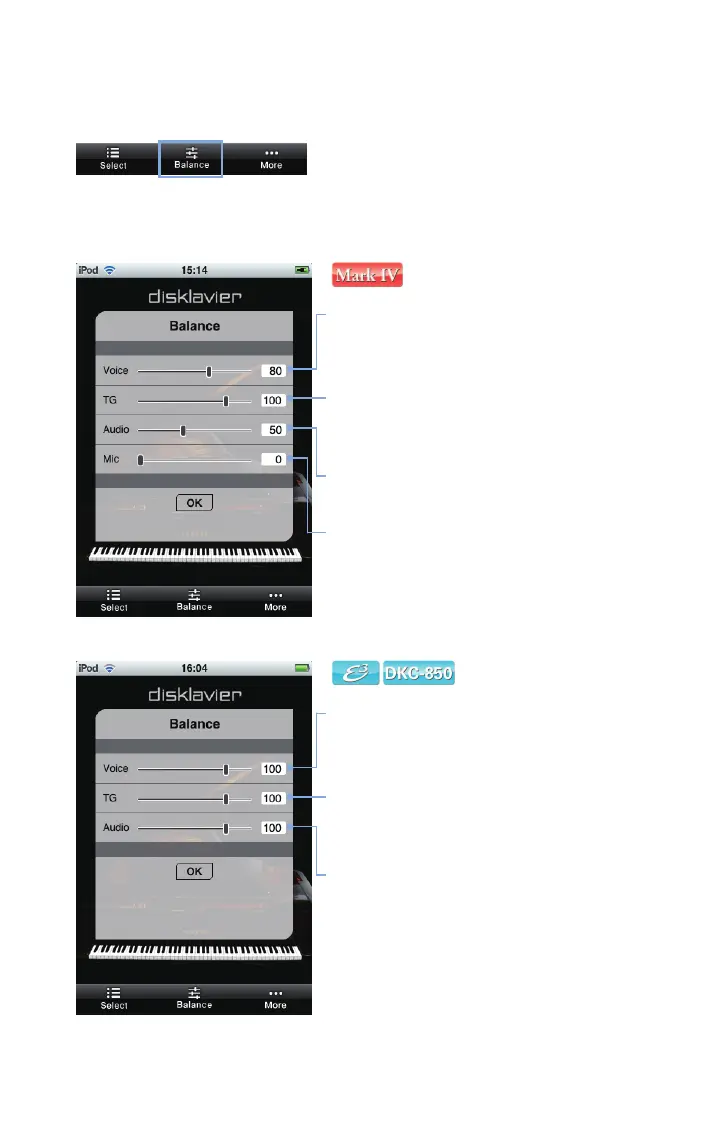
Tap on [Balance] in the toolbar.
Use the slider to adjust the volume for each sound source.
[Voice]
Adjusts the volume of the piano part.
[TG]
Adjusts the volume of the ensemble part from the
internal tone generator.
[Audio]
Adjusts the volume of software (audio CD, etc).
[Mic]
Adjusts the microphone level.
[Voice]
Adjusts the volume of the piano part.
[TG]
Adjusts the volume of the ensemble part from the
internal tone generator.
[Audio]
Adjusts the volume of software (audio CD, etc).












 To Next Page