5
Chapter 1 Getting Started
Connecting to a Piano
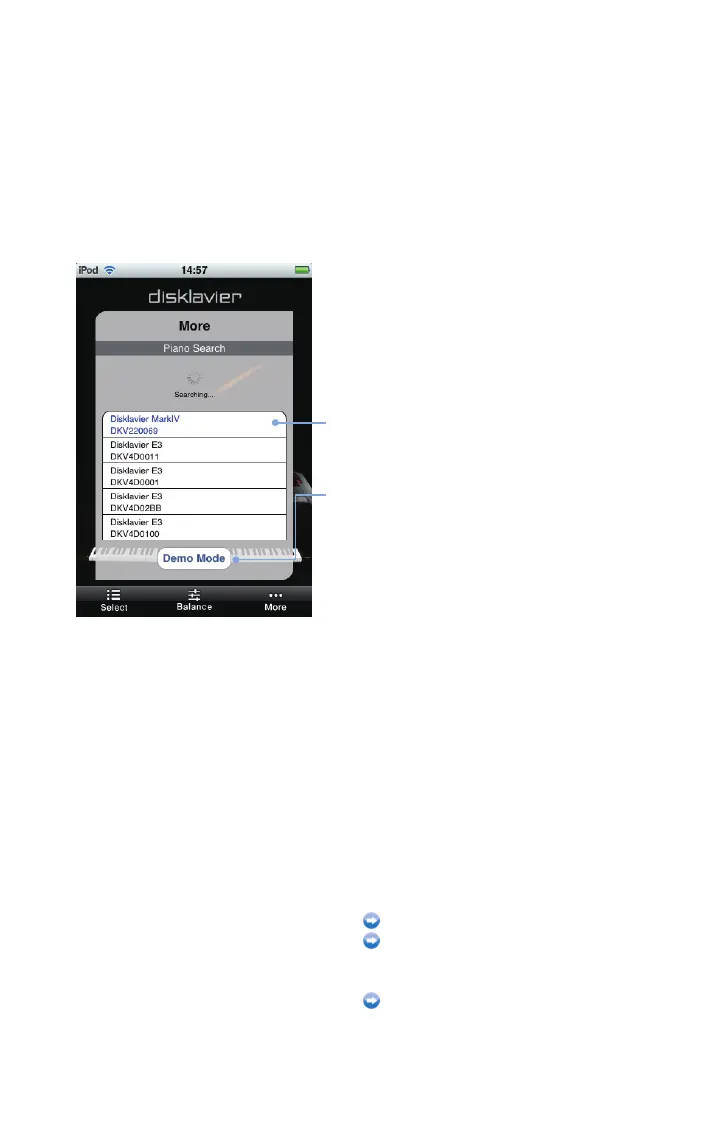
A list of pianos the application found appears.
Select from the list the piano to which you wish to connect.
Tap on the piano you wish to connect to.
Piano list
[Demo Mode]*
Switches to the demonstration mode, in which
you can check the operations on the Disklavier
Controller even when no pianos are found.
* Operations in demonstration mode are the same as those when
connected to the Disklavier Mark IV.
After completion, perform passcode
authentication if required.
Entering your passcode (page 6)
Setting the passcode (page 30)
Otherwise, start song playback.
Operation during playback (page 13)












 To Next Page