PSR-E233/YPT-230 Owner’s Manual
16
Play with a Style
This instrument has an auto accompaniment feature that produces accompaniment
(rhythm + bass + chords) in the style you choose to match chords you play with your
left hand. You can select from 100 different styles covering a range of musical genres
and time signatures.
Most Styles include a rhythm part. Let’s begin by listening to just the basic rhythm. The rhythm part is played
using percussion instruments only.
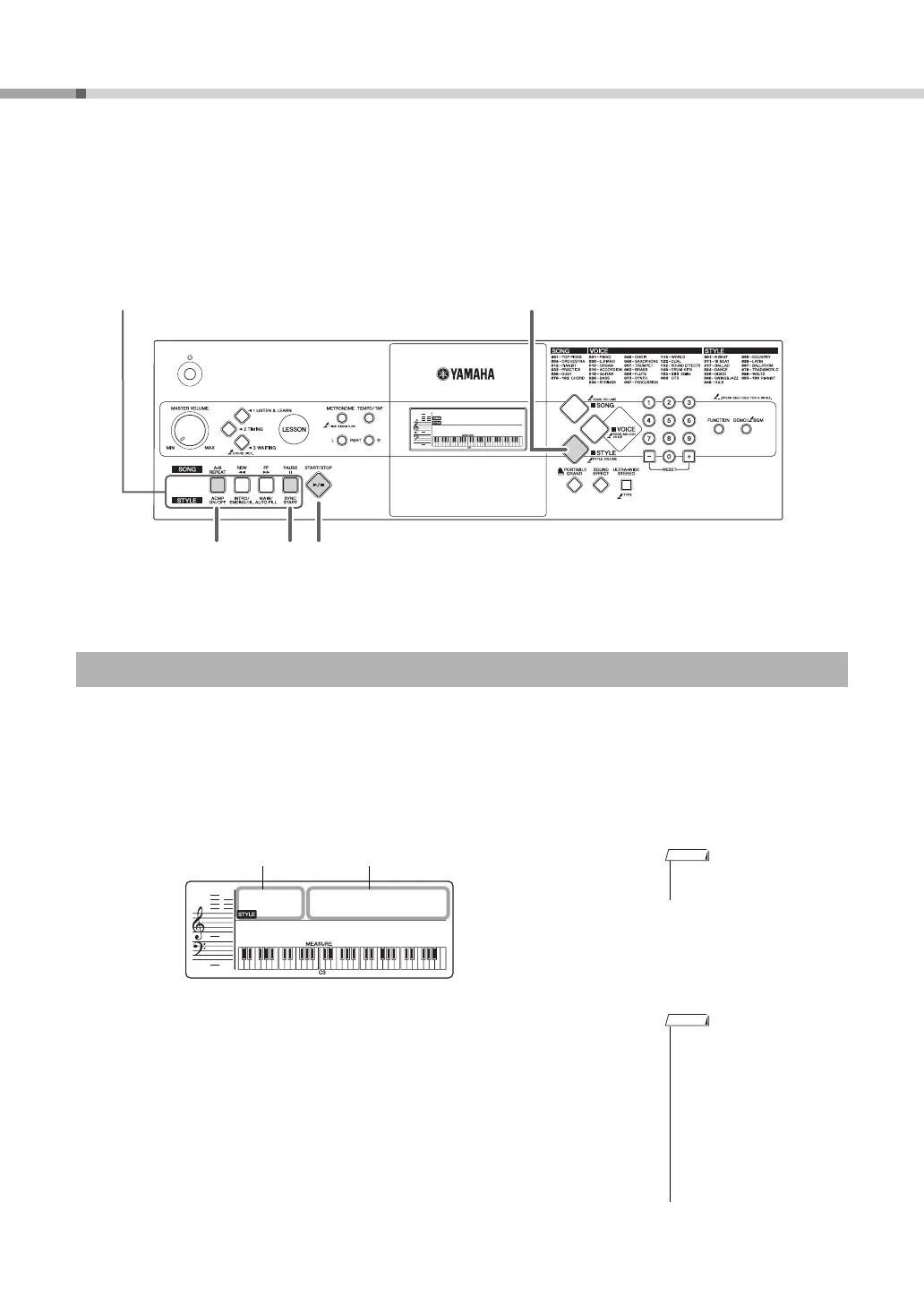
Press the [STYLE] button and then select the desired Style, referring to the section “Basic Operation” on page 12
for instructions.
Refer to the Style List on page 40.
Press the [START/STOP] button to play back the Style rhythm.
Press the [START/STOP] button a second time when you want to stop playback.
Select a Style Rhythm
5
Press the [STYLE] button to access the
Style Functions (printed below).
2
1
3
• To adjust the tempo of the
Style, see page 27.
• Since the Pianist category
Styles (093–100) have no
rhythm parts, no sound will
be produced if you start
rhythm-only playback.
To use these Styles, turn on
the auto accompaniment
and play the keyboard as
described on page 17 (The
bass and chord accompani-
ment parts will sound.)















 To Next Page