PSR-E283 YPT-280 Reference Manual
32
The Function settings provide access to various detailed instrument parameters including Tuning, Split Point, Voices, Effects,
and battery type.
Function Settings
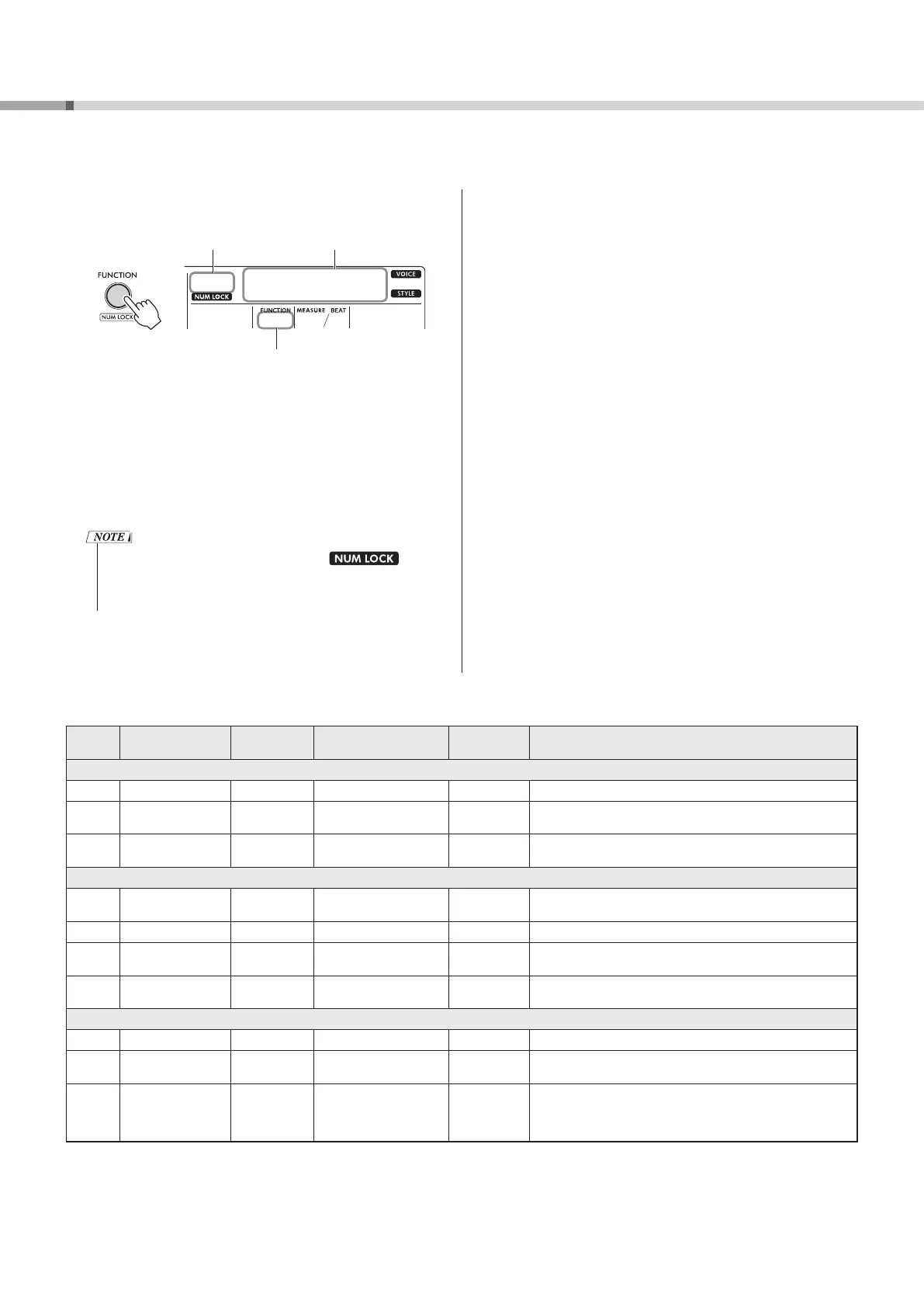
1 Press [FUNCTION] !6 repeatedly until the desired
item appears.
001
000
Transpos
01001
Current value Function Name
Function Number
Press repeatedly
To decrease the Function Number by one, simultaneously hold
down [FUNCTION] !6 and press [-] !5 briefly.
Simply pressing only [+] or [-] !5 does not change the Function
Number.
The selected Function Name is displayed for a few seconds, and
then the current setting value is displayed.
2 Set the value by using the Number buttons !4, [+] or
[-] !5 buttons.
Press [+] and [-] !5 simultaneously to restore the default setting.
• When setting one of the Functions, the
icon automatically lights up, and you can use the
VOICE/SONG/STYLE Category buttons !4 as Number
buttons !4 to change the setting value.
3 To exit the Function settings, press one of these
buttons: [VOICE], [SONG] or [STYLE] !3.
Function List
Function
Number
Function Name Display Range/Settings Default Value Description
Overall
001 Transpose
Transpos
-12–12 0 Sets the pitch of the instrument in semitone increments.
002 Tuning
Tuning
427.0 Hz–453.0 Hz 440.0 Hz Sets the fine tuning of the pitch of the entire instrument in approx.
0.2 Hz increments.
003 Split Point
SplitPnt
036–096 (C1–C6) 054 (F#2) Sets the highest note (split point) of the Auto Accompaniment
range (page 23).
Voice (page 14)
004 Volume
M.Volume
000–127 * Adjusts the volume of keyboard performances when performing
along with a Song or a Style.
005 Octave
M.Octave
-2–2 * Sets the pitch of keyboard performances in octaves.
006 Reverb Level
M.Reverb
000–127 * Sets the amount of reverb applied to the Voice (see “Reverb Type”
on page 33).
007 Chorus Depth
M.Chorus
000–127 * Sets the amount of chorus applied to the Voice (see “Chorus Type”
on page 33).
Style (page 23)
008 Style Volume
StyleVol
000–127 100 Sets the Style playback volume when selecting a Style (page 24).
009 Fingering Type
FingType
1 (SmartChd)
2 (Multi)
1 (SmartChd) Sets how to play the chord in the Auto Accompaniment range when
playing with a Style.
010 Smart Chord Key
S.ChdKey
FL7 (7 Flats b) –
SP0 (No Key Signature) –
SP7 (7 Sharps #)
SP0
(No Key
Signature)
Sets the Key Signature for Style playback when the Fingering Type
is set to “Smart Chord.” For example, if there are 2 sharps (#) on
your music score, press [+] or [-] !5 until “SP2” appears on the
display.



 To Next Page